Al Shumar ERP

Point of Sale, Inventory, Accounts & Business Management Software (Web Based)

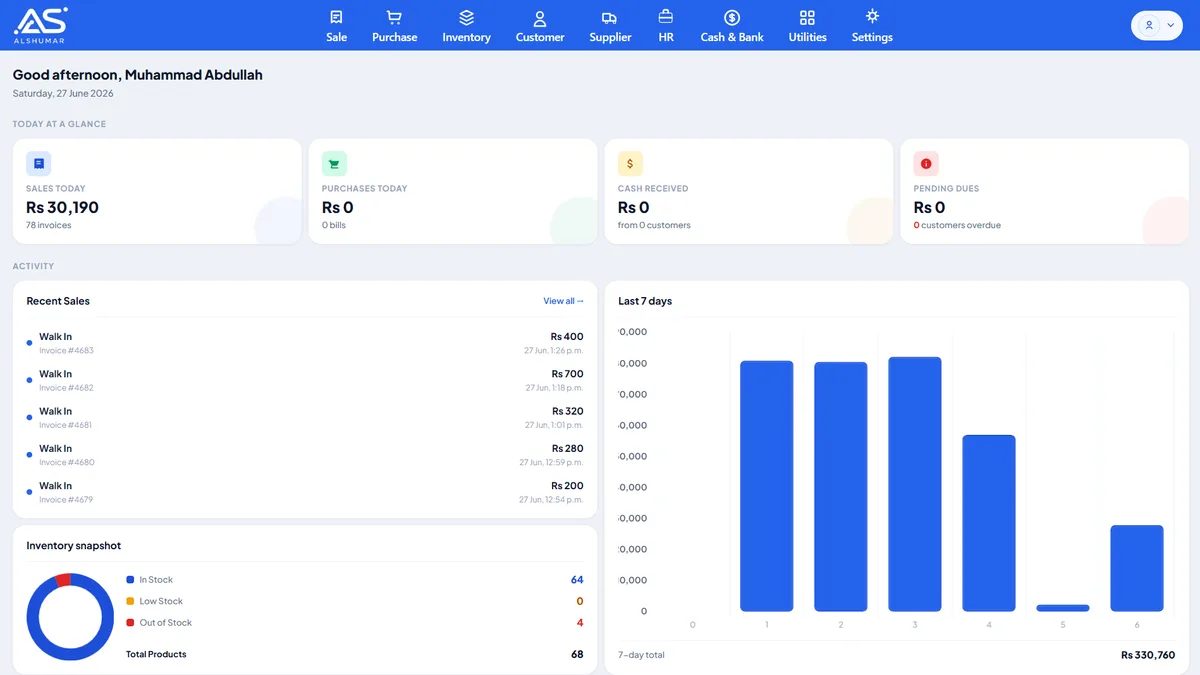
Al Shumar ERP is a complete, web-based business management system that helps Pakistani retailers, wholesalers, distributors, and manufacturers run their entire operation from one platform. It combines fast point-of-sale billing with barcode support, real-time multi-godown inventory, and purchase and supplier management — then goes further with built-in double-entry accounting, customer and supplier ledgers, manufacturing and production costing, and HR and payroll. With role-based user access, device-level login security, return and exchange support, flexible discounts and multi-mode payments, and reports across every module, Al Shumar ERP gives growing businesses everything they need to reduce errors, prevent stockouts, control costs, and make smarter, data-driven decisions.

Al Shumar Sales and Invenroy Managemetn Software (Shop Billing Software)

Sales & Invoicing Management

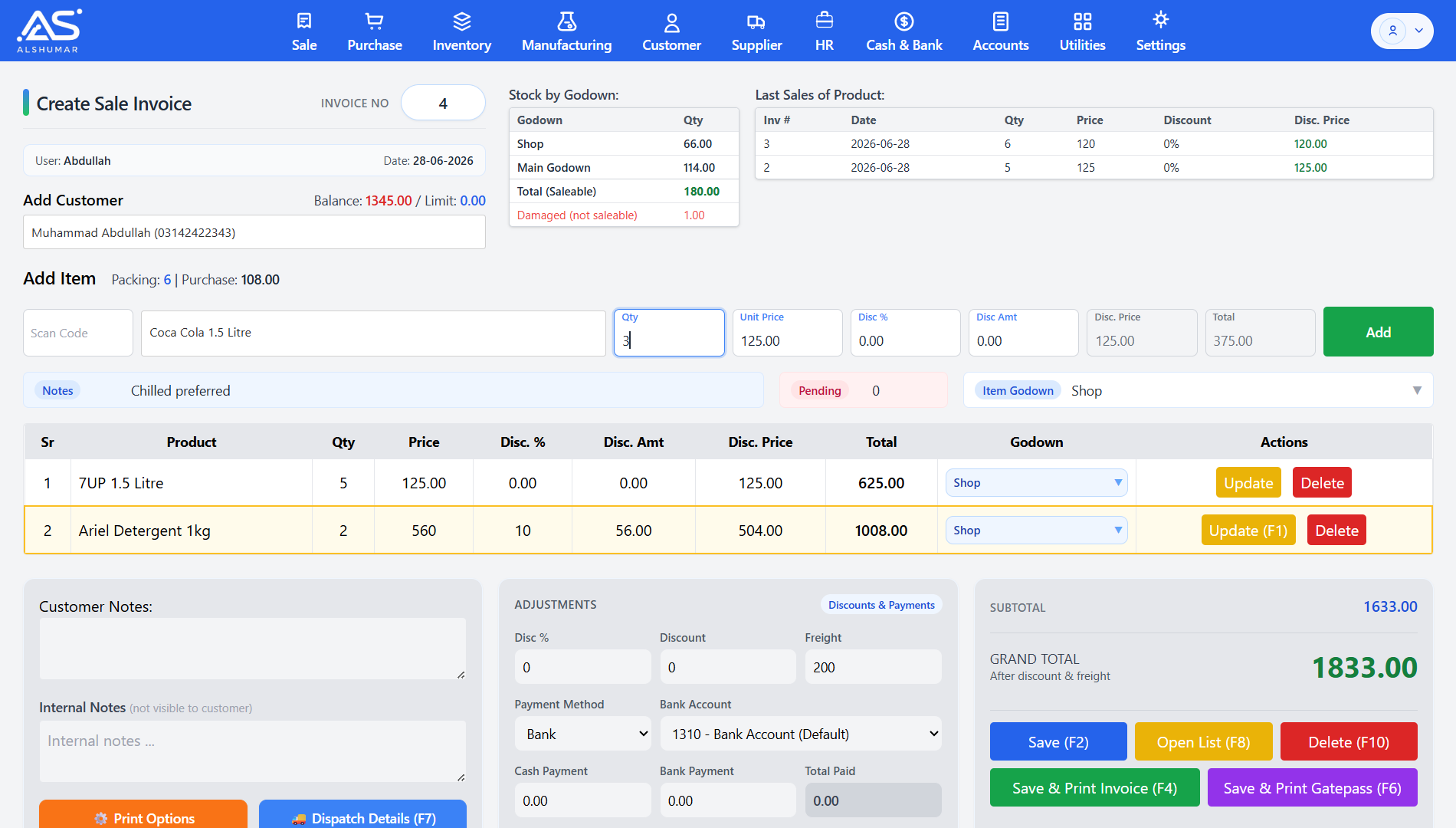
Al Shumar ERP's Sales & Invoicing module is a complete point-of-sale (POS) and sales management system that lets Pakistani retailers, wholesalers, and distributors create sale invoices, record cash and bank payments, and track customer balances in real time. Every invoice instantly updates stock across multiple godowns, displays each product's last sale prices for accurate pricing, and supports item-level or invoice-level discounts and freight. Built for fast counter billing and field sales alike, it connects directly to inventory, accounts, and dispatch — so each sale posts to your books automatically through double-entry accounting.

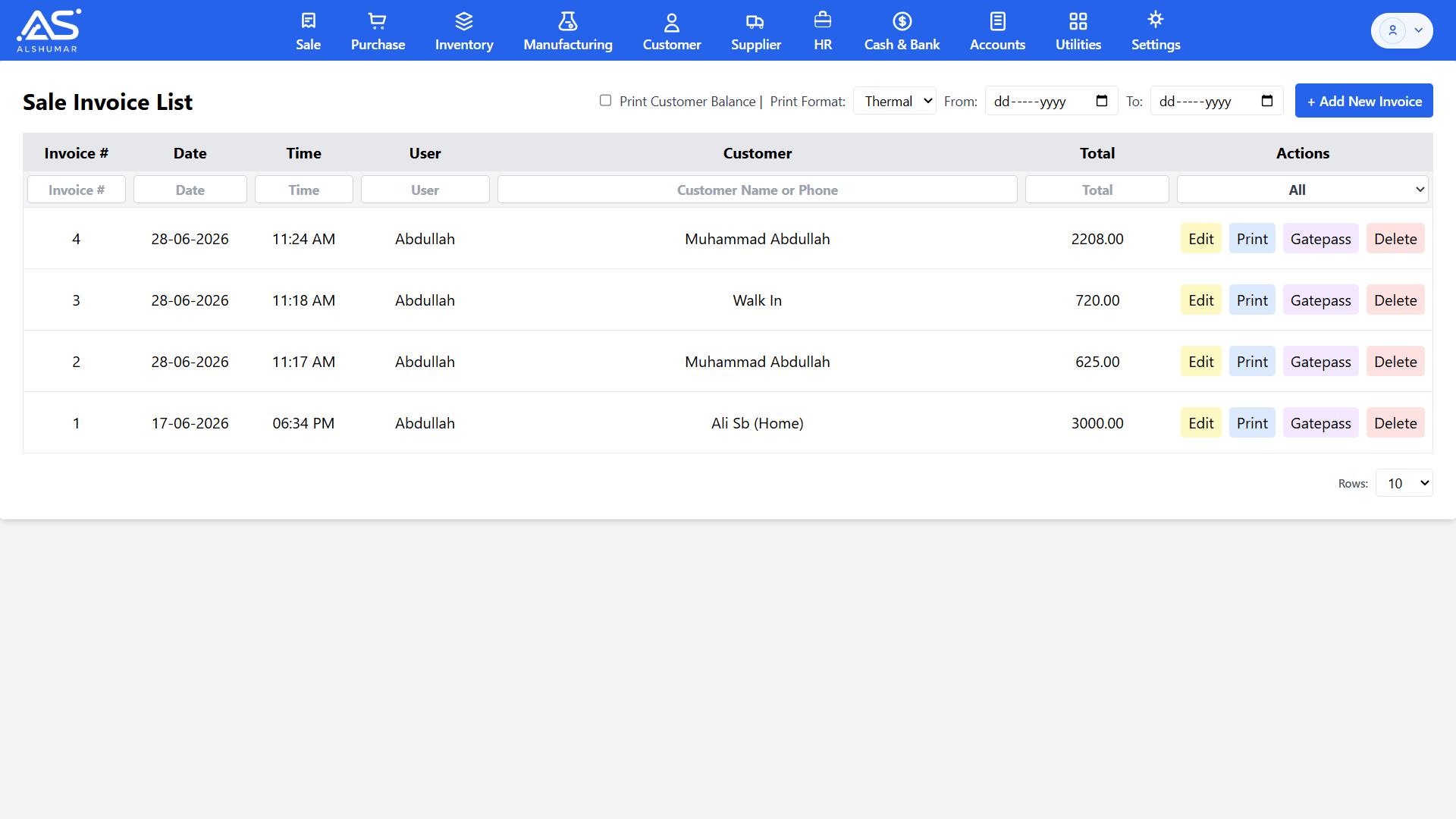
Al Shumar ERP sales invoice list with date and customer filters and edit, print, gatepass, and delete actions

Sales Invoice List & Records

View, search, and manage every sale invoice from a single screen. Filter sales by invoice number, date, customer name or phone, then edit, print, generate a gatepass, or delete any record in one click. Choose thermal or A4 print formats and optionally print the customer's outstanding balance on each invoice.

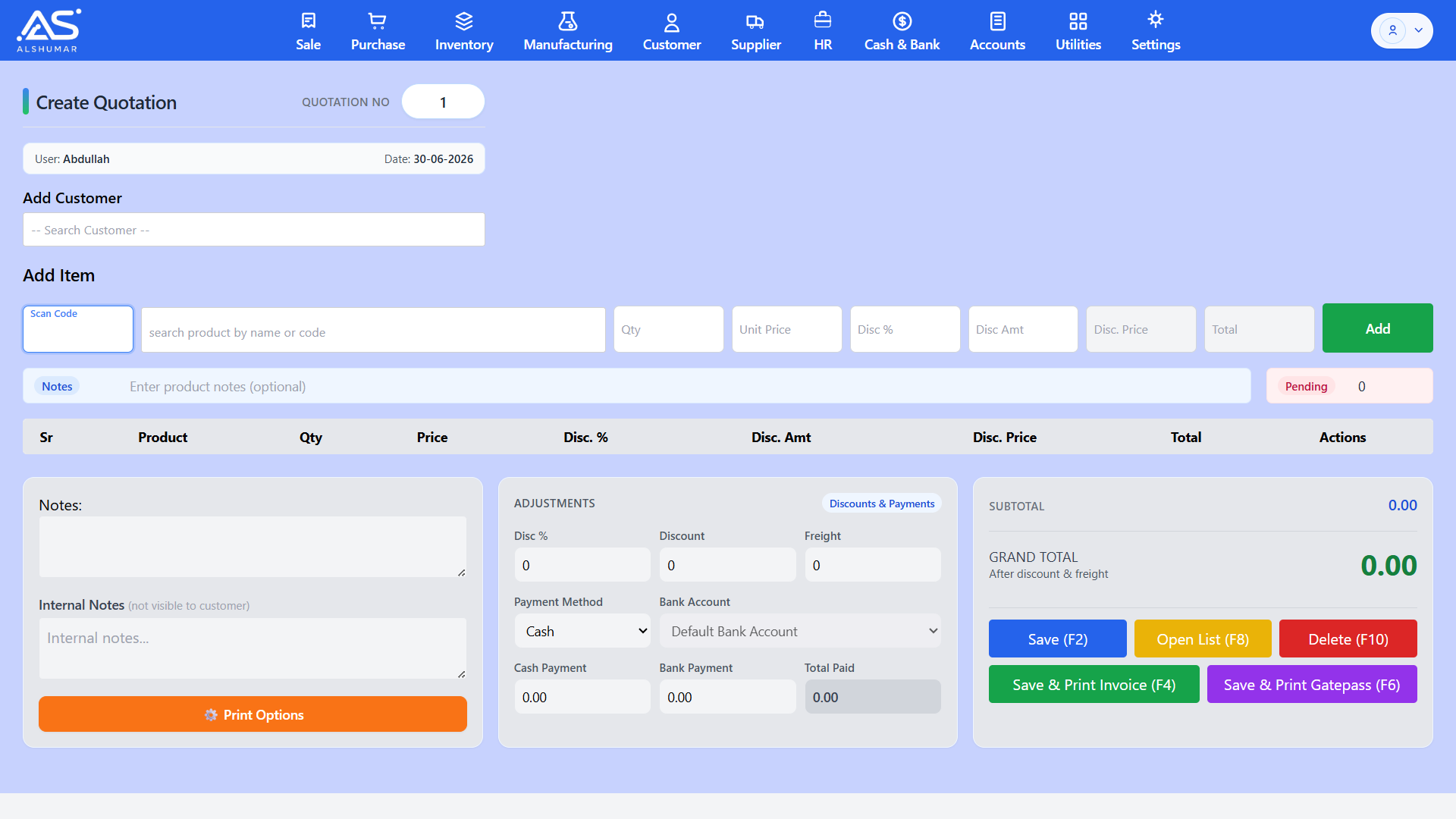
Al Shumar ERP create quotation screen with product search, quantity, pricing, and discount fields

Quotation Management

Create professional sales quotations before confirming an order — add products with quantities, unit prices, and discounts, capture customer notes, and convert approved quotations into sale invoices in a few clicks. Helps wholesalers and distributors close deals faster with accurate, branded quotes.

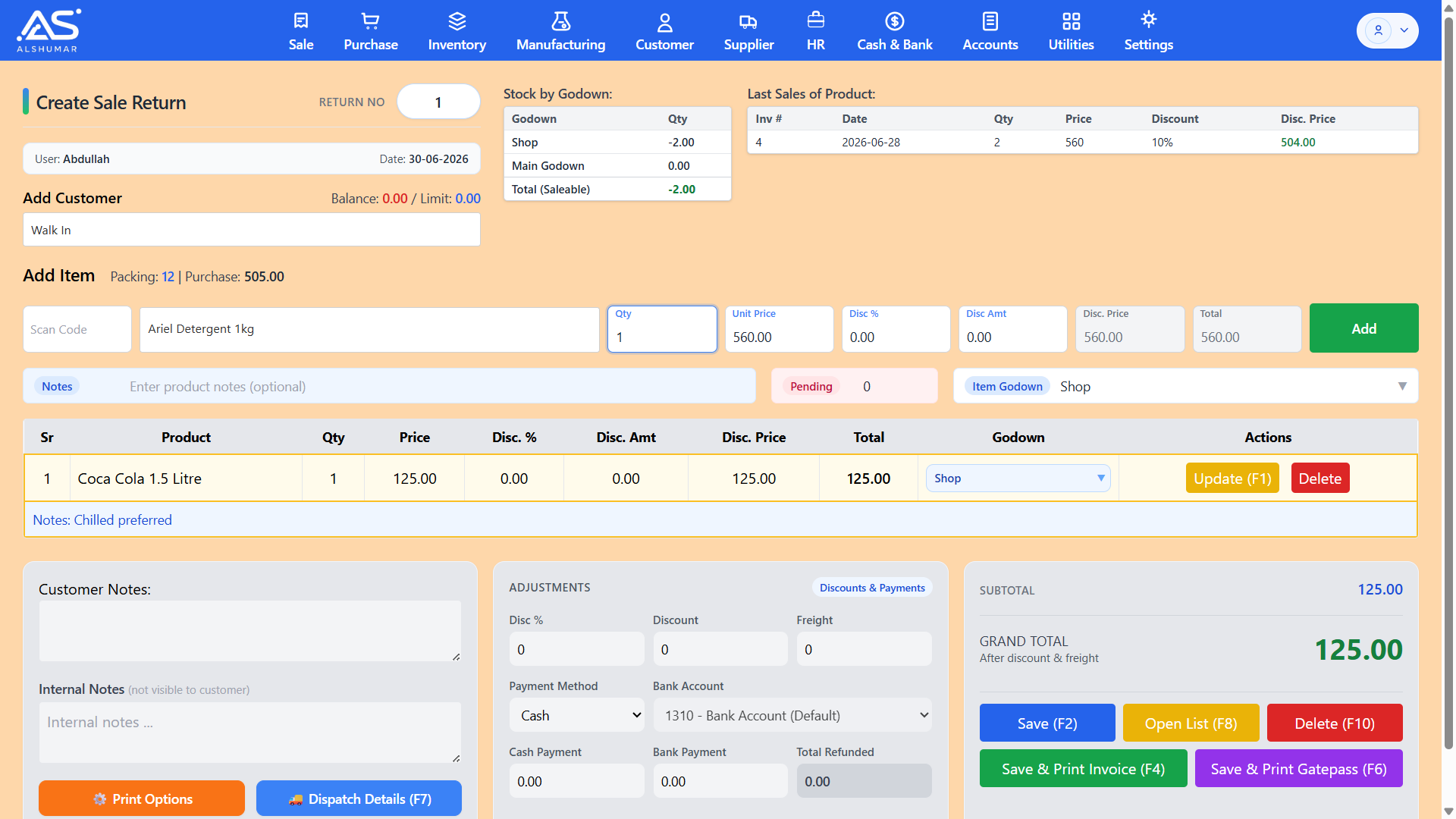
Al Shumar ERP create sale return screen showing returned product, quantity, refund amount, and godown selection

Sales Return Management

Process customer returns quickly with a dedicated sale return screen that reverses stock and adjusts customer balances automatically. Select the original product, set return quantity and price, choose the receiving godown, and record cash or bank refunds — keeping inventory and accounts accurate after every return.

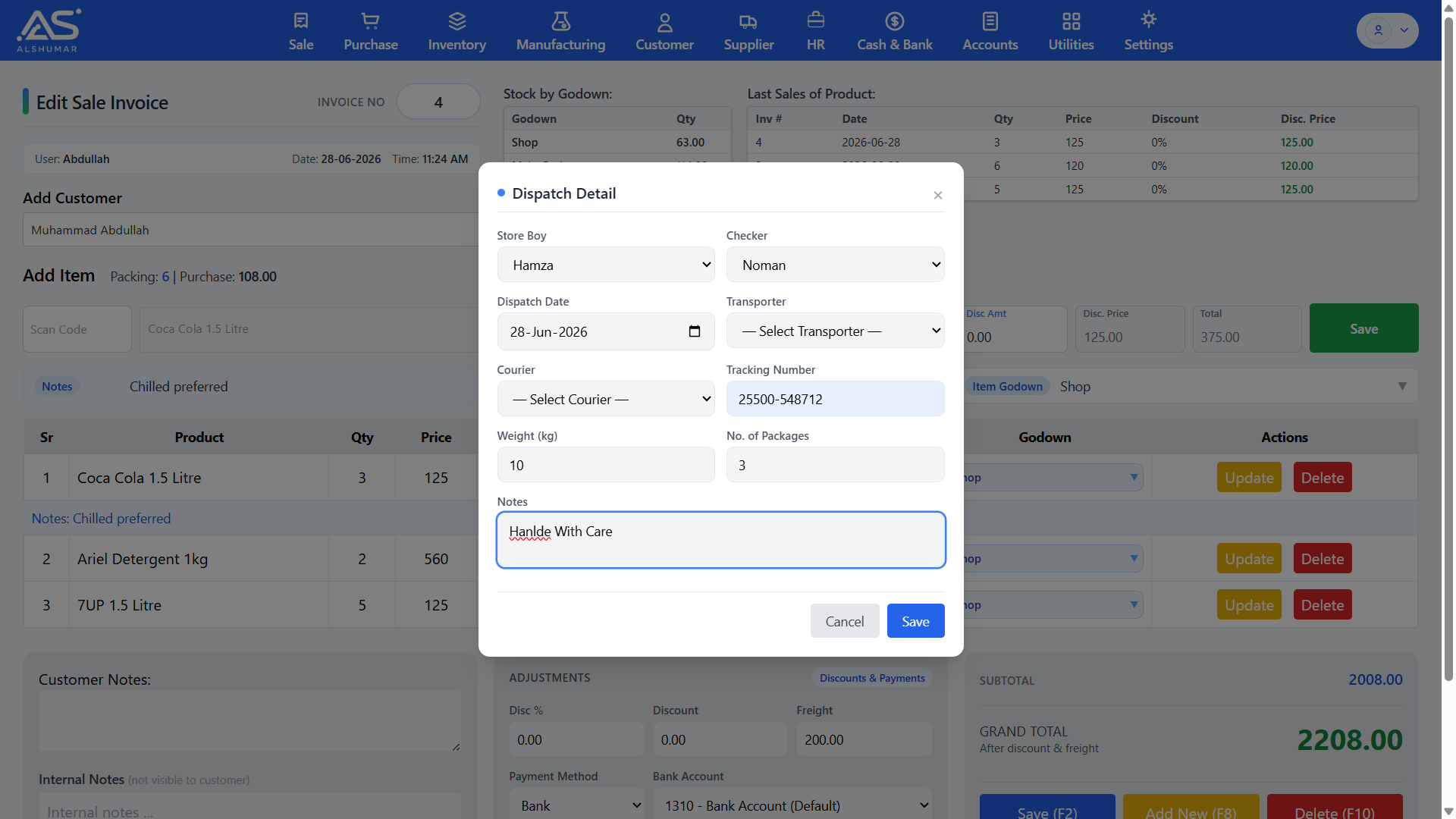
Al Shumar ERP dispatch detail form with store boy, checker, transporter, courier, tracking number, weight, and packages

Dispatch & Delivery Management

Attach complete dispatch details to any sale invoice — assign a store boy and checker, set the dispatch date, select a transporter or courier, and record tracking number, weight, and number of packages. Ideal for distribution businesses, it adds full delivery traceability from invoice to customer doorstep.

Invoice & Gatepass Printing

Print invoices and gatepasses your way — switch between thermal and A4/A5, toggle company headers and previous balances, and configure gatepass details like pending quantities and totals.

Barcode Scanning & Quick Entry

Speed up billing with built-in barcode support — scan any product code to add items instantly, or search by name for fast, error-free invoicing at the counter or in the field.

Customer Balance & Credit Limit

See each customer's outstanding balance and credit limit at the moment of sale, helping you control receivables and avoid over-extending credit to risky accounts.

Discounts, Freight & Flexible Payments

Apply percentage or fixed discounts at item or invoice level, add freight charges, and split payments between cash and bank — with every amount posting straight to your accounts.

Inventory & Stock Management

Al Shumar ERP's Inventory & Stock Management module gives Pakistani retailers, wholesalers, and distributors real-time control over every product, batch, and godown from one screen. Track live stock across multiple godowns, manage purchase and sale prices, generate barcodes, and monitor batch numbers and expiry dates automatically. Each sale, purchase, transfer, and adjustment updates stock instantly and posts to your accounts through double-entry accounting — so your stock figures and stock valuation are always accurate. With powerful filters, bulk editing, and low-stock visibility, it's a complete stock control and warehouse management system built for fast-moving Pakistani businesses.

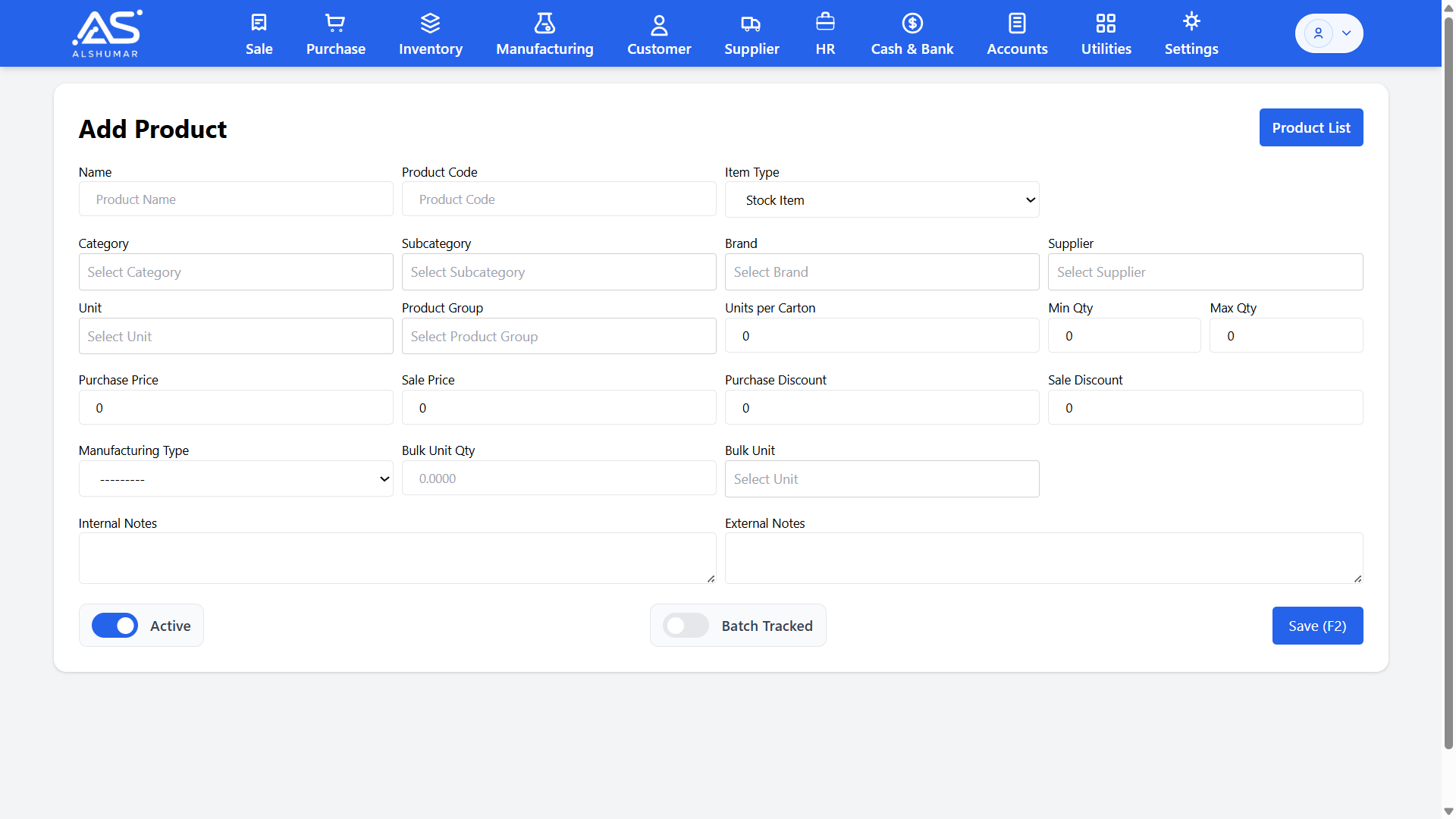
Al Shumar ERP add product form with category, brand, supplier, pricing, and batch-tracked toggle

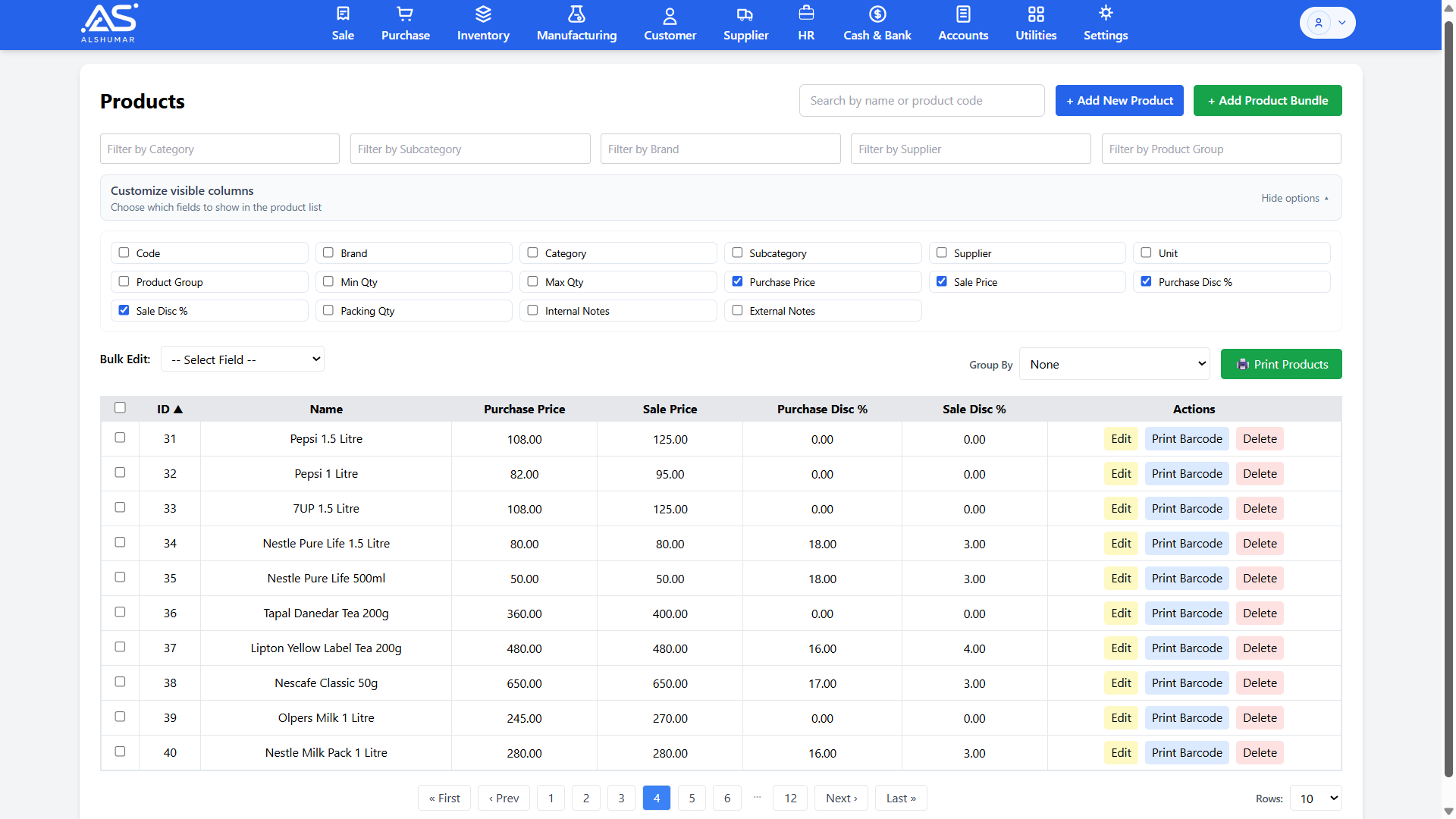
Product Catalog & Item Setup

Create and manage your full product catalog with detailed item setup — product name, code, category, subcategory, brand, supplier, unit, purchase and sale price, discounts, and minimum/maximum quantity. Mark items as stock or service type and enable batch tracking for products that need expiry control.

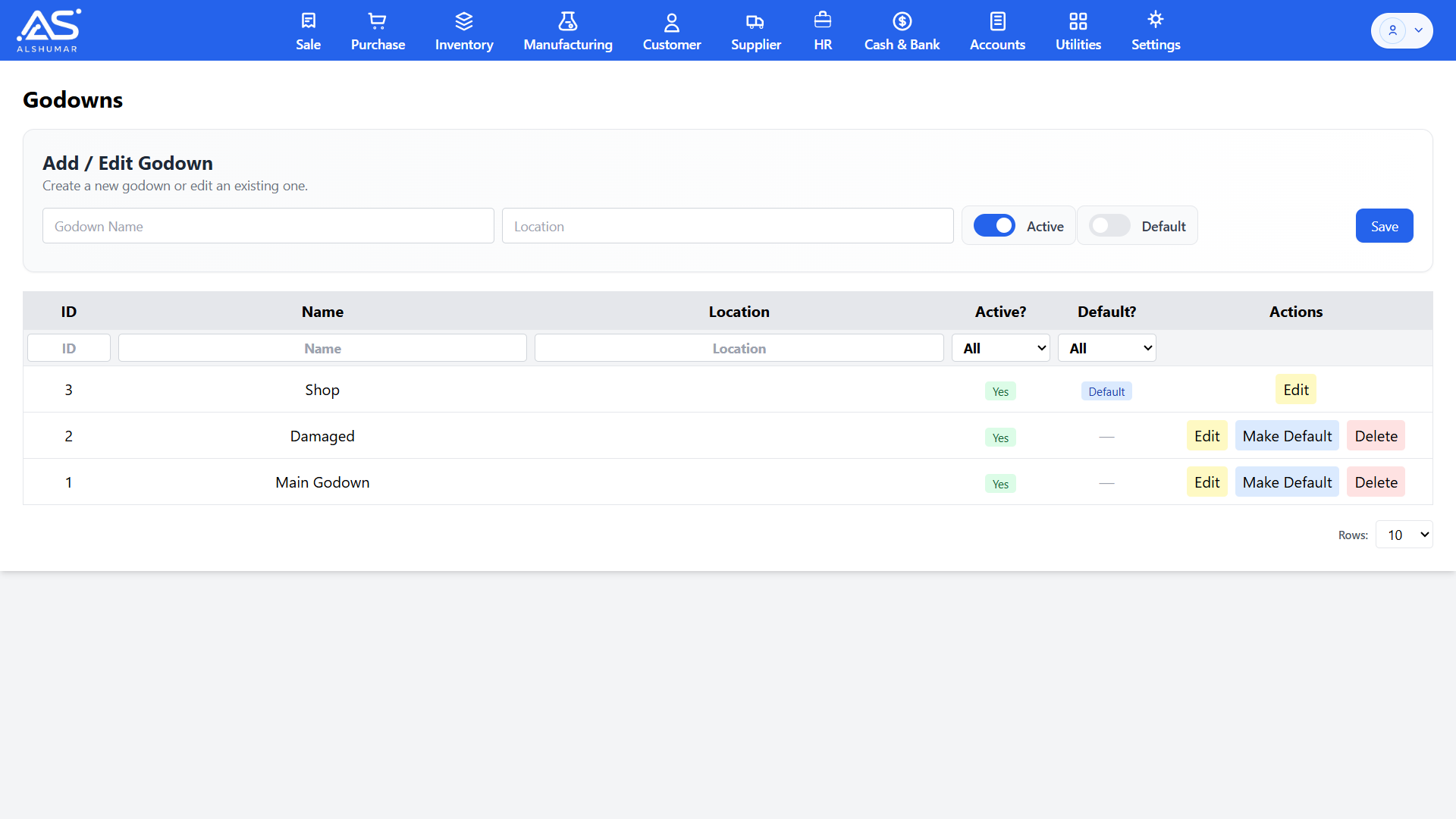
Al Shumar ERP godown management screen listing shop, main godown, and damaged stock locations

Multi-Godown & Warehouse Management

Manage unlimited godowns, shops, and warehouses from a single system. Create and edit storage locations, set an active or default godown, and track stock separately for each one — including a dedicated damaged-stock location — giving multi-location businesses true godown-wise inventory control.

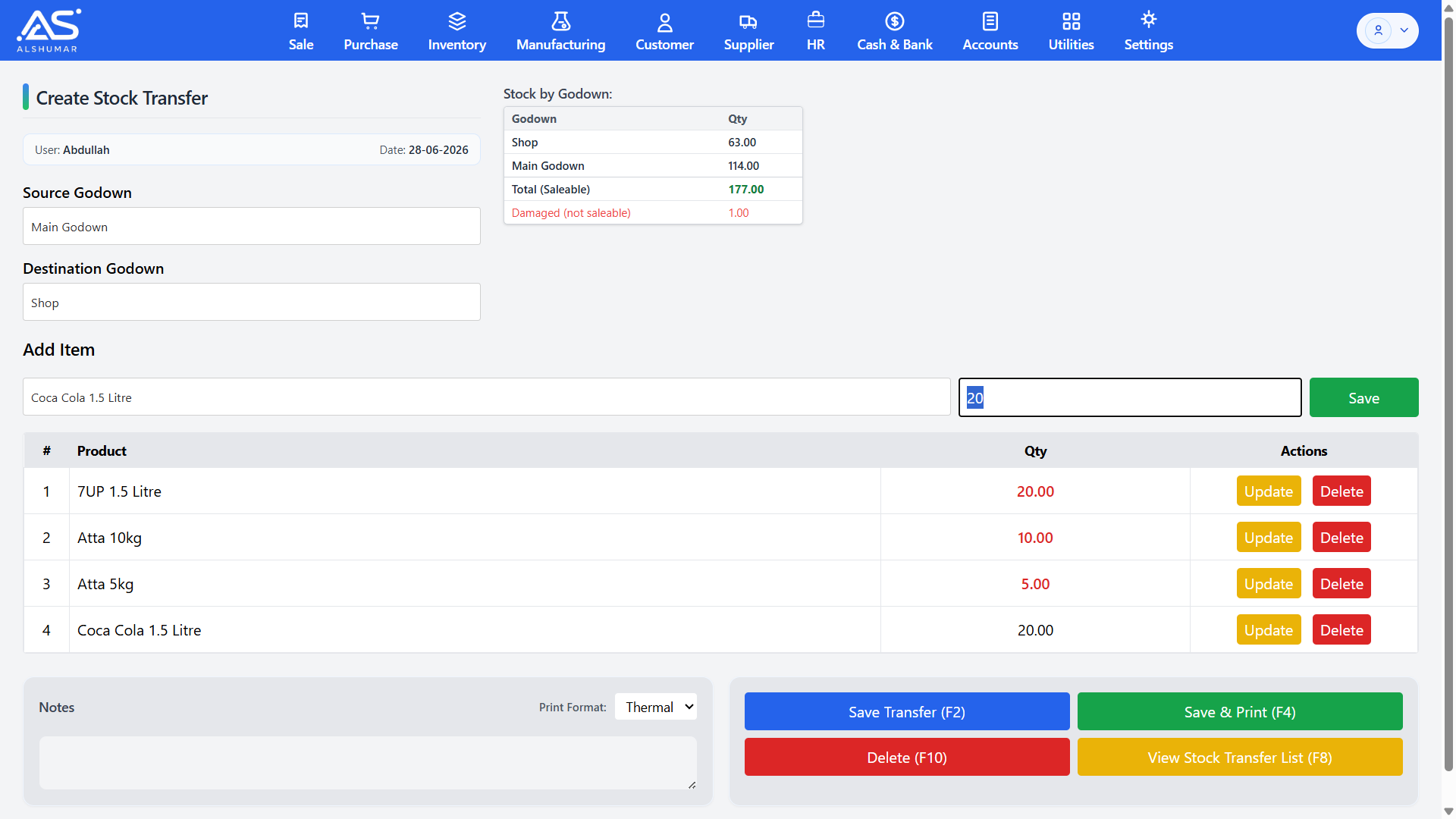
Al Shumar ERP create stock transfer screen moving products from main godown to shop

Inter-Godown Stock Transfer

Move stock between godowns with complete traceability. Select a source and destination godown, add items with quantities, and save or print a stock transfer note — keeping every location's inventory accurate and auditable after each transfer.

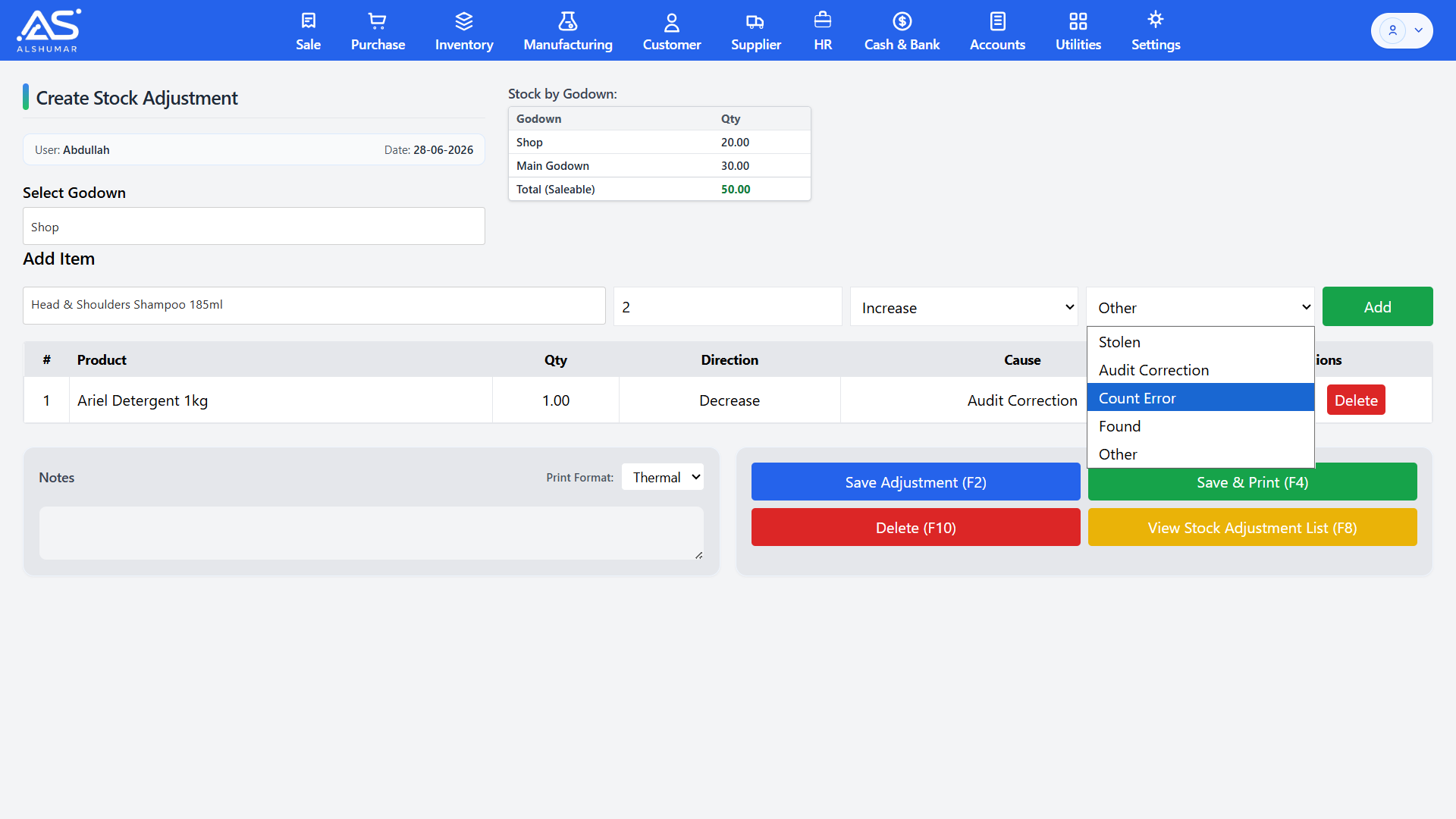
Al Shumar ERP stock adjustment screen with increase or decrease direction and cause selection

Stock Adjustment

Correct stock quantities with a full audit trail. Increase or decrease stock against clear, recorded reasons — audit correction, count error, stolen, found, or other — so physical counts always match system records without losing accountability.

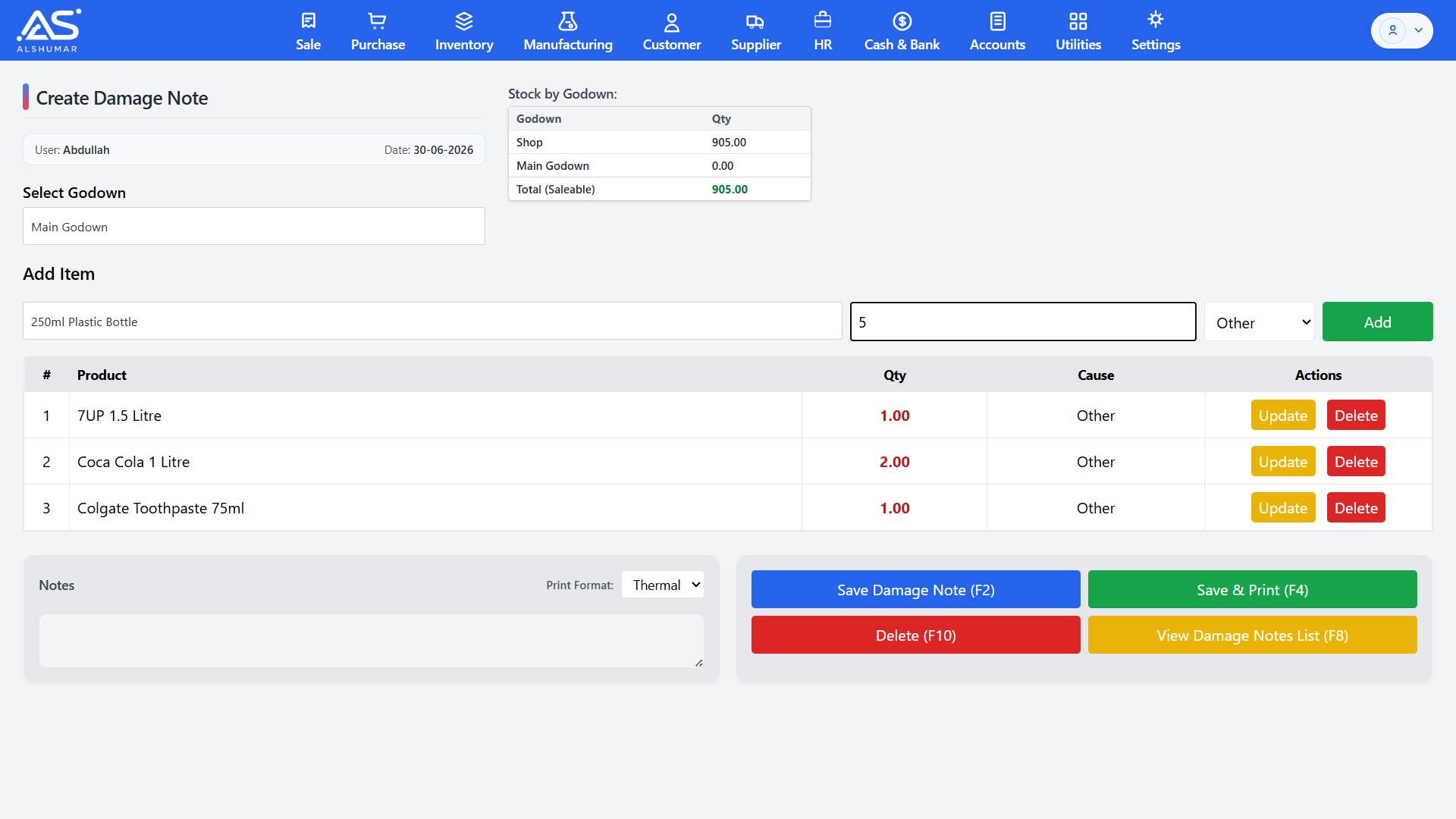
Al Shumar ERP damage notes list showing damage and recovery entries by godown

Damage & Recovery Notes

Record damaged or unsaleable stock and later restore repaired items with recovery notes. Damaged quantities move out of saleable stock automatically and back in when recovered — protecting both your real inventory value and your saleable-stock figures.

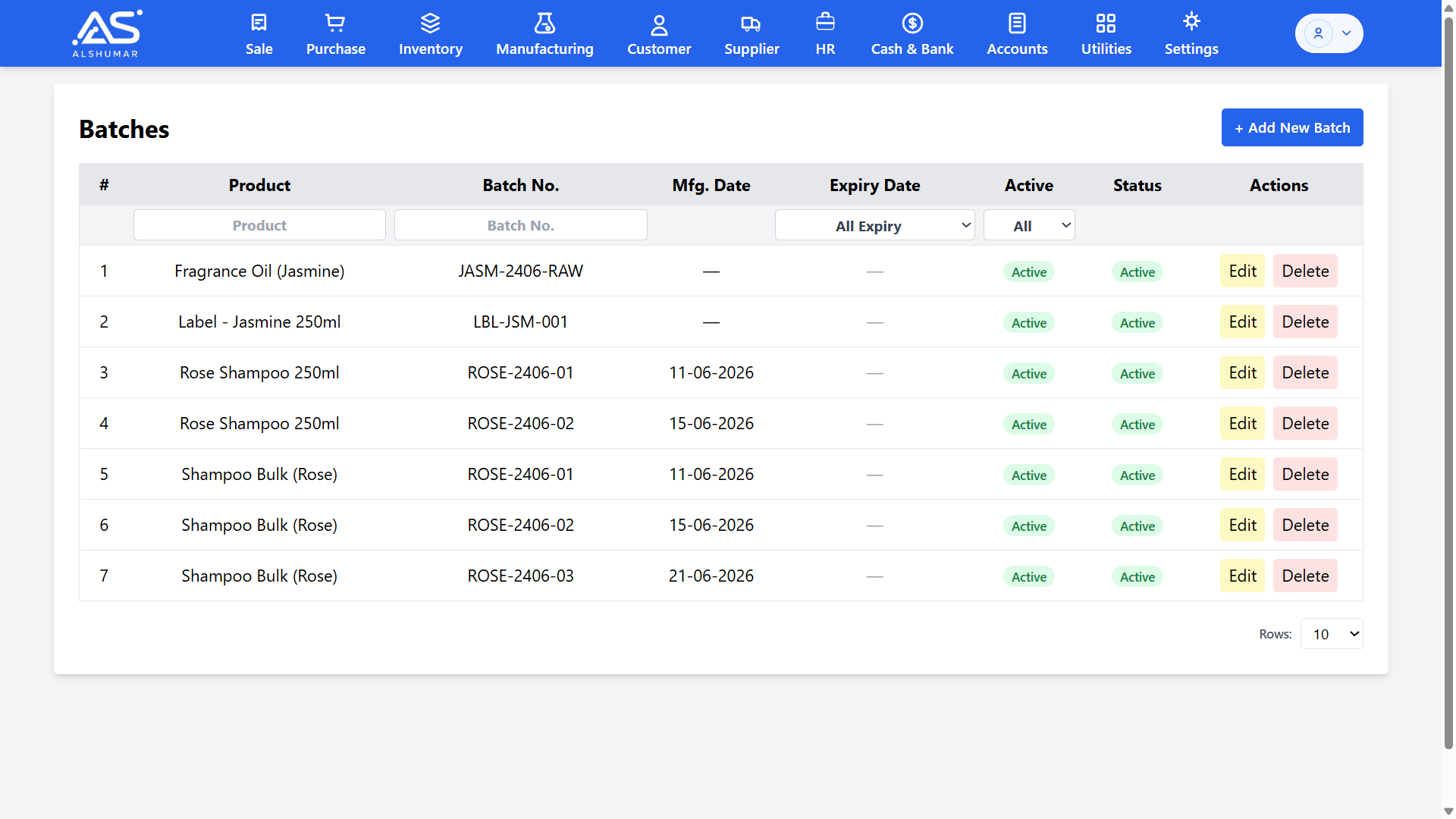
Al Shumar ERP batches screen listing batch numbers with manufacturing and expiry dates

Batch & Expiry Tracking

Track products by batch number with manufacturing and expiry dates — essential for pharmacies, food, cosmetics, and FMCG businesses. Batch-wise tracking supports first-expiry-first-out (FEFO) handling so older or expiring stock is sold first and waste is minimized.

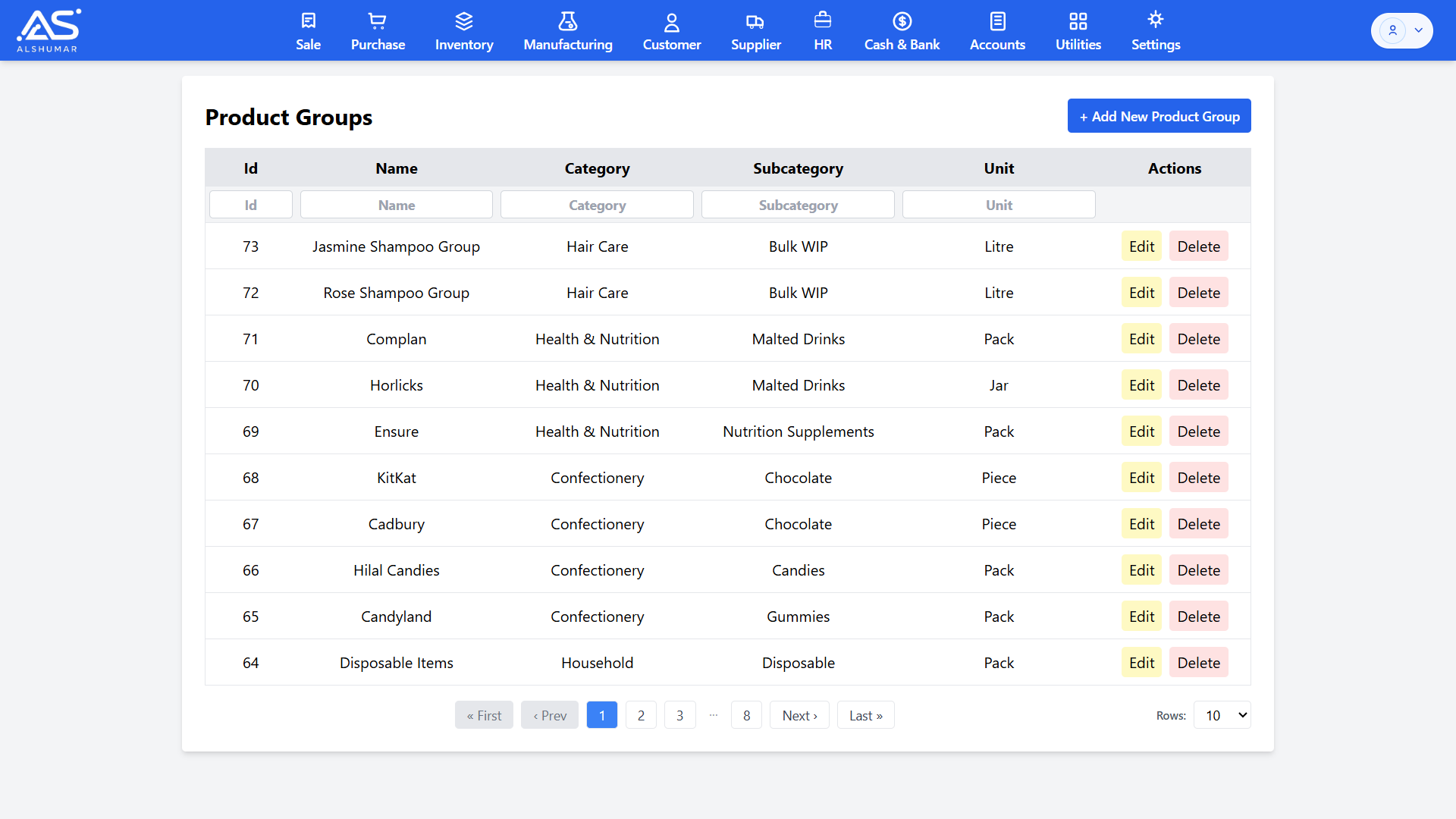
Al Shumar ERP product groups screen with category, subcategory, and unit columns

Product Categories & Classification

Keep a large catalog organized with multi-level classification — categories, subcategories, brands, product groups, and units of measurement. Clean classification makes products faster to find, filter, and report on across the entire system.

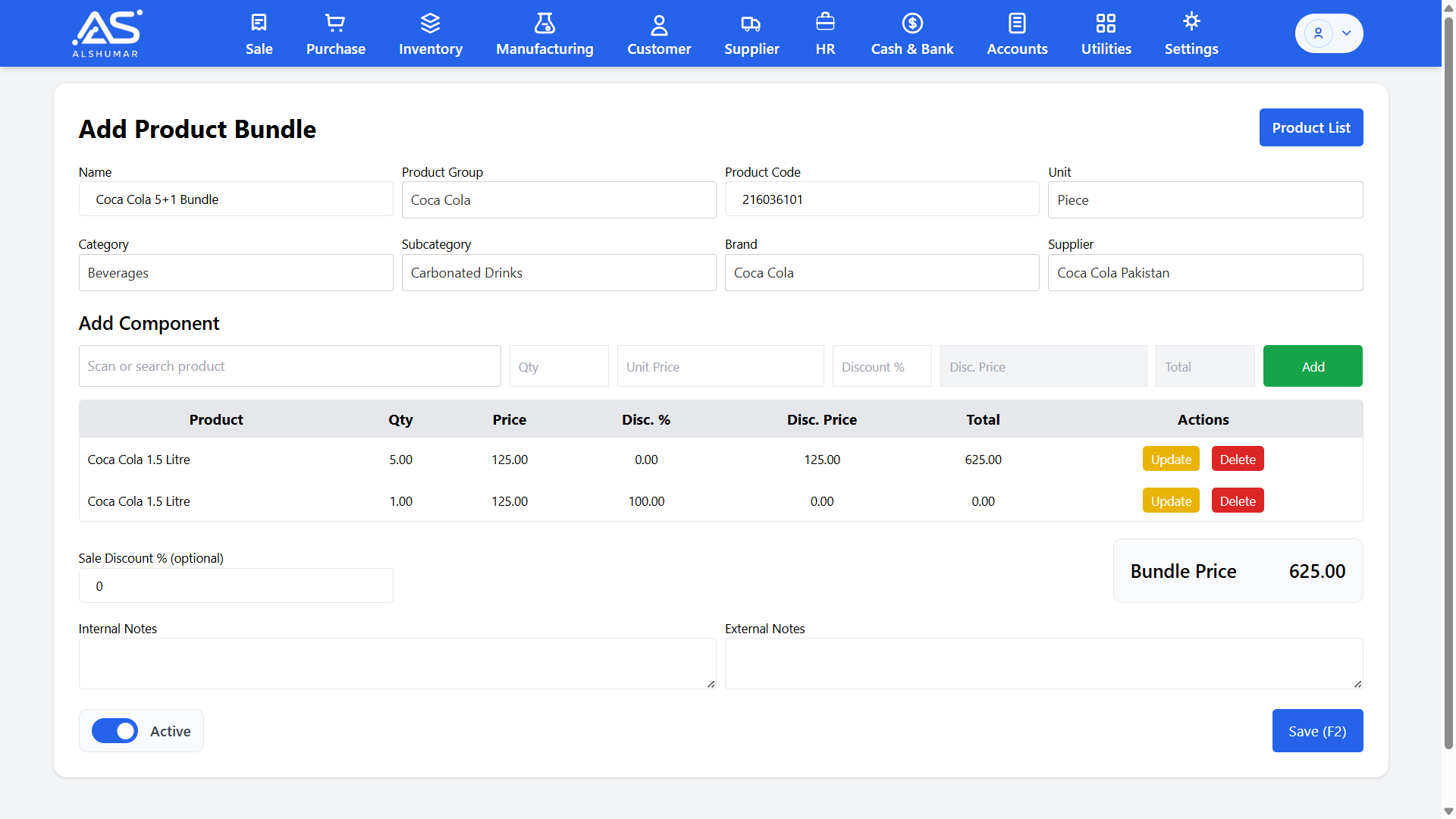
Al Shumar ERP add product bundle screen with components and calculated bundle price

Product Bundles & Combo Deals

Build bundled and combo products such as "5+1" deals by combining component items into a single saleable bundle with its own price and code. Perfect for promotions and value packs, with stock of each component handled automatically on sale.

Barcode Generation & Printing

Generate and print barcodes for any product directly from the system, enabling fast scan-based billing at the counter and accurate, error-free stock handling across godowns.

Low Stock & Reorder Alerts

Set minimum and maximum quantity levels per product to keep an eye on reorder points, avoid stockouts on fast-moving items, and prevent overstocking of slow movers.

Multi-Unit & Carton Packing

Define units per carton and bulk units for each product, so wholesale and distribution businesses can buy, sell, and track stock in both retail pieces and bulk packing with accurate conversions.

Saleable vs. Damaged Stock Separation

Automatically separate saleable stock from damaged or unsaleable stock so your real available quantity is always clear.

Accounts & Financial Management

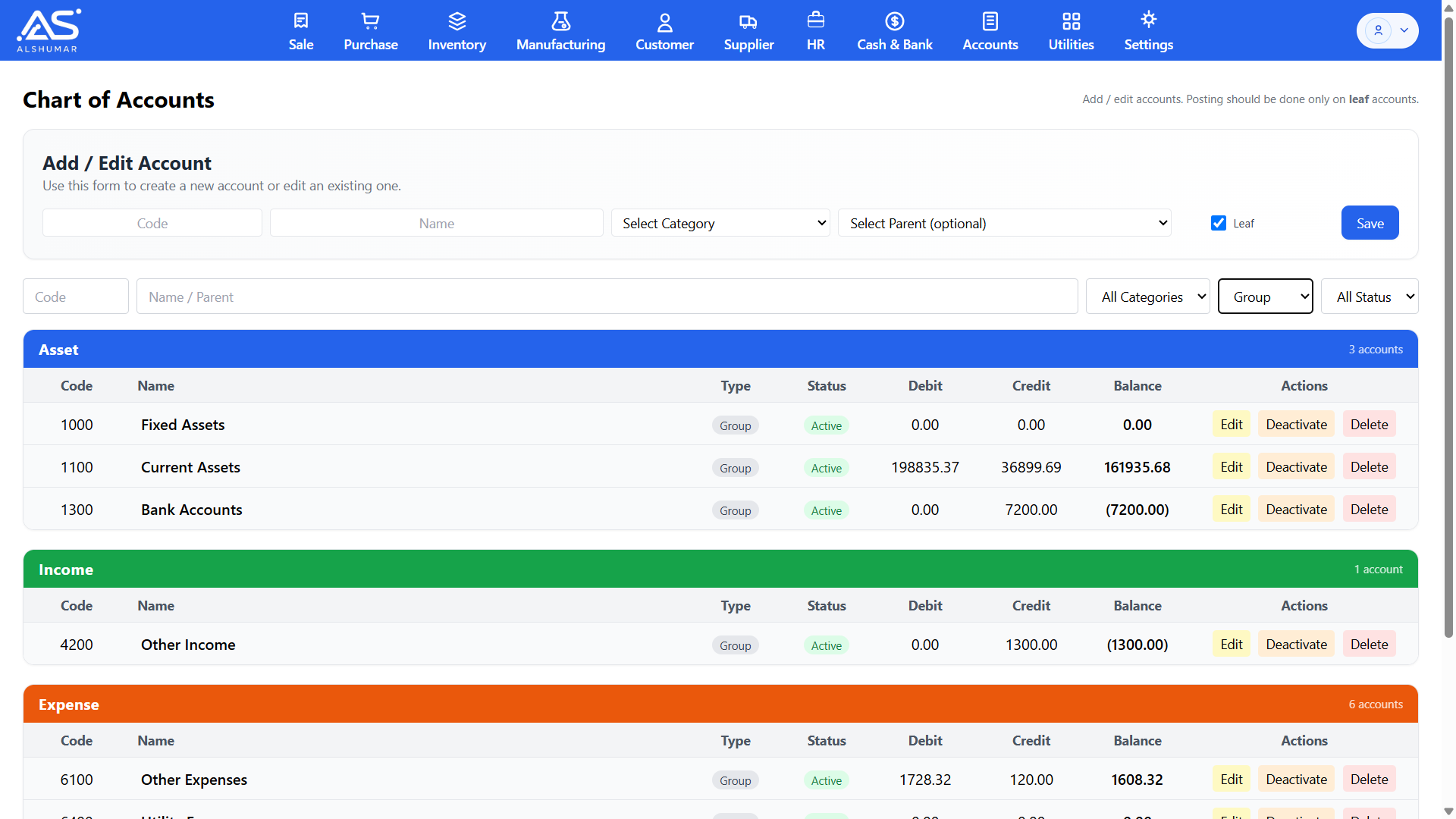
Al Shumar ERP's Accounts & Financial Management module is a complete double-entry accounting system built into your business software — no separate accounts package needed. Maintain a full chart of accounts across assets, liabilities, income, and expenses, with group and leaf accounts, live balances, and account categories. Every sale, purchase, payment, stock movement, and payroll entry posts to your books automatically, keeping your ledgers always balanced and audit-ready. Designed for Pakistani retailers, wholesalers, distributors, and manufacturers, it delivers real-time financial control, accurate bookkeeping, and reliable financial statements from a single integrated platform.

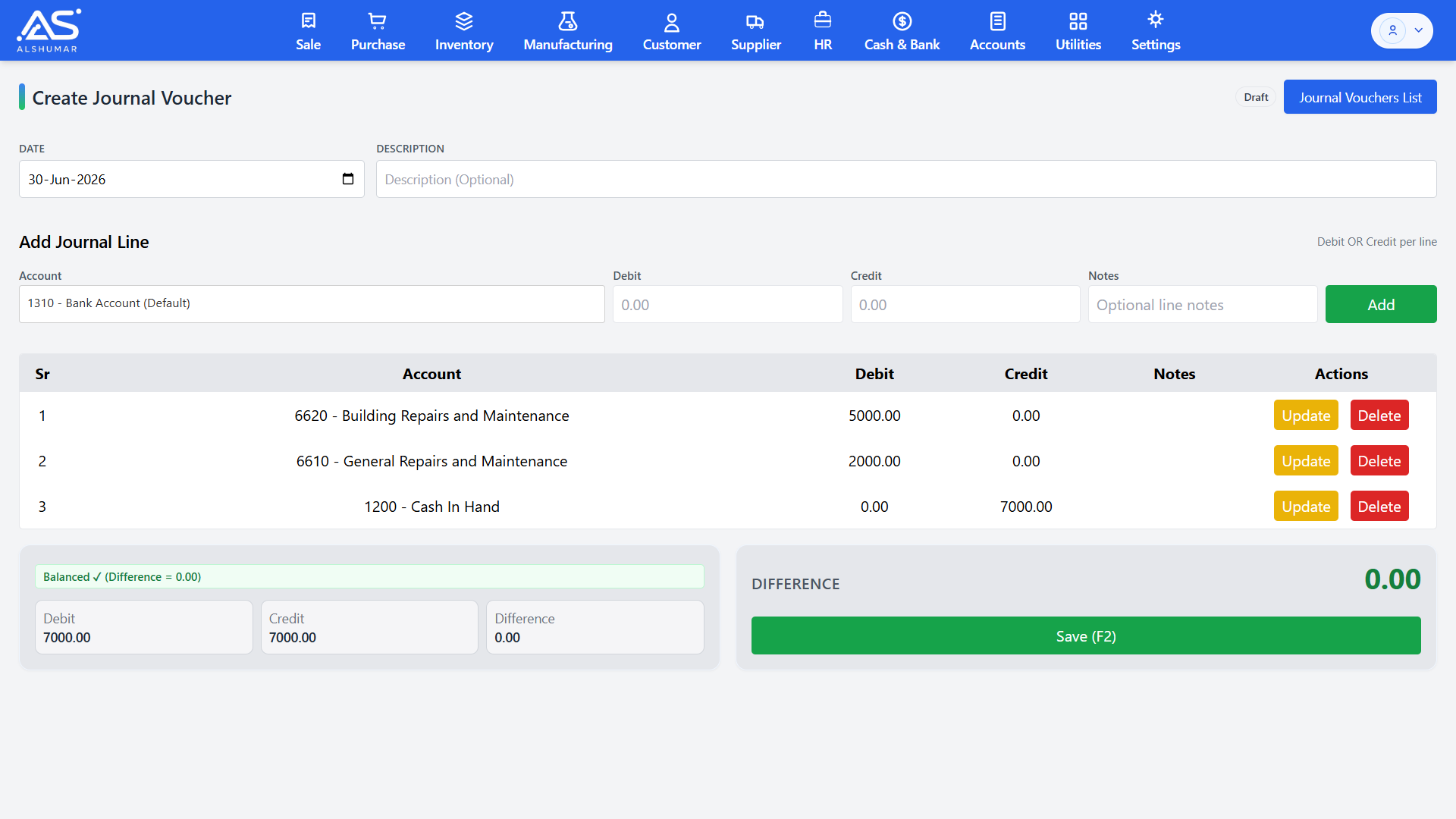
Al Shumar ERP create journal voucher screen with balanced debit and credit lines and zero difference

Journal Vouchers & Manual Entries

Record manual accounting entries with multi-line journal vouchers. Add debit and credit lines across any accounts, attach notes, and post only when the entry is fully balanced — the system flags any difference instantly so your books never go out of balance.

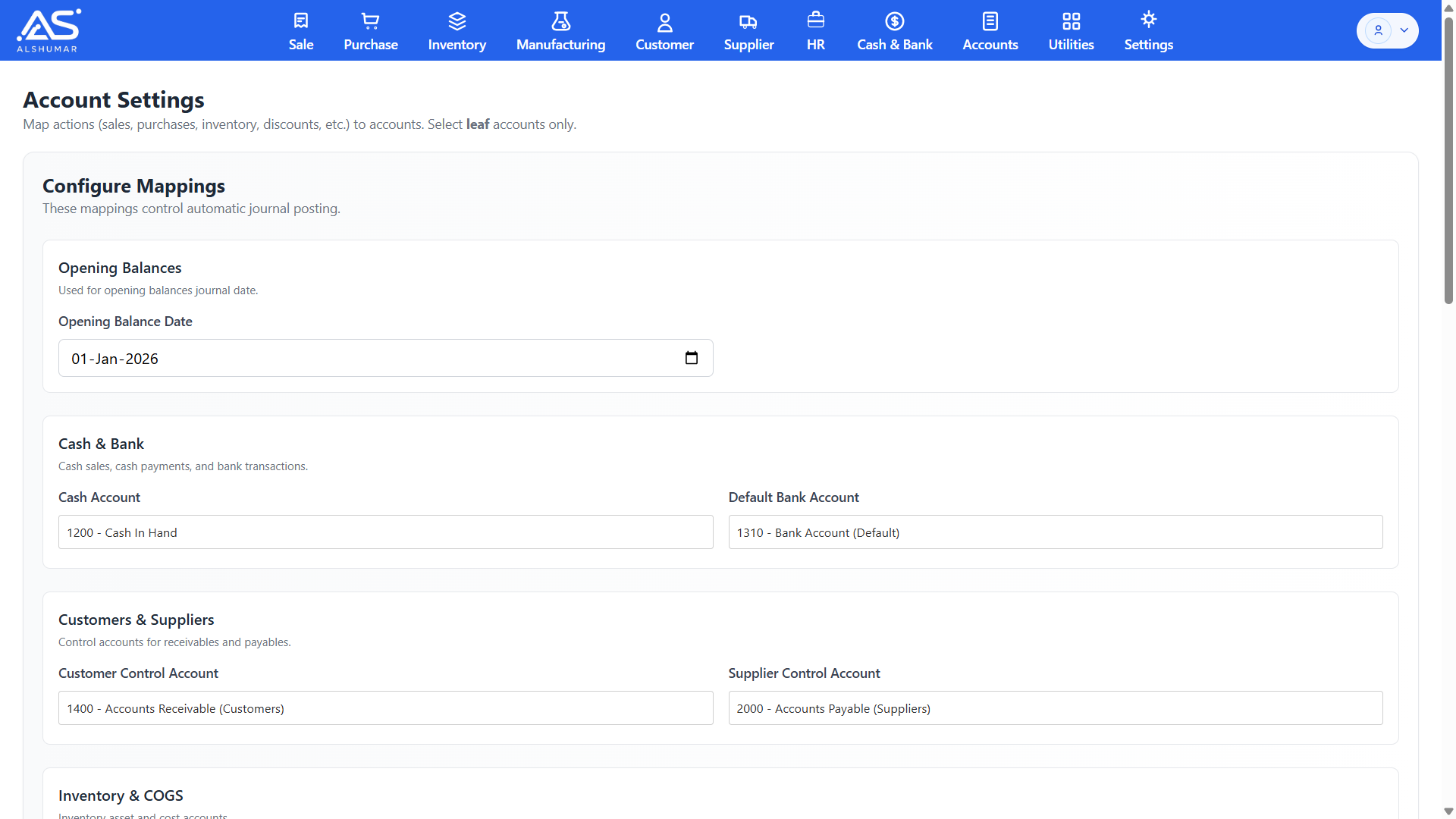
Al Shumar ERP account settings screen mapping cash, bank, customer, and supplier control accounts

Automated Posting Configuration

Map every business action — sales, purchases, inventory, discounts, cash, and bank — to the correct ledger accounts in one settings screen. These mappings drive automatic journal posting, so transactions hit the right accounts every time without manual bookkeeping or accounting expertise.

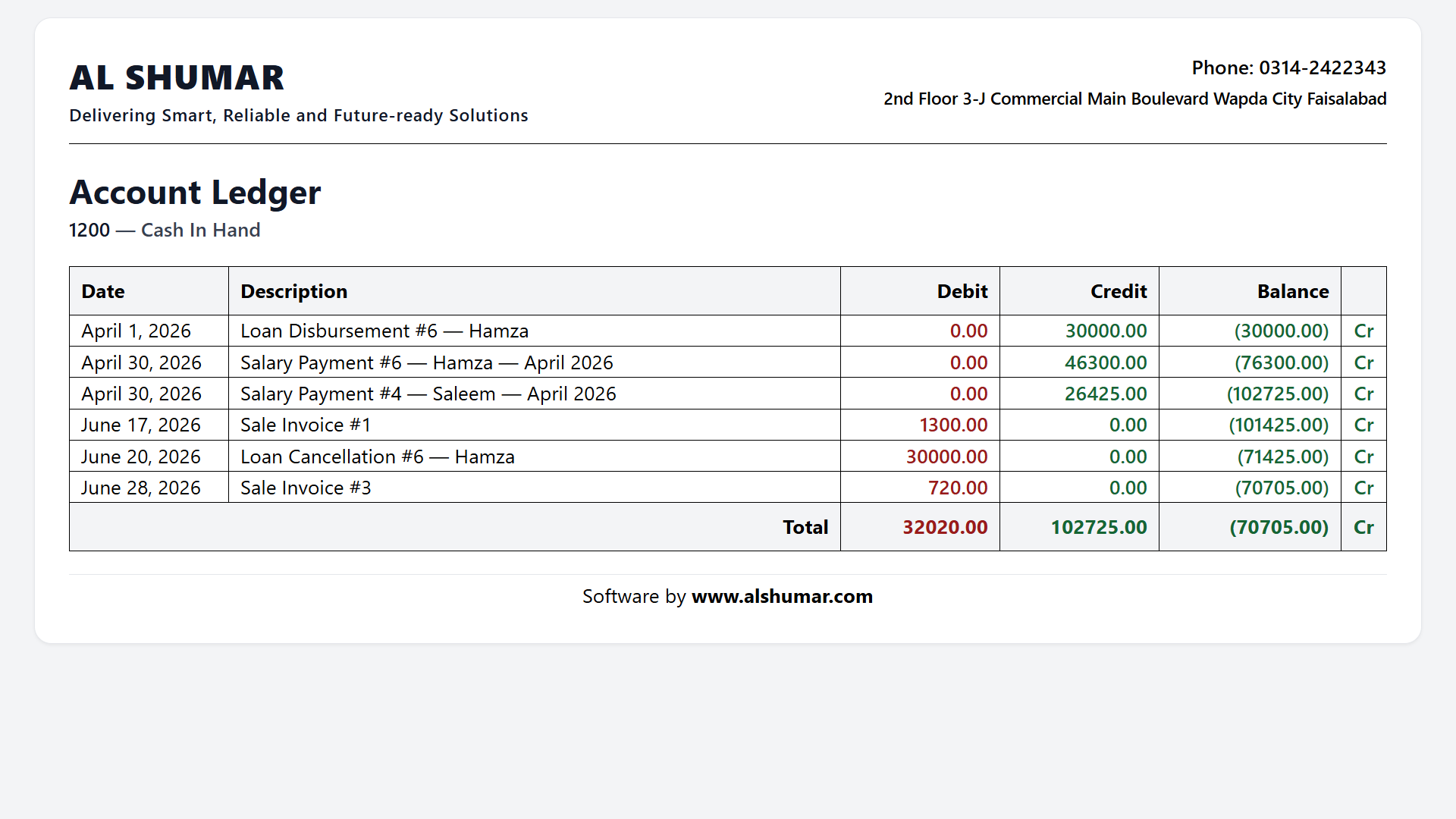
Al Shumar ERP account ledger report for Cash In Hand showing dated debit, credit, and running balance

Account Ledger & Statements

Drill into any account to see a full, dated ledger of every debit, credit, and running balance — from sales and purchases to salaries, loans, and adjustments. Print clean account statements for cash, bank, customers, or any ledger head whenever you need them.

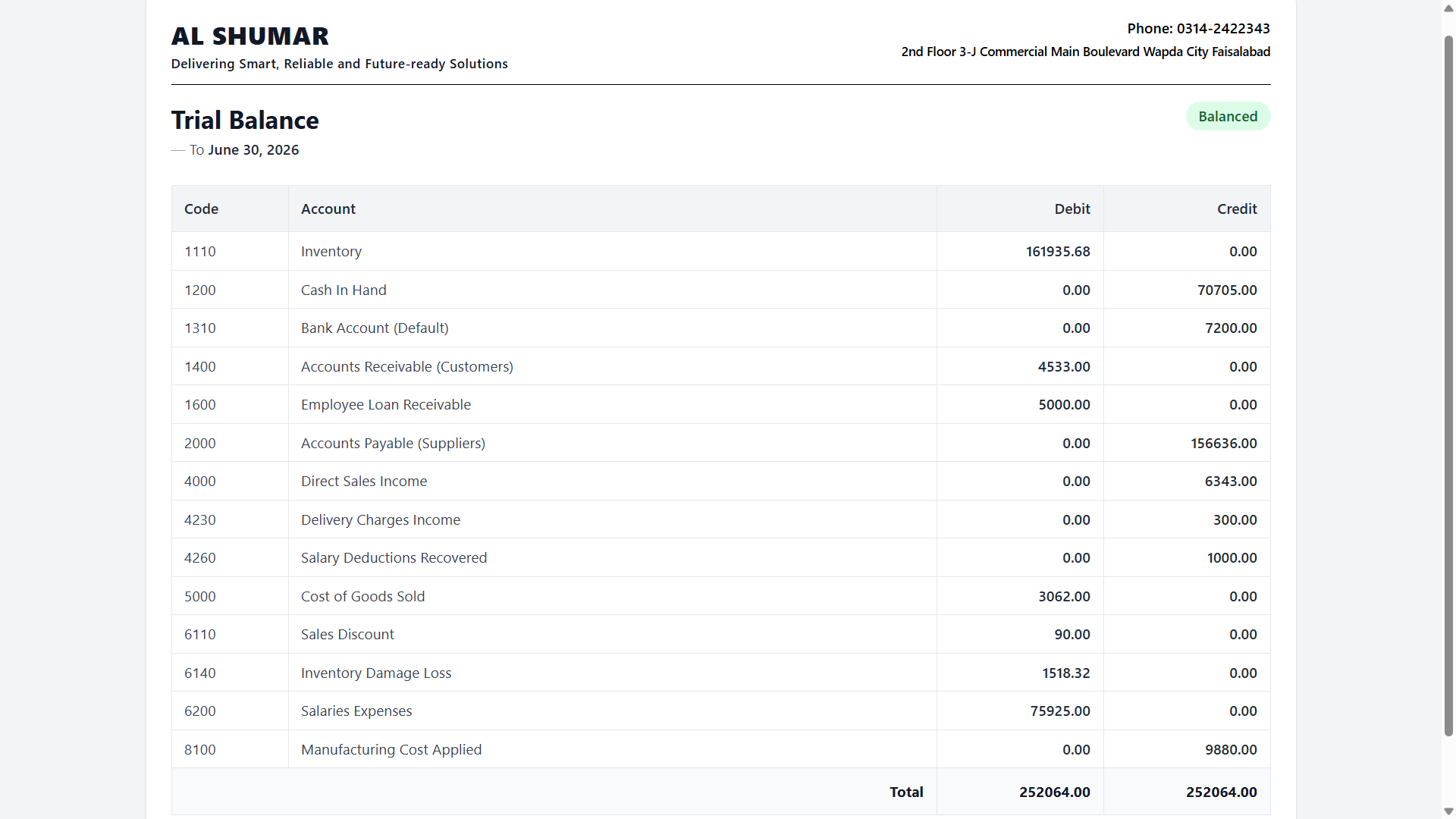
Al Shumar ERP trial balance report listing account codes with matching total debits and credits marked balanced

Trial Balance

Generate a complete trial balance as of any date, listing every account with its debit or credit total and confirming your books are balanced at a glance. It's the fast, reliable health check accountants rely on before closing a period or producing financial statements.

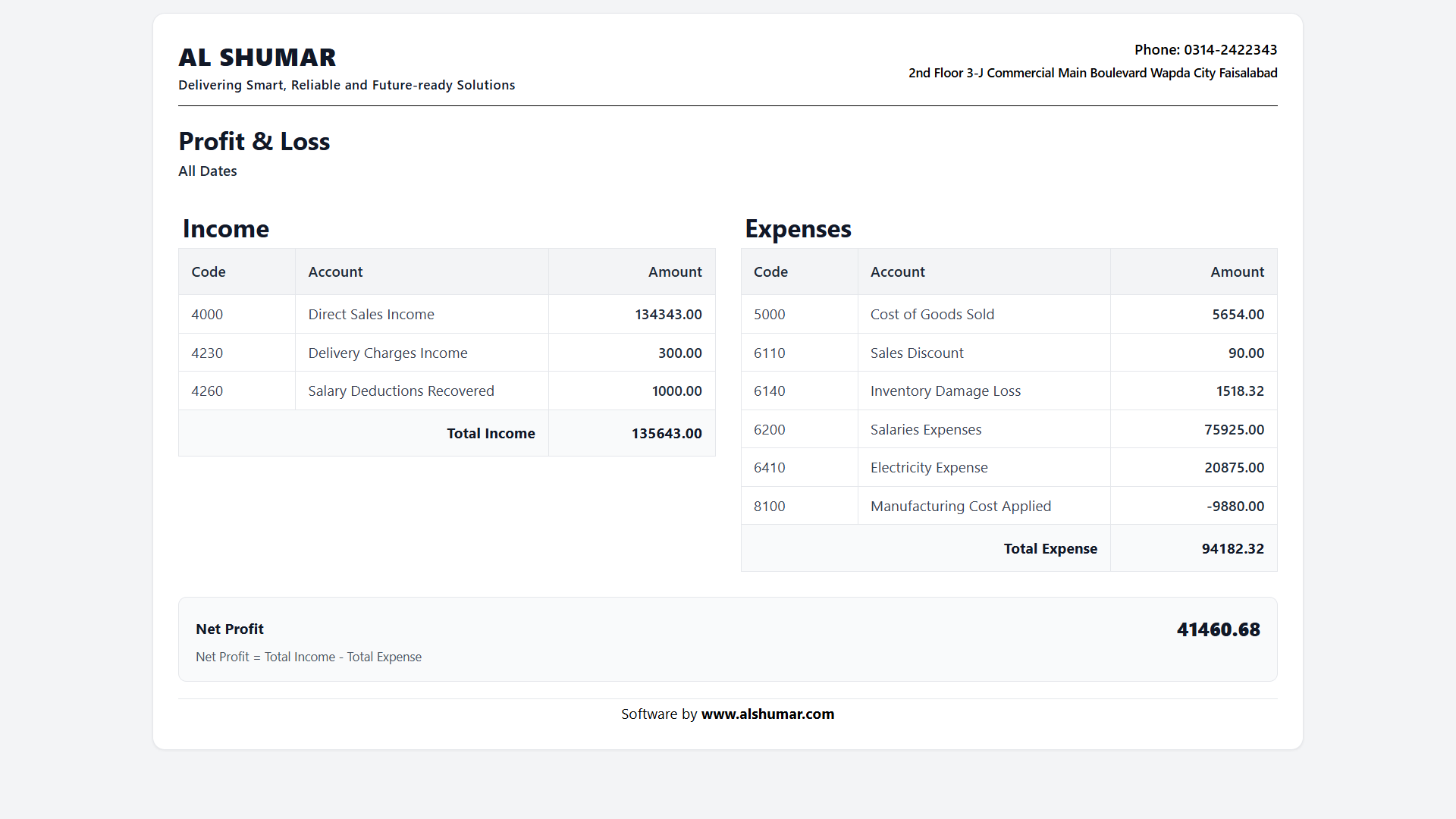
Balance Sheet & Profit/Loss Statements

Produce core financial statements — Balance Sheet and Profit & Loss — directly from your live ledgers, giving owners and accountants an accurate, up-to-date view of financial position and profitability without any manual consolidation.

Customer Receivables & Supplier Payables

Track money owed by customers and owed to suppliers through dedicated control accounts. Receivables and payables update automatically with every credit sale, purchase, and payment, keeping your outstanding balances accurate at all times.

Automatic Double-Entry Posting

Every transaction across the system — sales, purchases, returns, stock damage, transfers, and payroll — posts to the ledgers automatically using true double-entry accounting, eliminating manual data entry and keeping debits and credits perfectly matched.

Multi-Account Cash & Bank Management

Manage cash in hand alongside multiple bank accounts, with each receipt and payment recorded against the correct account. Split payments between cash and bank on any transaction while your balances stay accurate in real time.

Customer & Supplier Management

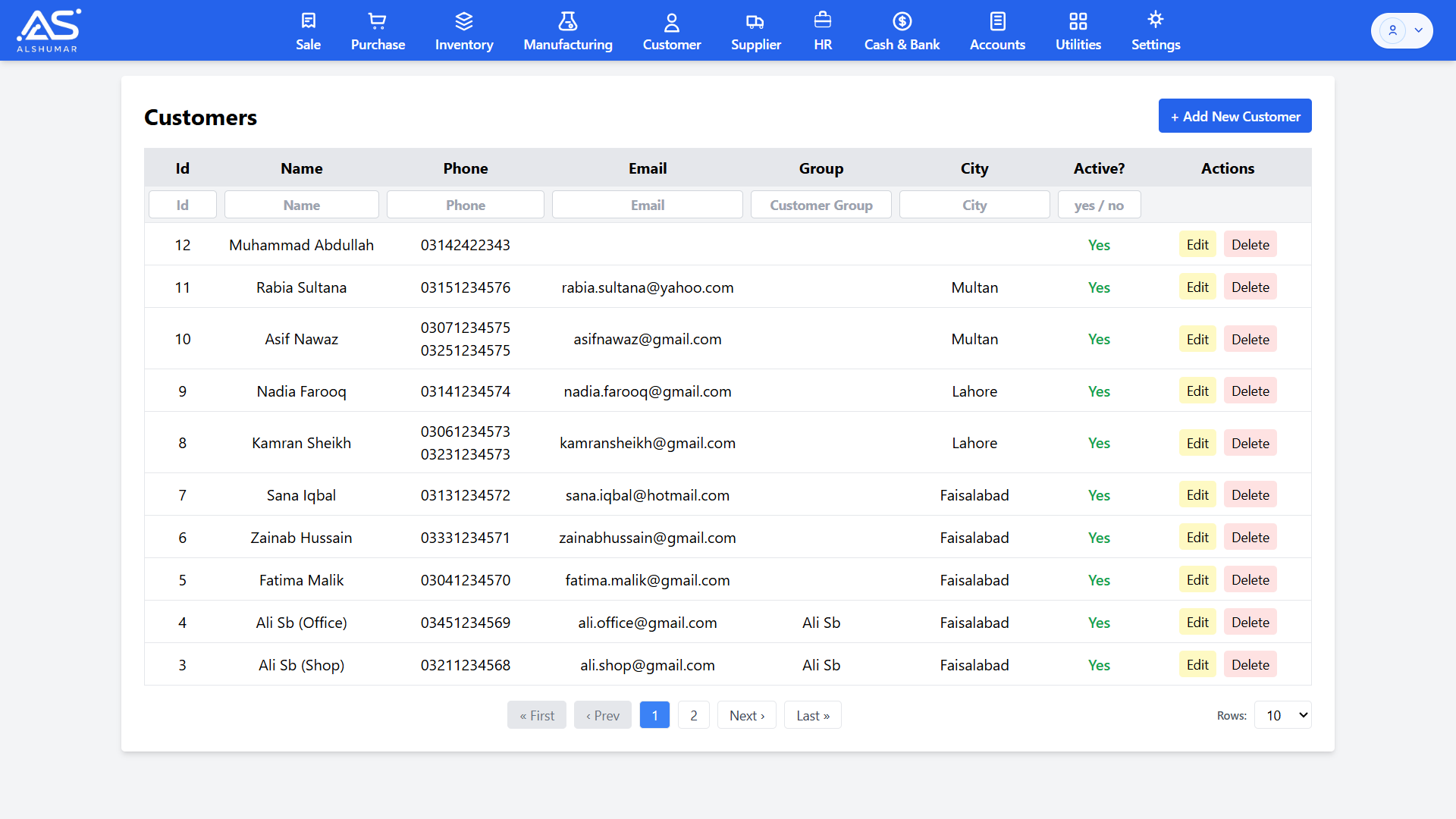
Al Shumar ERP's Customer & Supplier Management module keeps every business relationship organized in one place. Maintain complete customer and supplier records — name, phone, email, city, and group — set credit limits, and track live receivable and payable balances for each party. Every credit sale, purchase, payment, and return updates balances automatically through integrated double-entry accounting, so you always know who owes you and whom you owe. Built for Pakistani retailers, wholesalers, and distributors, it brings contacts, ledgers, payments, and outstanding balances together for complete control over receivables and payables.

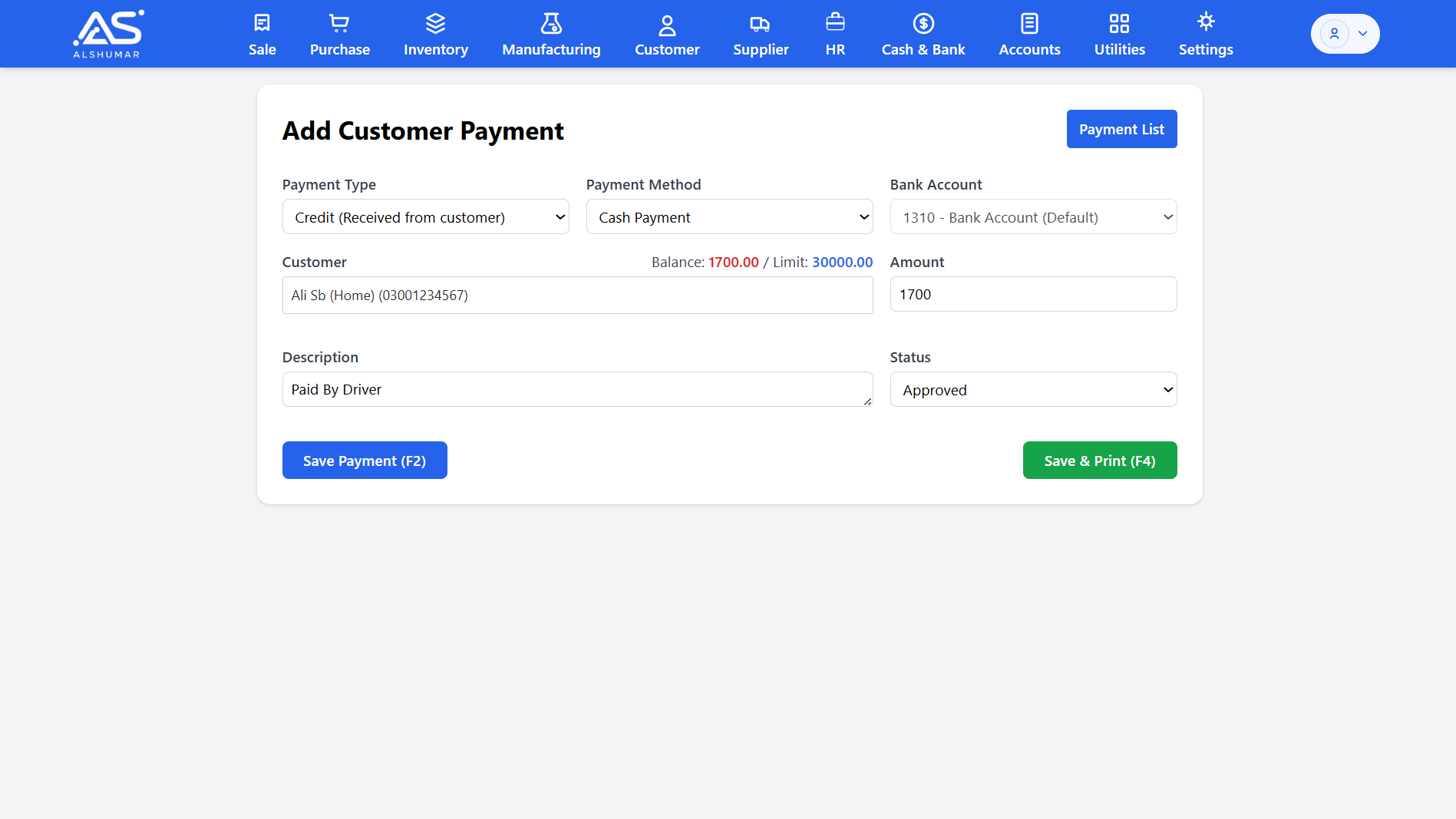
Al Shumar ERP add customer payment screen showing customer balance, credit limit, payment method, and amount

Customer Payments & Receipts

Record money received from customers quickly and accurately. Select the customer, see their live balance and credit limit, choose cash or bank, and post the payment — which instantly reduces their outstanding balance and updates your cash or bank account. Save and print a payment receipt for clean, professional record-keeping.
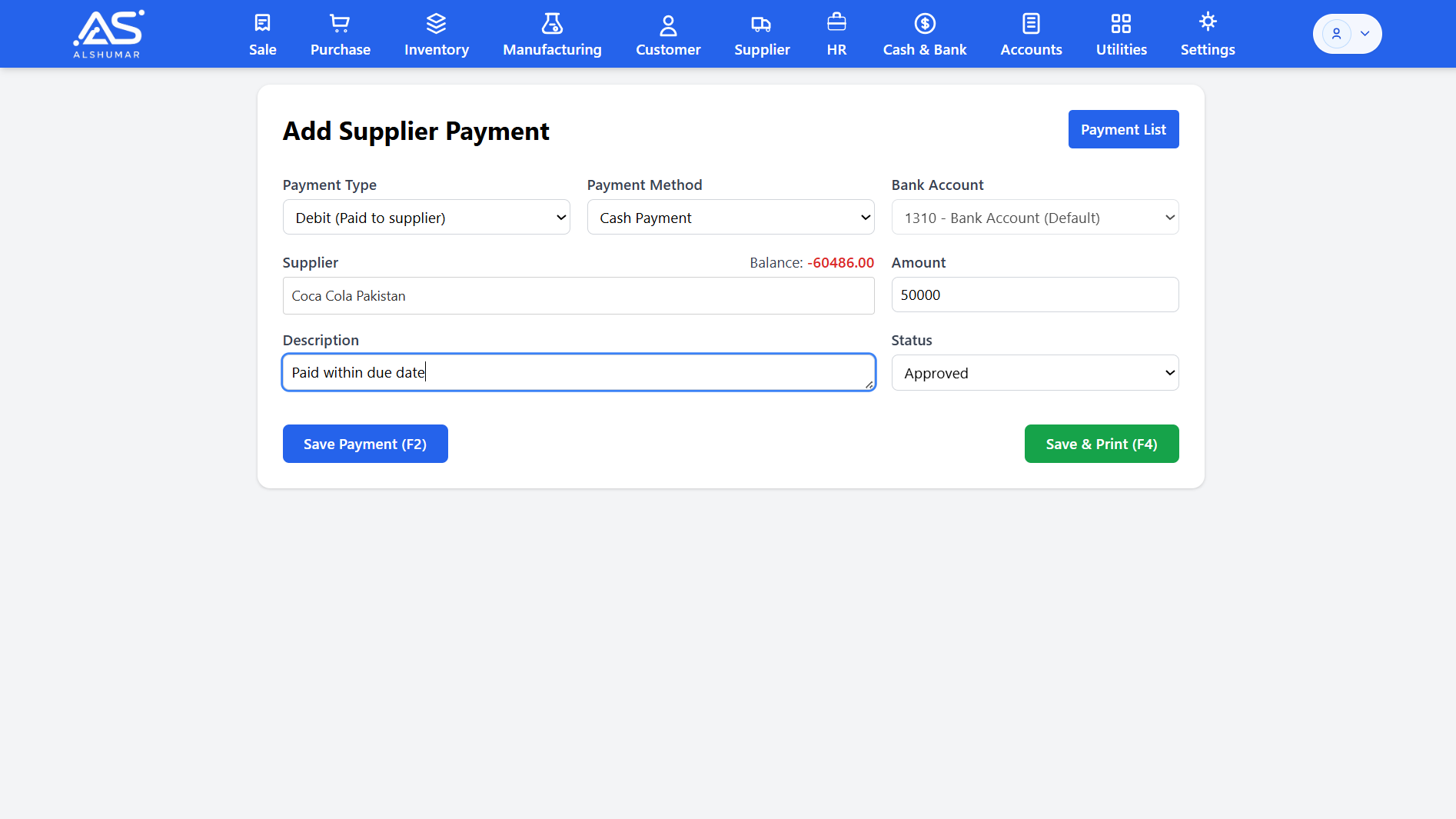
Al Shumar ERP add supplier payment screen with supplier balance, amount, and approval status

Supplier Payments & Payables

Pay suppliers and manage your payables with full control. Record payments against any supplier, view their running balance before paying, and keep accounts payable accurate automatically. Cash or bank payments post straight to your books, so vendor balances and cash flow always stay up to date.
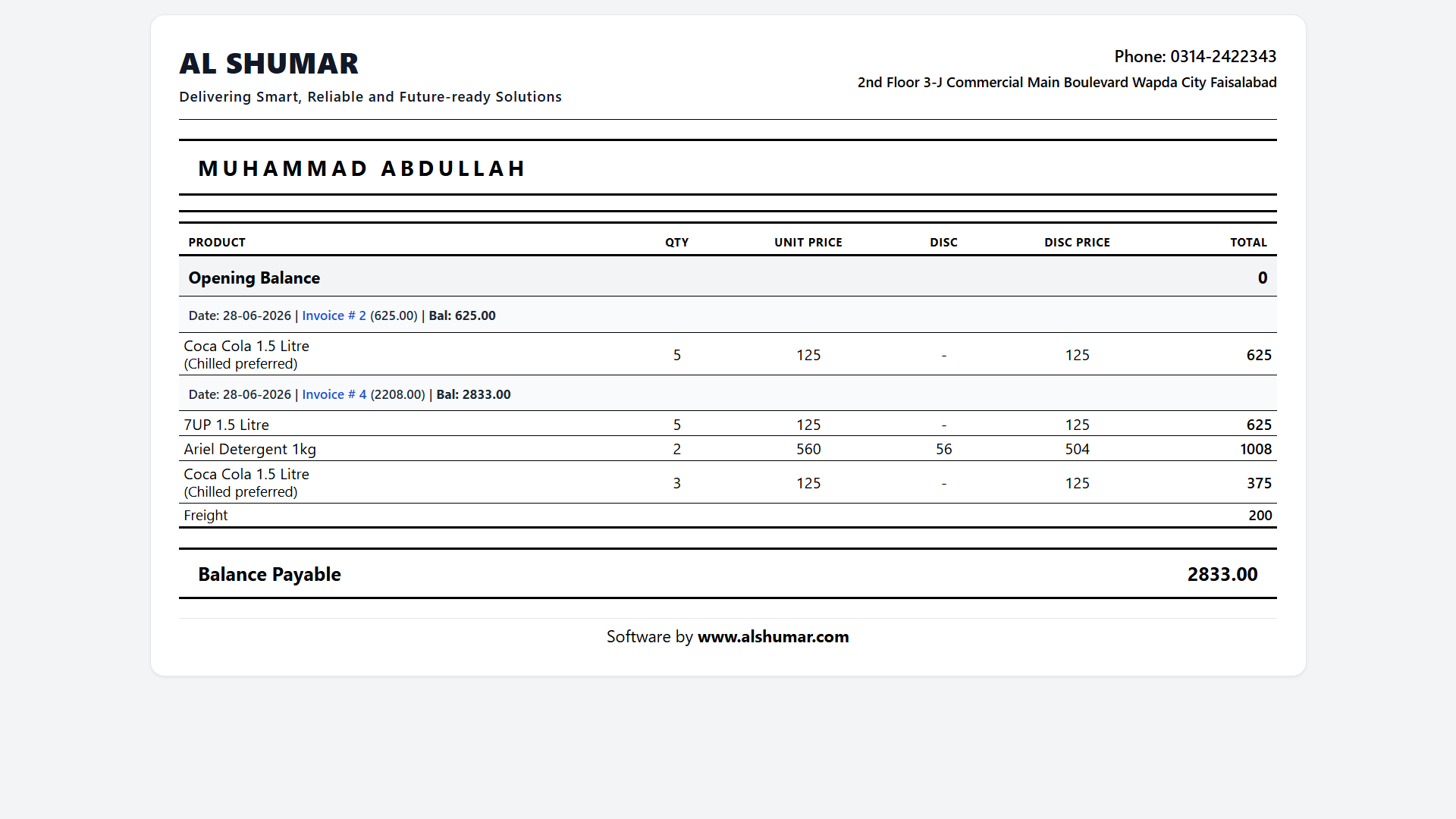
Al Shumar ERP detailed customer ledger showing invoices, item lines, and balance payable

Customer & Supplier Ledgers

Open a ledger for any customer or supplier showing every invoice, payment, return, and running balance with dates. Drill from opening balance to balance payable, view the items behind each invoice, and print a clean statement to share with the party for fast, transparent reconciliation.

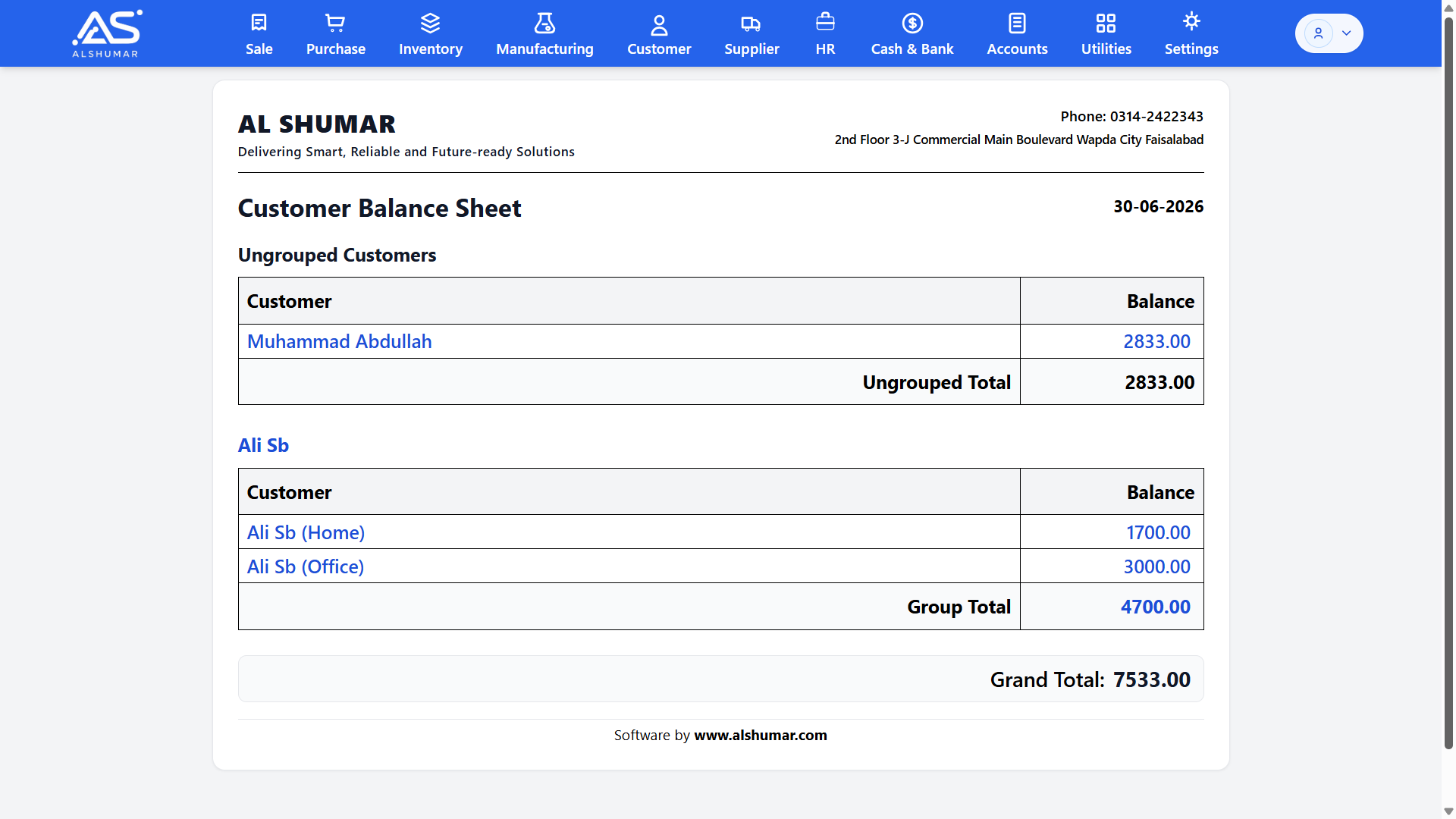
Al Shumar ERP customer balance sheet listing customer balances with group totals and grand total

Receivables & Balance Reporting

See all outstanding customer balances on one page with a customer balance sheet — grouped by account, with sub-totals and a grand total of total receivables. It's the fast way to monitor who owes you, follow up on dues, and stay on top of your credit recovery and cash flow.

Purchase & Procurement Management

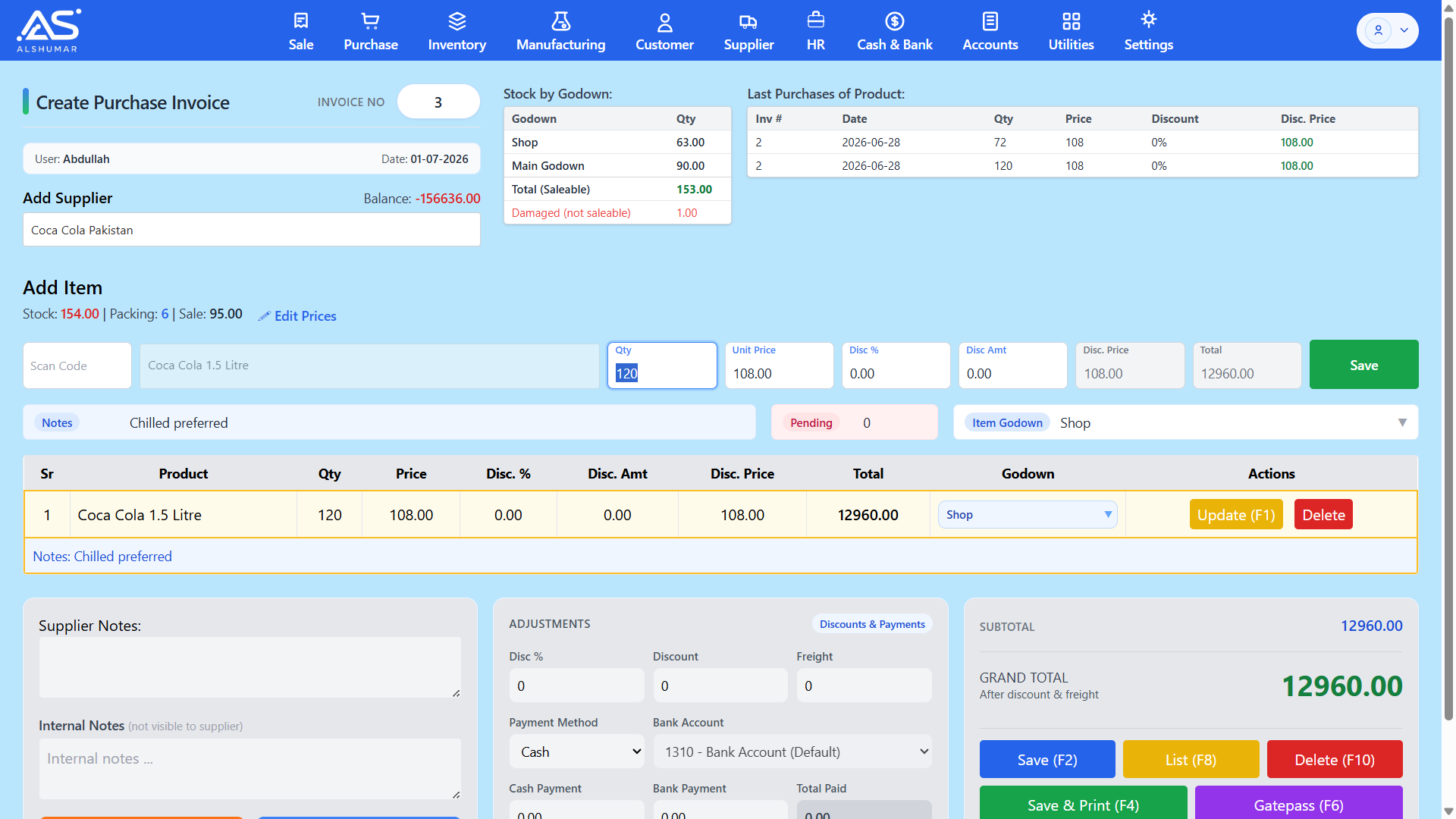
Al Shumar ERP's Purchase & Procurement Management module gives Pakistani retailers, wholesalers, and distributors full control over buying and supplier stock replenishment. Create purchase invoices, record each item's quantity, price, discount, and receiving godown, and see live stock and last purchase prices as you buy — so you always pay the right rate. A standout feature is automatic demand generation: when a product's stock falls below its minimum level on a sale, Al Shumar ERP automatically creates a supplier demand for reordering, helping you avoid stockouts without manual tracking. Every purchase updates inventory instantly and posts to your accounts through double-entry accounting, keeping stock, supplier payables, and your books perfectly aligned.

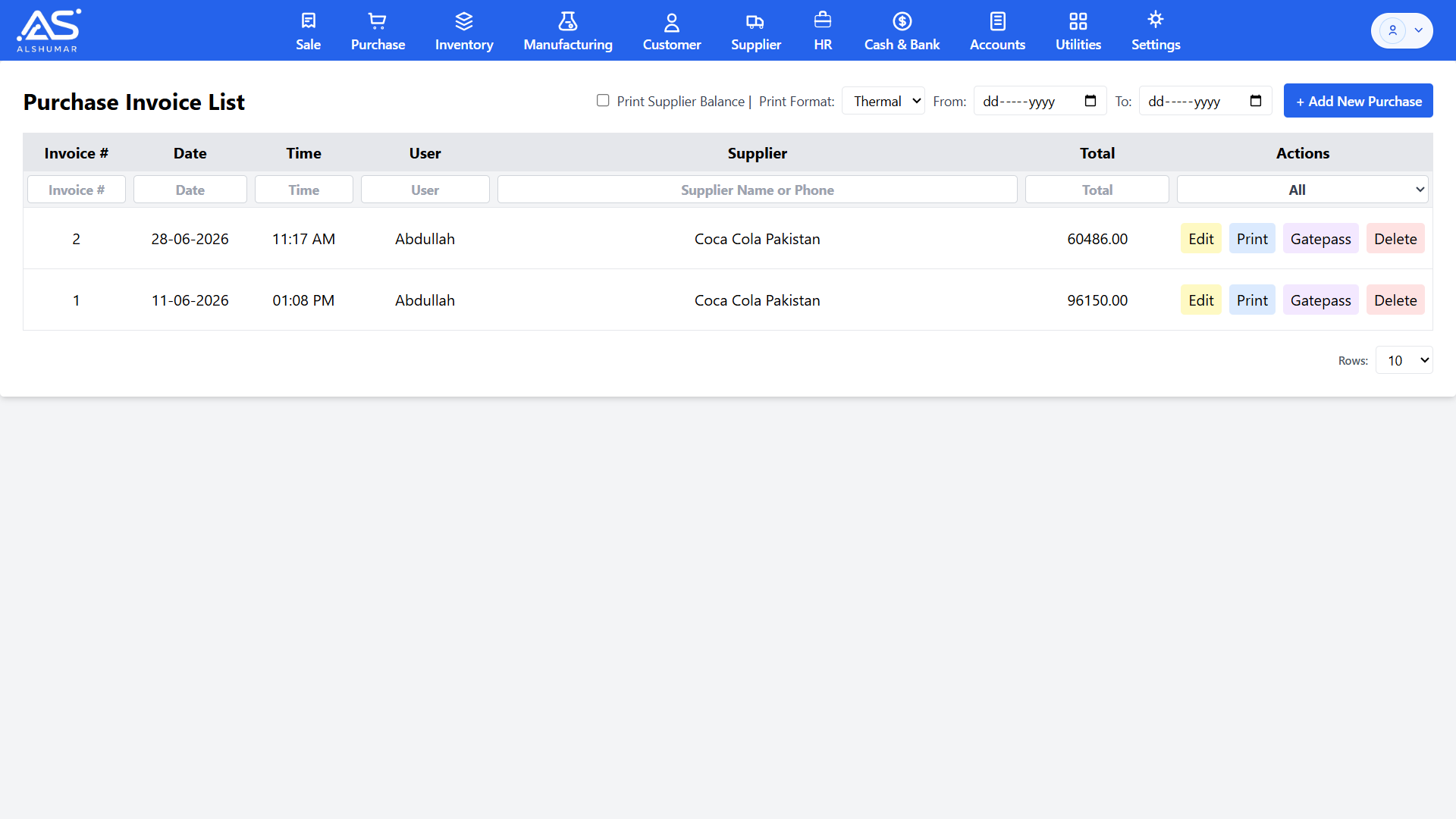
Al Shumar ERP purchase invoice list with supplier filter and edit, print, gatepass, and delete actions

Purchase Invoice List & Records

View, search, and manage every purchase invoice from one screen. Filter purchases by invoice number, date, or supplier name and phone, then edit, print, generate a gatepass, or delete any record. Print supplier balances and choose thermal or A4 formats for clean, professional purchase documentation.

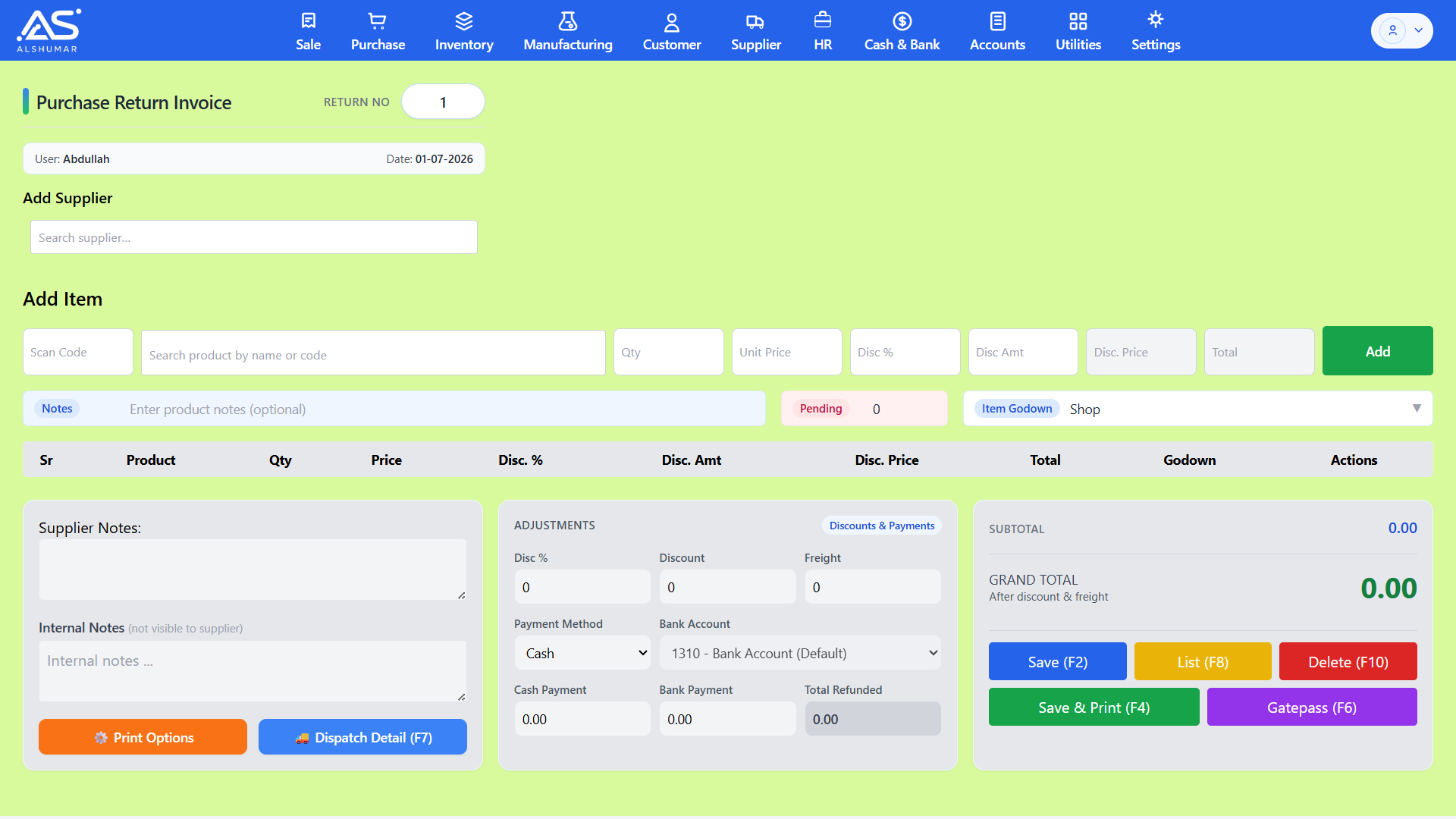
Al Shumar ERP purchase return invoice screen with supplier, product entry, godown, and refund fields

Purchase Return Management

Return goods to suppliers with a dedicated purchase return invoice that reverses stock and adjusts the supplier balance automatically. Select the supplier and products, set return quantity and price, choose the godown, and record any cash or bank refund — keeping inventory and payables accurate after every return.
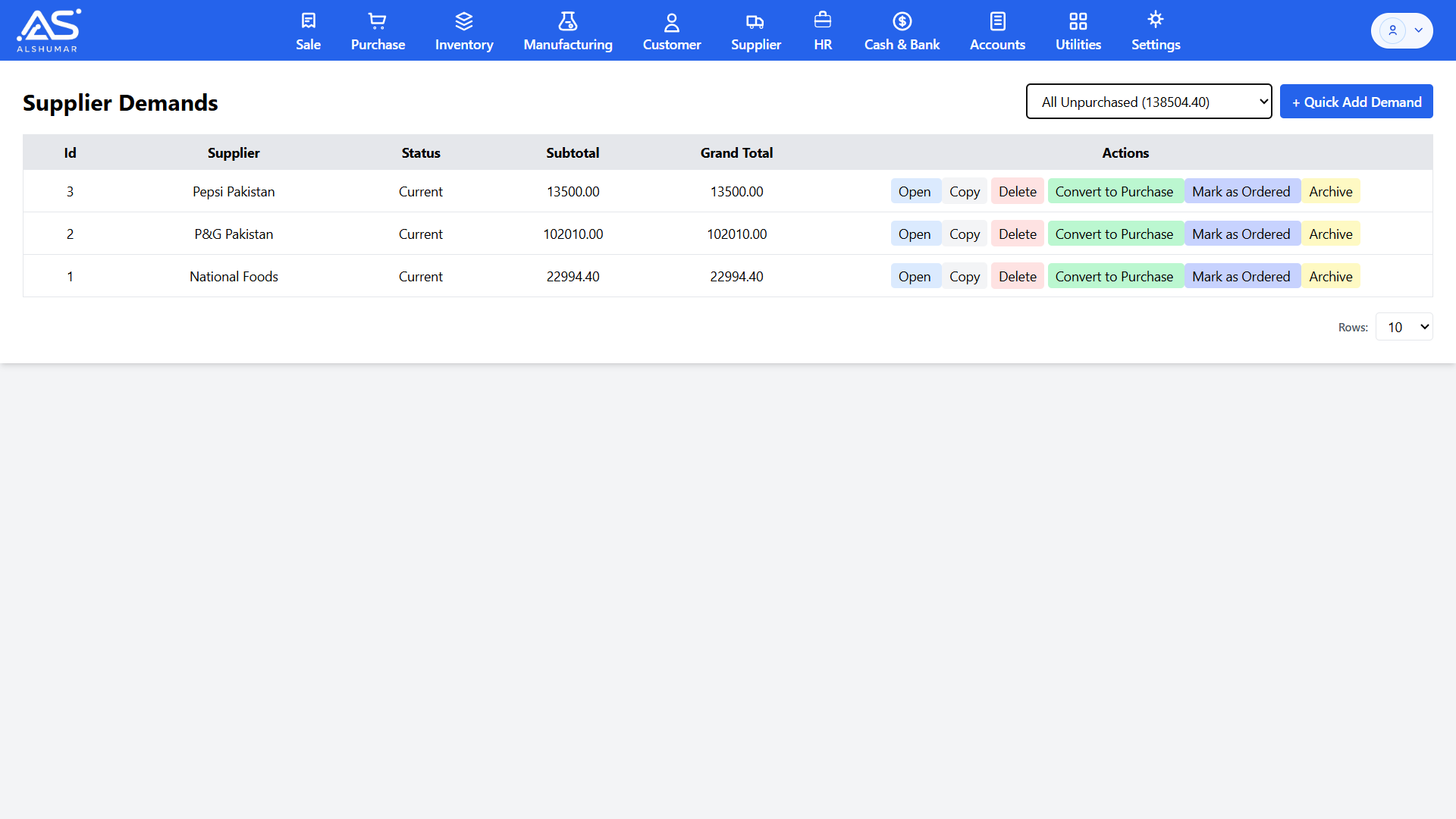
Al Shumar ERP supplier demands screen listing demands by supplier with convert to purchase and mark as ordered actions

Supplier Demands & Auto-Reordering

Manage all supplier purchase demands in one place, grouped by supplier with subtotals and grand totals. Demands are created automatically when stock drops below its minimum level on a sale, or added manually, then opened, copied, marked as ordered, or converted straight into a purchase invoice — turning low-stock alerts into reorders in a single click.

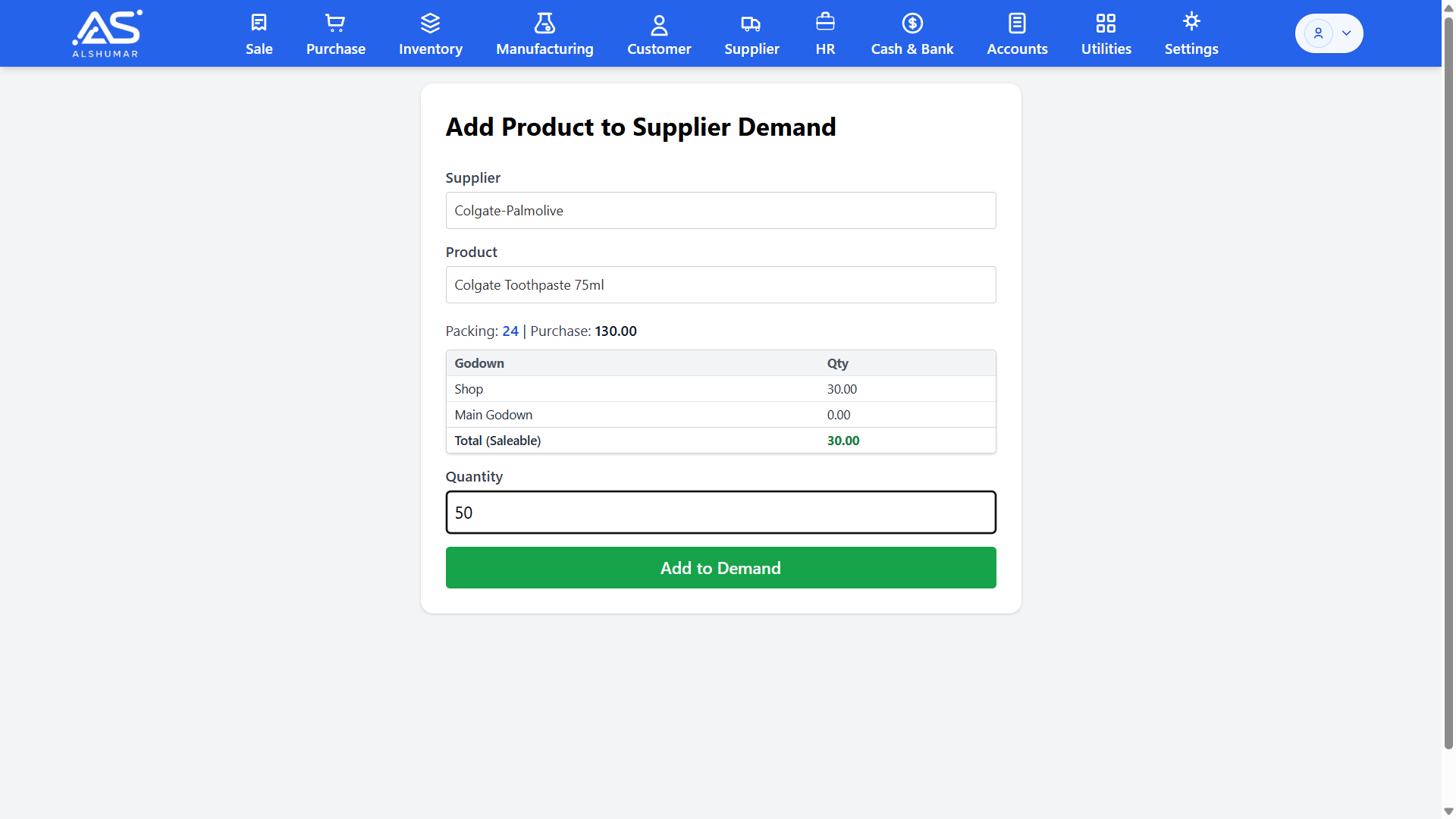
Al Shumar ERP add product to supplier demand screen showing godown stock, purchase price, and order quantity

Add to Demand & Reorder Planning

Build supplier demands product by product with full context. Select the supplier and product, view current stock across godowns and the last purchase price, and enter the quantity to order. It makes reorder planning fast and informed, so you buy the right quantity from the right supplier every time.

Expense Management

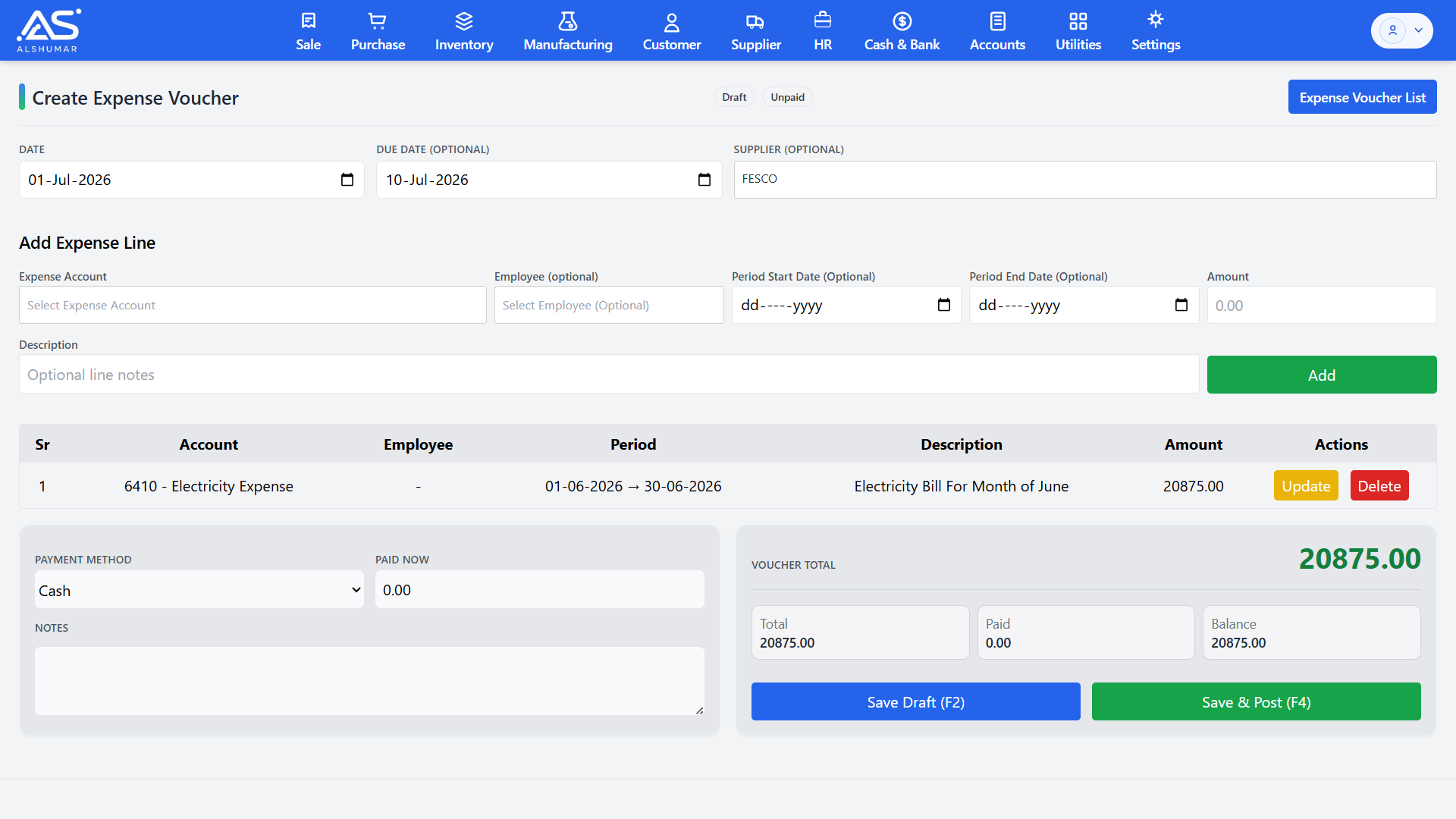
Al Shumar ERP's Expense Management module lets Pakistani businesses record, track, and control every business expense in one place. Create expense vouchers against the correct expense accounts — utilities, rent, repairs, salaries, and more — assign them to a supplier or employee where needed, and pay in full or part with cash or bank. Each voucher supports a billing period, so recurring costs like electricity or rent are tracked accurately month by month. Every posted expense flows straight into your accounts through double-entry accounting, keeping your profit and loss, payables, and cash position always up to date.

Expense Vouchers & Categorized Spending

Record every business cost as an expense voucher mapped to the right expense account, with description, amount, and optional supplier or employee. Multi-line vouchers let you group related expenses together, giving you clean, categorized spending records instead of scattered notes and receipts.

Recurring & Period-Based Expenses

Track expenses that repeat every month — electricity, rent, internet, and other utilities — against a defined billing period with start and end dates. Period tagging keeps each month's costs accurate and comparable, making recurring expense tracking and month-on-month analysis effortless.

Expense Payments & Payables

Pay any expense fully or partially and let Al Shumar ERP track the remaining balance as a payable. Choose cash or bank, set a due date, and record part-payments over time, so unpaid bills stay visible and your outstanding expense liabilities are always clear.

Expense Reports & P&L Impact

Every posted expense feeds directly into your financial reports, showing up in the profit and loss statement and account ledgers automatically. Owners get a clear, real-time view of where money is going and how expenses affect profitability — without any manual consolidation.

HR & Payroll Management

Al Shumar ERP's HR & Payroll Management module handles your entire workforce from hiring to salary payment in one place. Maintain complete employee records with post, department, and status, mark daily attendance with holidays and weekly offs, and generate accurate monthly salary slips that account for present days, leave, overtime, loans, and one-time adjustments. Employee loans and installment deductions flow straight into payroll, and every salary payment posts to your accounts automatically through double-entry accounting. Built for Pakistani businesses, it delivers reliable attendance tracking, automated payroll, and clean employee records without spreadsheets or manual calculation.

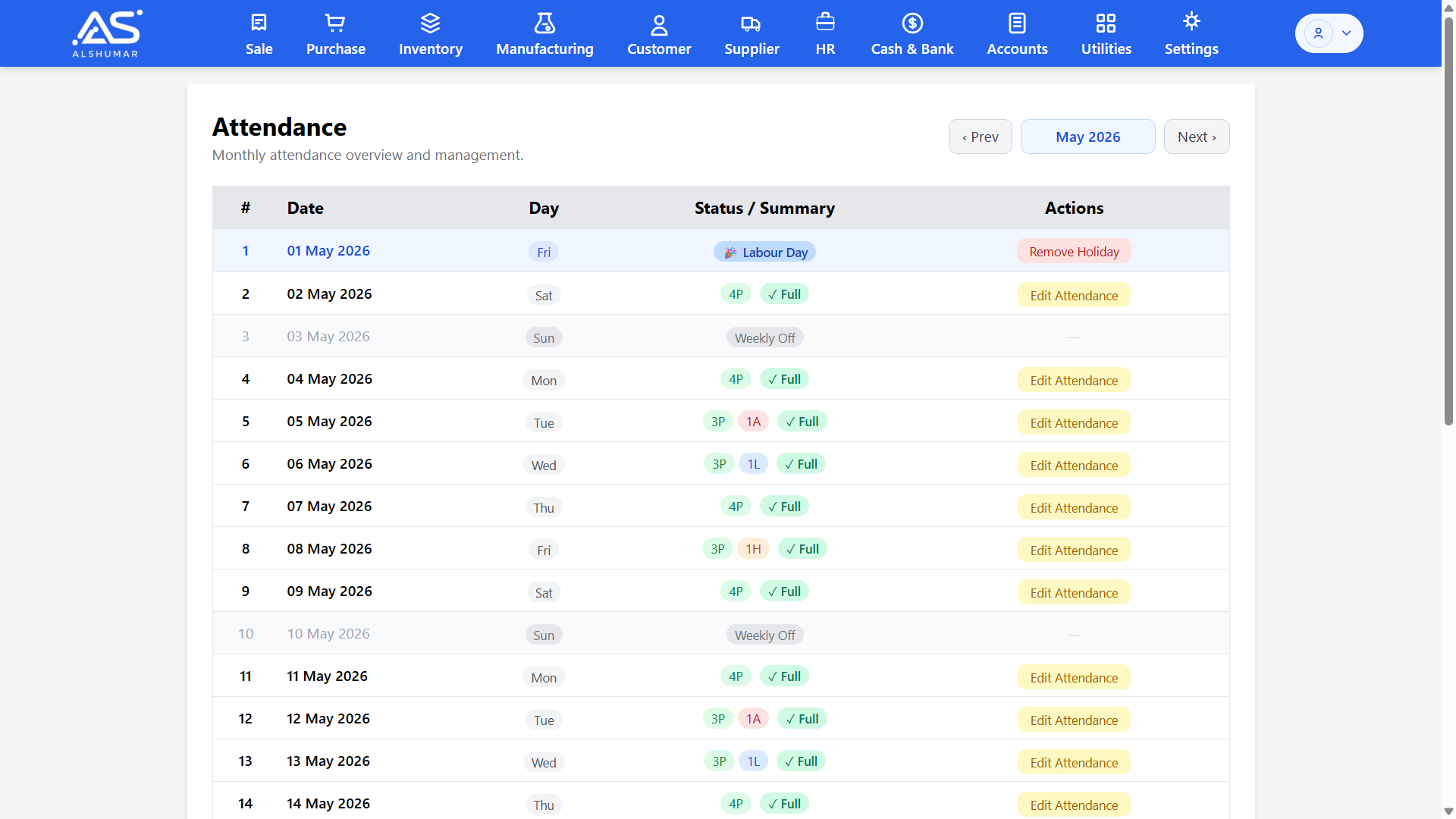
Al Shumar ERP monthly attendance screen showing daily present, leave, weekly off, and holiday status per date

Attendance Management

Track daily staff attendance across the full month in one view — present, absent, leave, half day, and overtime — with weekly offs and public holidays marked automatically. Edit any day's attendance in a click, and let the recorded days feed directly into each employee's salary calculation for accurate, dispute-free payroll.

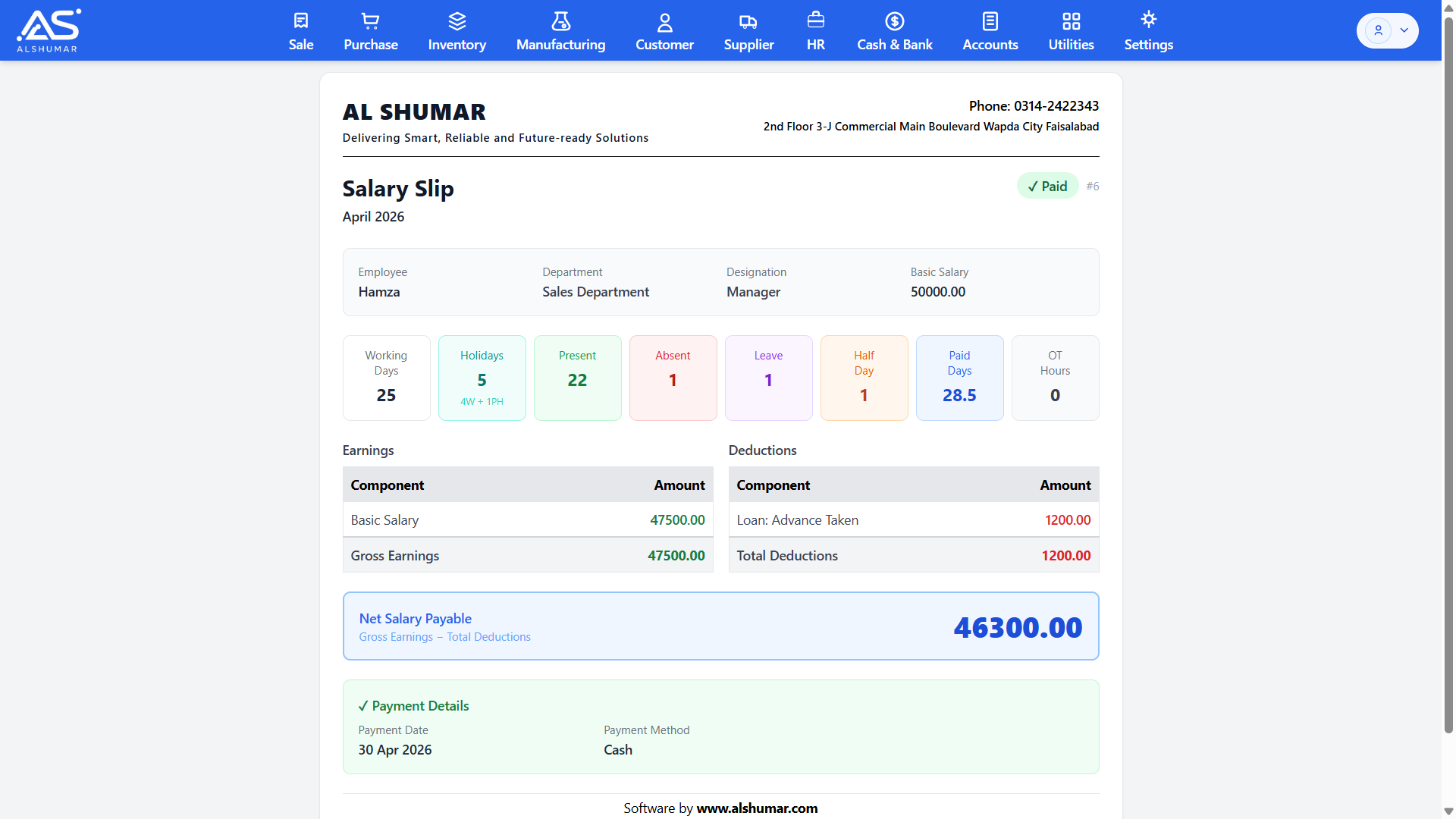
Al Shumar ERP salary slip showing attendance summary, earnings, deductions, and net salary payable

Salary Slips & Payroll

Generate detailed monthly salary slips that calculate net pay from working days, present days, leave, half days, overtime hours, earnings, and deductions. Each slip shows gross earnings, loan and other deductions, and final net salary payable, with payment date and method recorded — ready to print and hand to staff.

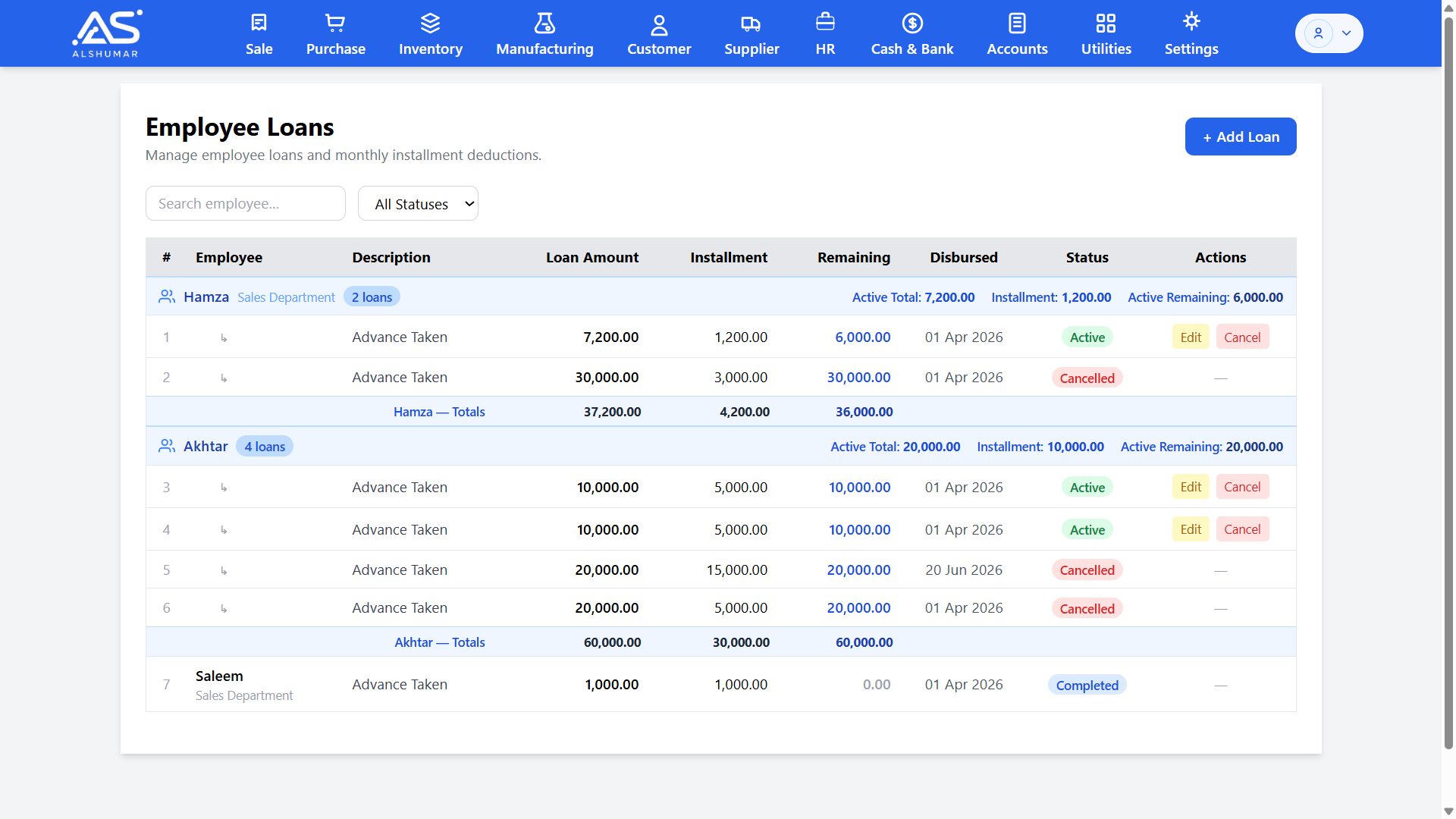
Al Shumar ERP employee loans screen showing loan amount, installment, remaining balance, and status per staff member

Staff Loans & Installments

Give employees advances or loans and recover them through automatic monthly installment deductions from salary. Track loan amount, installment, remaining balance, and status per employee, so every advance is deducted on time and payroll always reflects the correct outstanding balance.

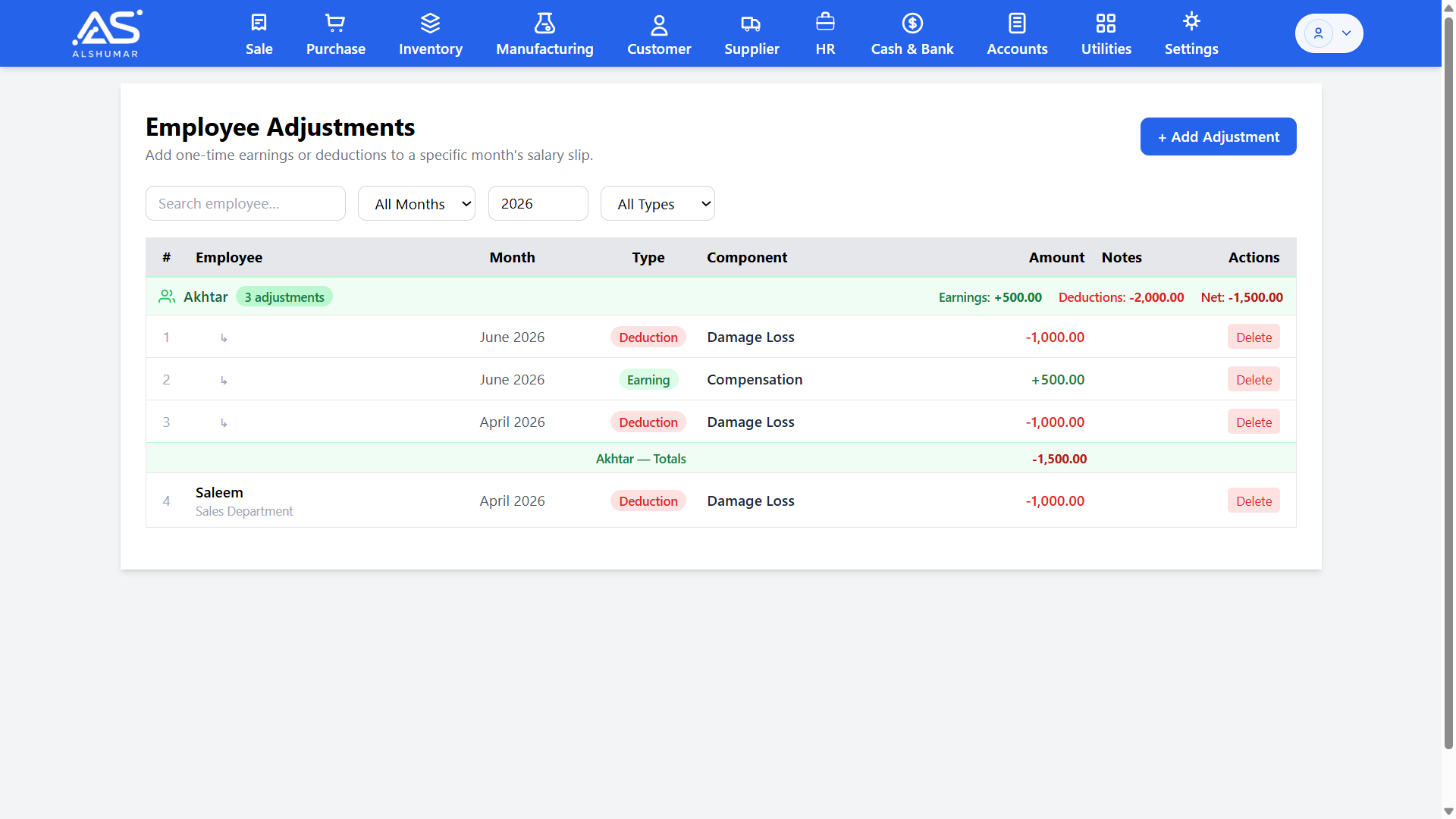
Al Shumar ERP employee adjustments screen listing one-time earnings and deductions per employee by month

Salary Adjustments — Earnings & Deductions

Add one-time earnings or deductions to any month's salary slip — bonuses, compensation, fines, or damage recovery — without changing base pay. Each adjustment is tagged as an earning or deduction and rolls straight into that month's payroll, giving you flexible, fully traceable salary control.

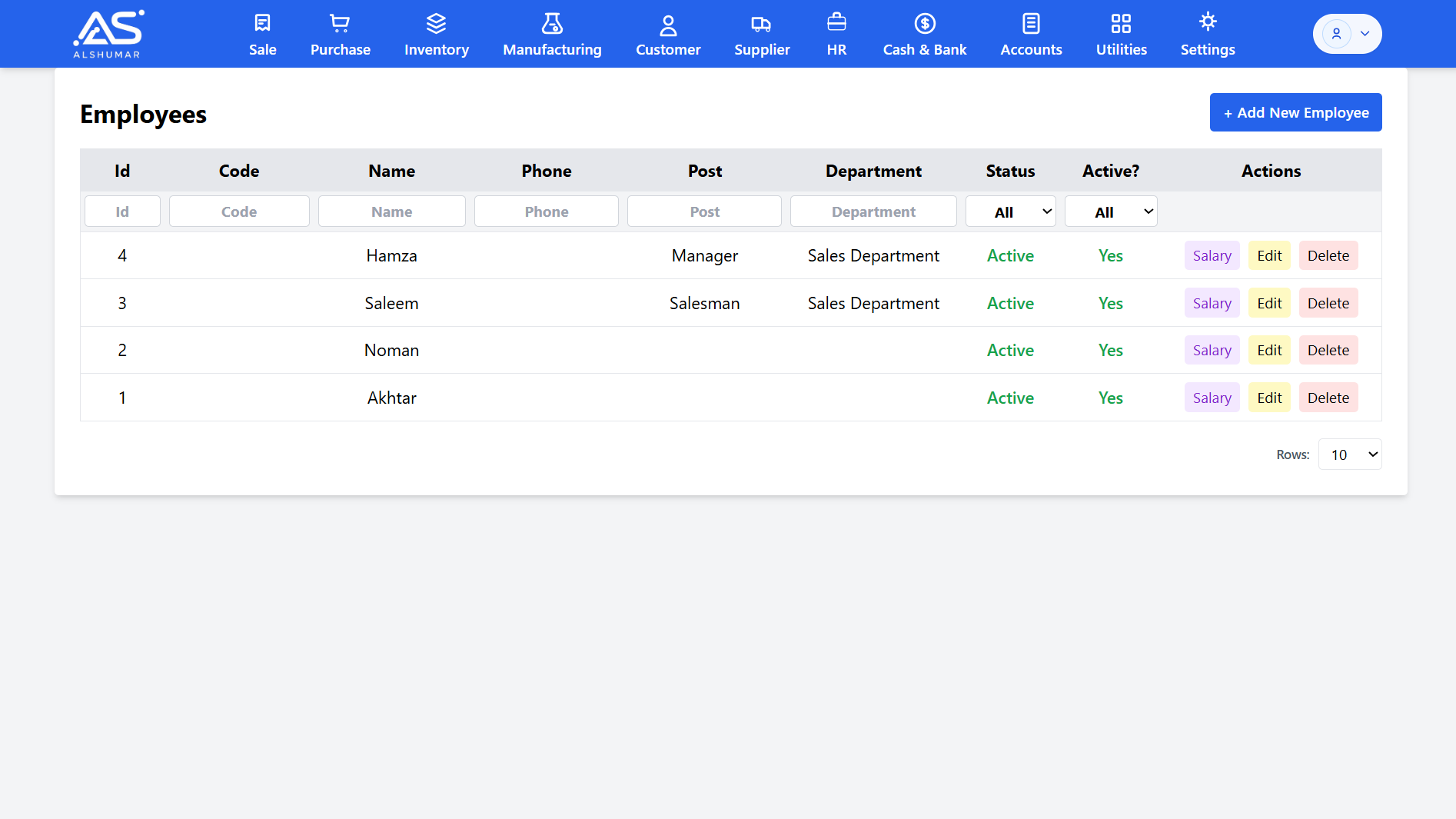
Departments, Posts & Employee Records

Organize your workforce with departments and staff posts, and keep complete employee records including code, phone, designation, and active status. Clean structure makes attendance, payroll, and reporting faster and more accurate as your team grows.

Attendance & Payroll Rules

Configure organisation-wide HR defaults once — weekly off days, standard work hours, overtime rate multiplier, and default check-in and check-out times. These rules drive attendance and payroll automatically, so every salary is calculated consistently and fairly.

Overtime & Deduction Handling

Capture overtime hours and apply your configured overtime rate, while absences, unpaid leave, loan installments, and one-time deductions are factored into net pay automatically — removing manual payroll math and the errors that come with it.

Automatic Payroll Posting to Accounts

Every salary payment, loan disbursement, and deduction posts to the ledgers through integrated double-entry accounting. Salary expense, employee loan receivables, and cash or bank movements stay in sync with your books with no separate entry.

Security & Access Control

Al Shumar ERP's Security & Access Control module protects your business data with enterprise-grade user, role, and device management. Create users, group them into roles like Salesman, Purchase Manager, or Accounts Manager, and grant fine-grained permissions — add, edit, delete, or view — for every module from sales to reports. Device approval ensures only authorized computers can log in, while business date closing locks past records against unauthorized edits. Built for Pakistani businesses that need control as they grow, it keeps sensitive financial and stock data safe from mistakes, misuse, and unauthorized access.

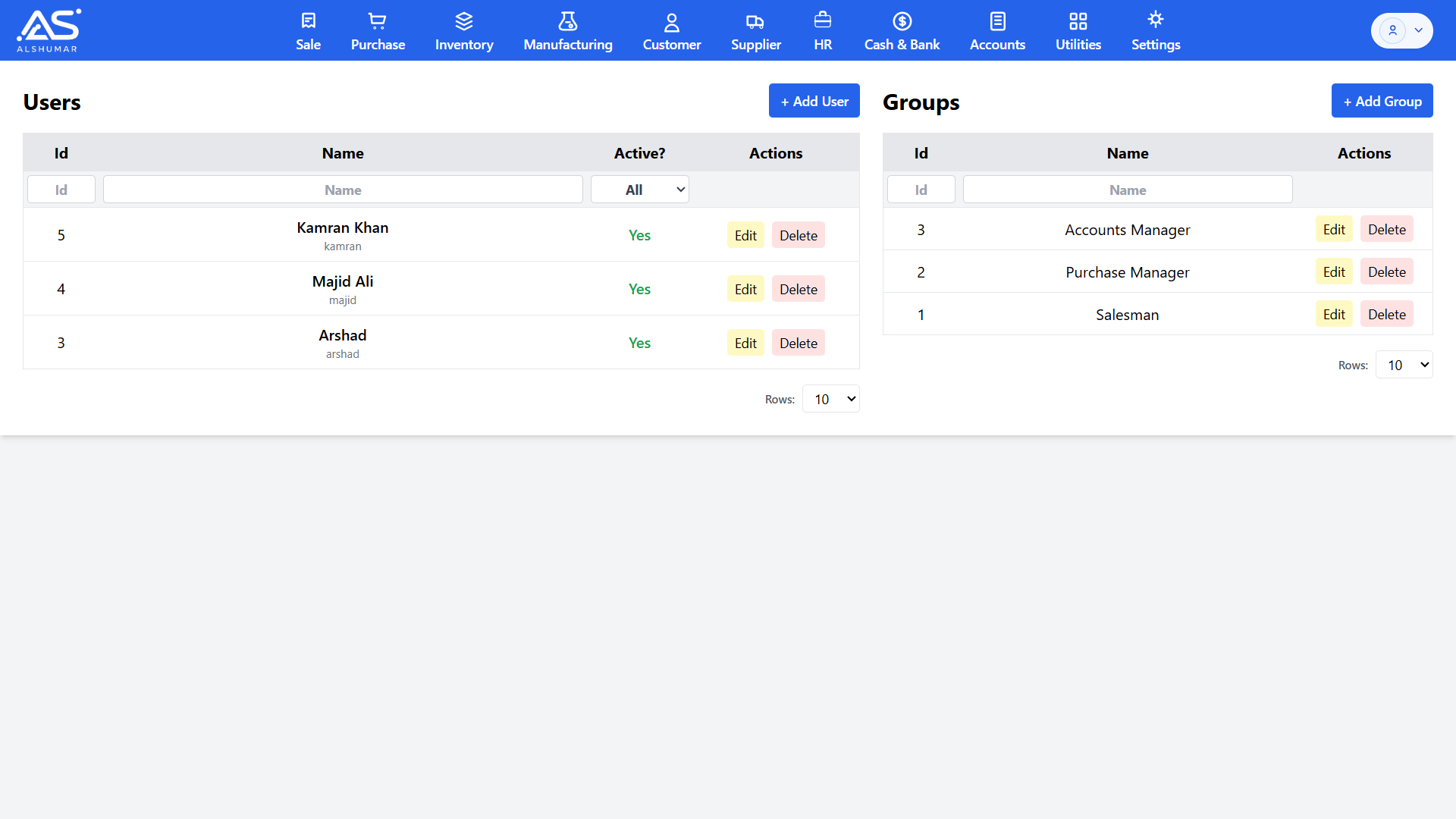
Al Shumar ERP user and group management screen listing users and permission groups with edit and delete actions

User & Role Management

Create and manage users and assign them to permission groups such as Salesman, Purchase Manager, or Accounts Manager. Activate or deactivate accounts in a click and control exactly who can access the system — so every team member works only within their assigned role.

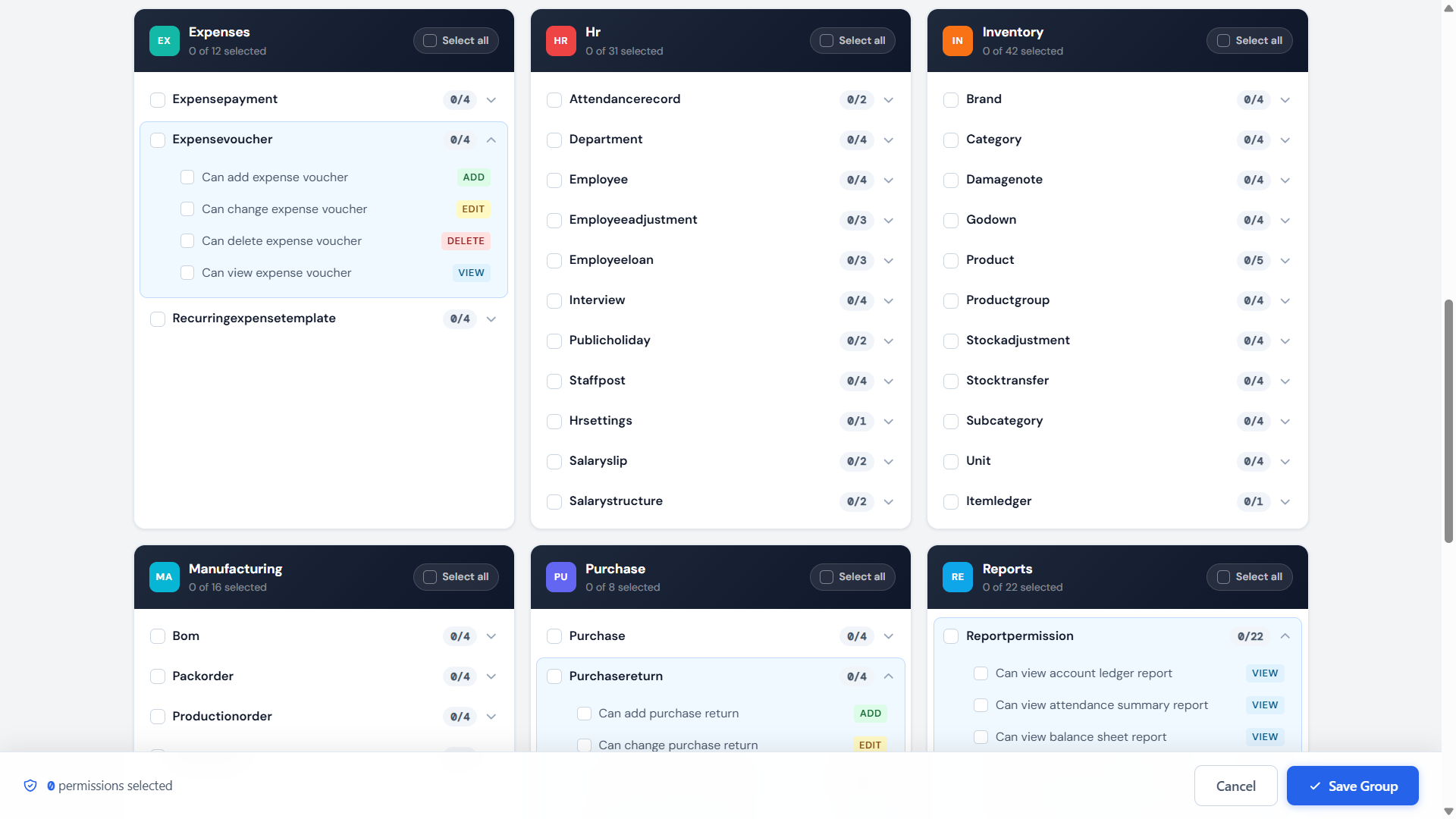
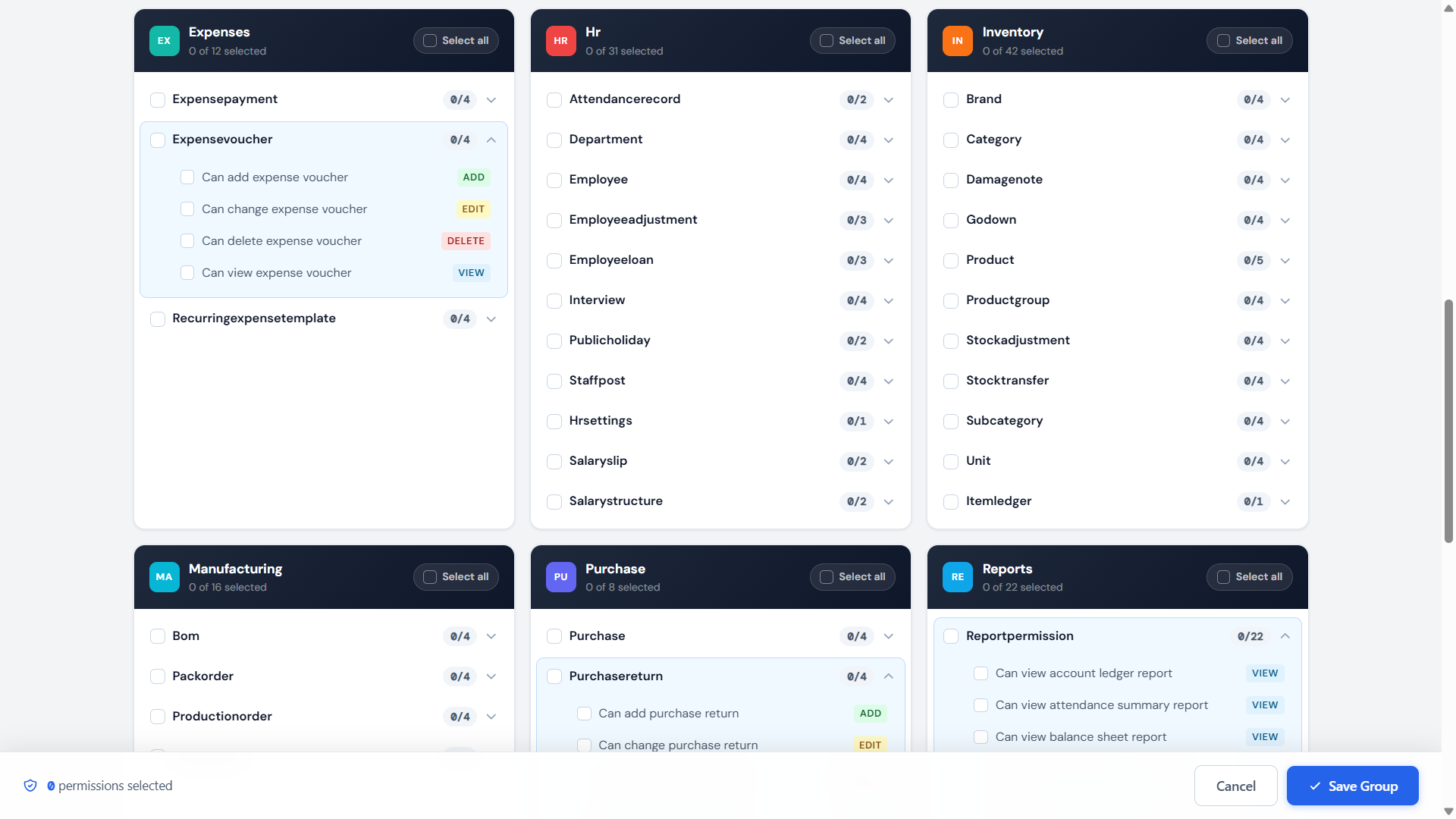
Al Shumar ERP permission group editor showing add, edit, delete, and view rights per module and record type

Granular Role-Based Permissions

Assign precise add, edit, delete, and view rights for every model across sales, inventory, purchase, HR, manufacturing, expenses, and reports. This granular permission control lets you give each role exactly the access it needs and nothing more, protecting sensitive data while keeping staff productive.

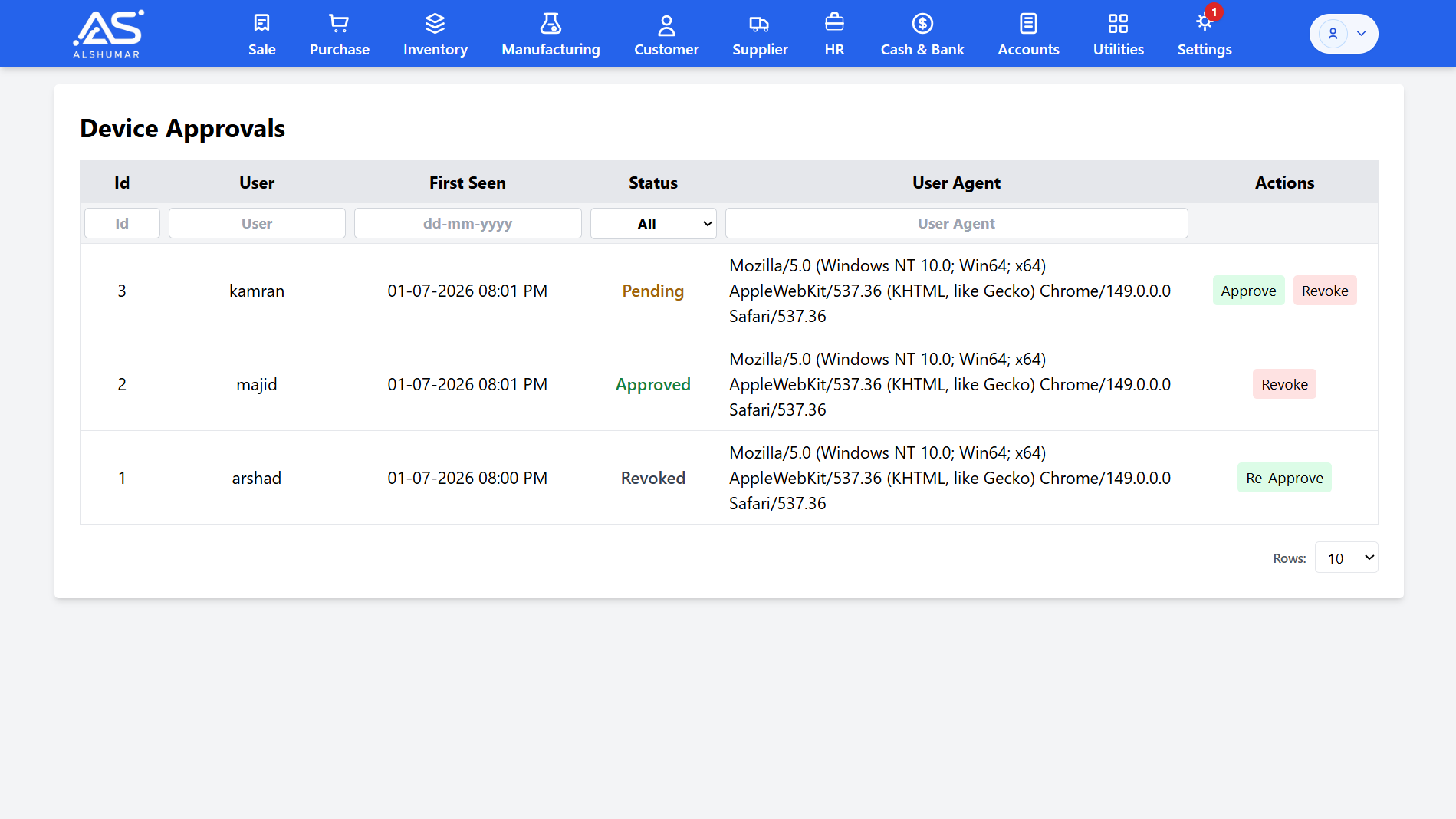
Al Shumar ERP device approvals screen listing devices with pending, approved, and revoked status and approve or revoke actions

Device Approval & Login Security

Control which devices can access your system. Every new login device stays pending until a superuser approves it, and any device can be revoked or re-approved at any time — with first-seen time and browser details recorded. It stops logins from unknown computers and keeps your business data locked to trusted devices.

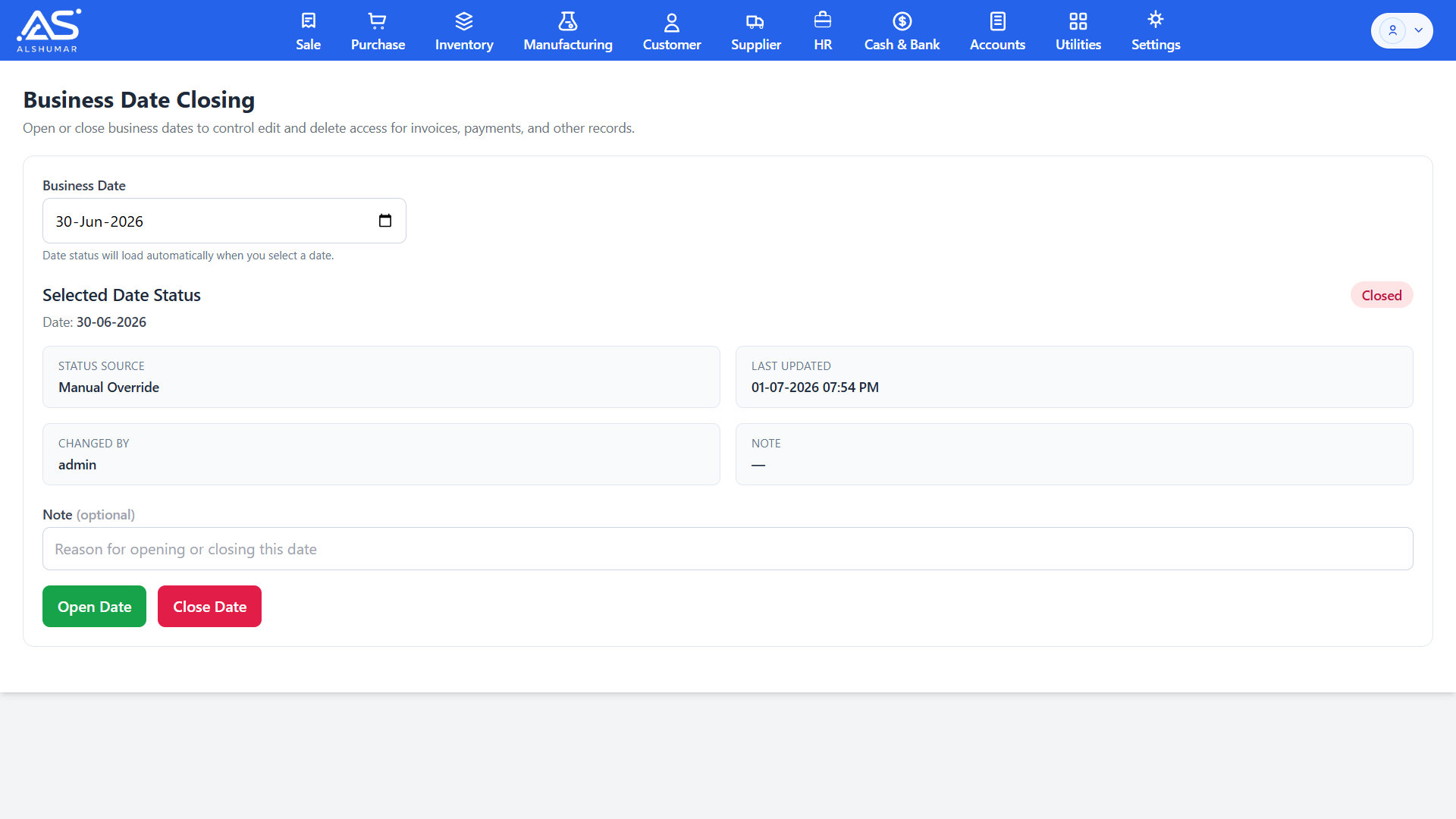
Al Shumar ERP business date closing screen showing selected date status, closed state, and open or close controls

Business Date Closing & Record Locking

Lock past business dates to protect closed periods from tampering. Once a date is closed, invoices, payments, and other records for that day can no longer be edited or deleted without reopening it — with every open and close action logged by user, time, and reason for a complete audit trail.

Manufacturing & Production Management

Al Shumar ERP's Manufacturing & Production Management module lets Pakistani manufacturers turn raw materials into finished goods with full control and traceability. Define bills of materials, plan production orders against any BOM, assign source and output godowns, and track every operation from mixing to quality check. As production runs, raw materials are consumed from stock and finished goods are added automatically — with all costs posting to your accounts through integrated double-entry accounting. Built for FMCG, cosmetics, food, chemical, and light manufacturing businesses, it delivers accurate production costing, batch-tracked output, and true make-to-stock control from a single platform.

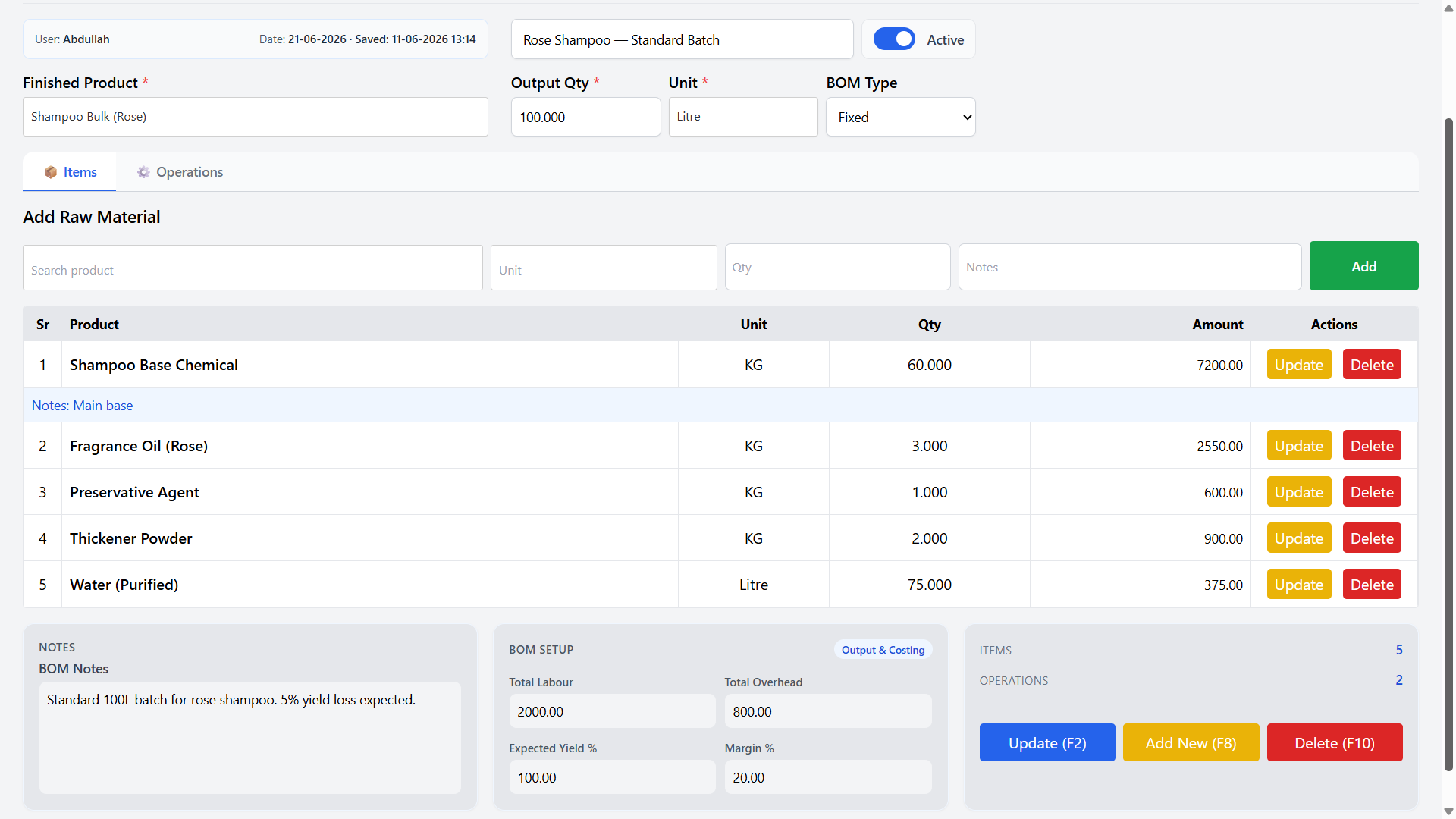
Al Shumar ERP bill of materials screen listing raw materials with unit, quantity, and cost for a shampoo batch

Bill of Materials (BOM) & Recipes

Build detailed bills of materials that define exactly which raw materials and quantities go into each finished product. Set the finished product, output quantity, and unit, add every ingredient with its cost, and reuse the BOM for every production run — giving you a reliable, costed recipe for consistent manufacturing.

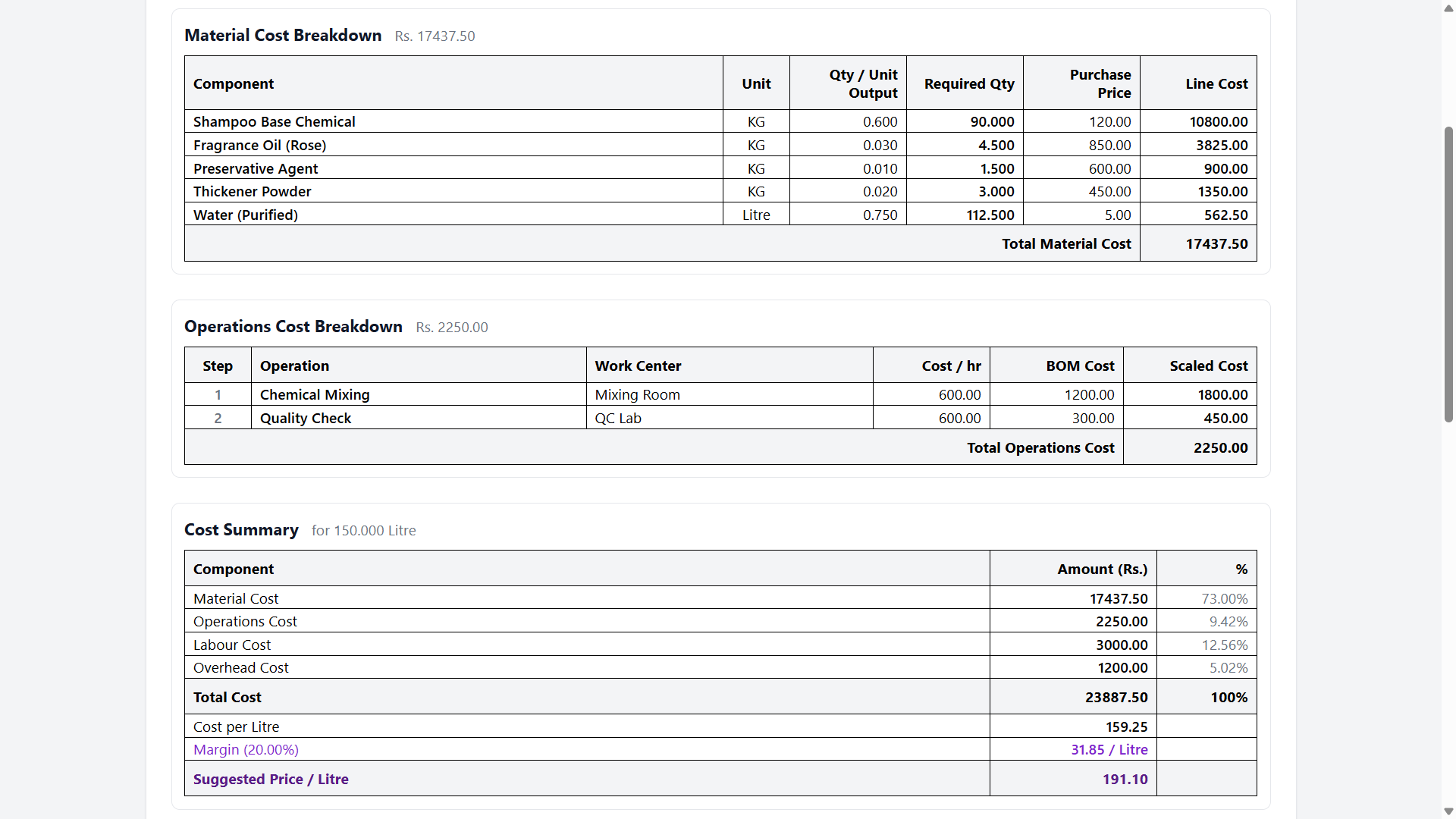
Al Shumar ERP production cost simulation showing material and operations breakdown, cost per unit, margin, and suggested price

Production Costing & Cost Simulation

Know your true cost before you produce. Al Shumar ERP breaks down material cost, operations cost, labour, and overhead for any output quantity, then calculates cost per unit, margin, and a suggested sale price. This live cost simulation helps manufacturers price products accurately and protect their profit margins.

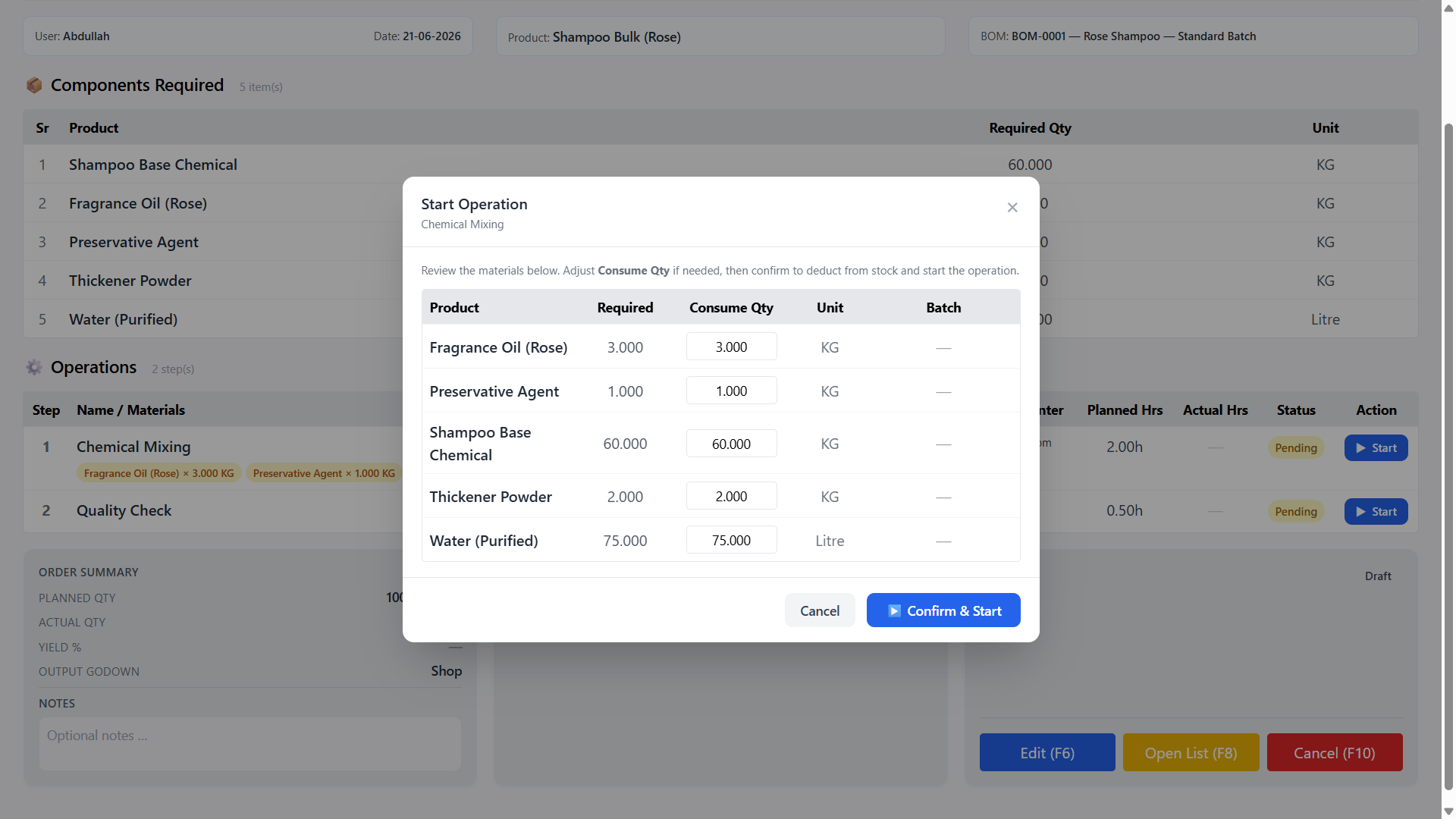
Al Shumar ERP start operation dialog showing raw materials with required and consume quantities before deducting stock

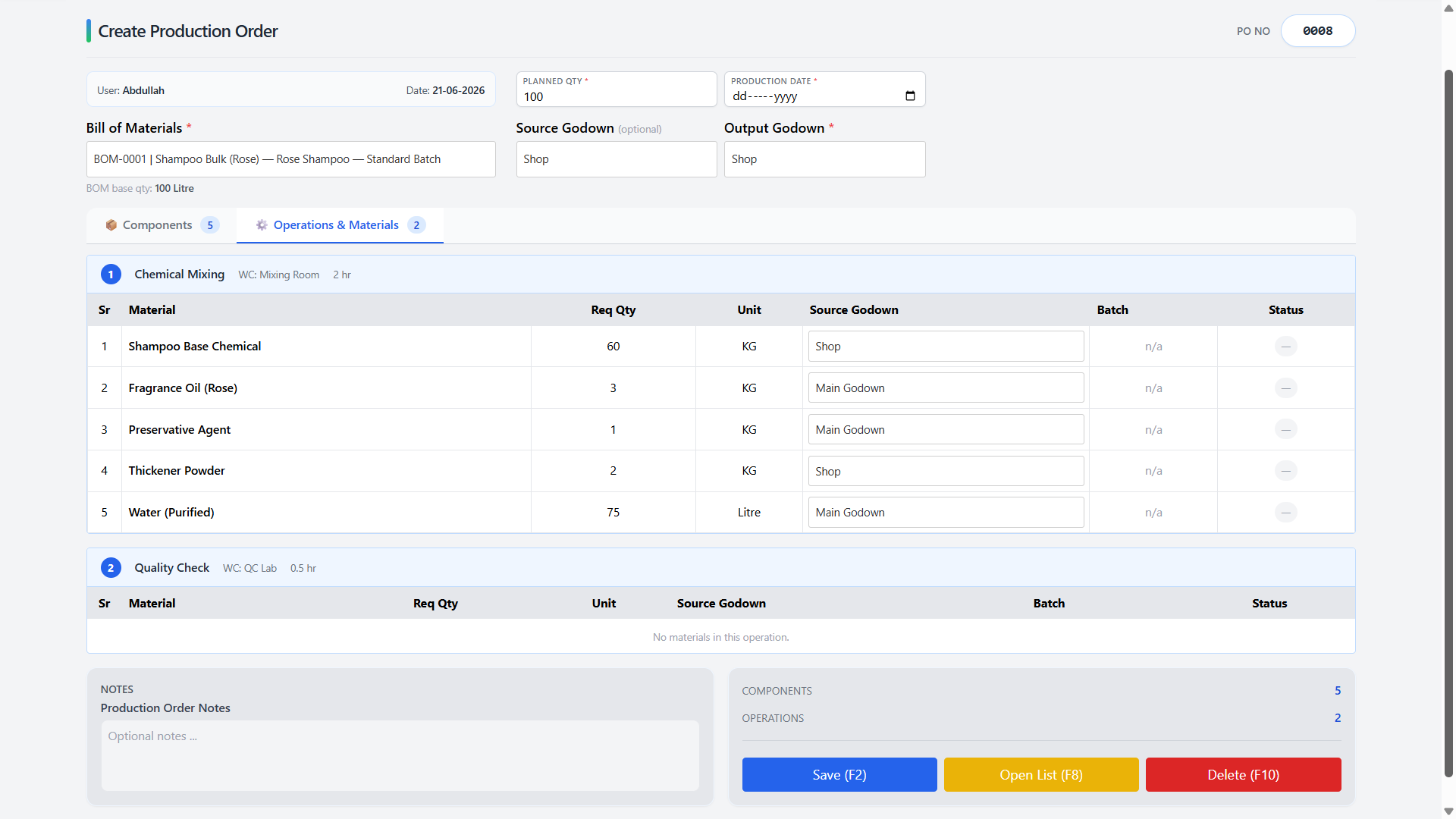
Shop-Floor Execution & Material Consumption

Run production step by step on the shop floor. Start each operation, review and adjust the quantity of each raw material to consume, then confirm to deduct materials from stock in real time. Every operation tracks planned versus actual hours, so production stays accurate and fully auditable from start to completion.

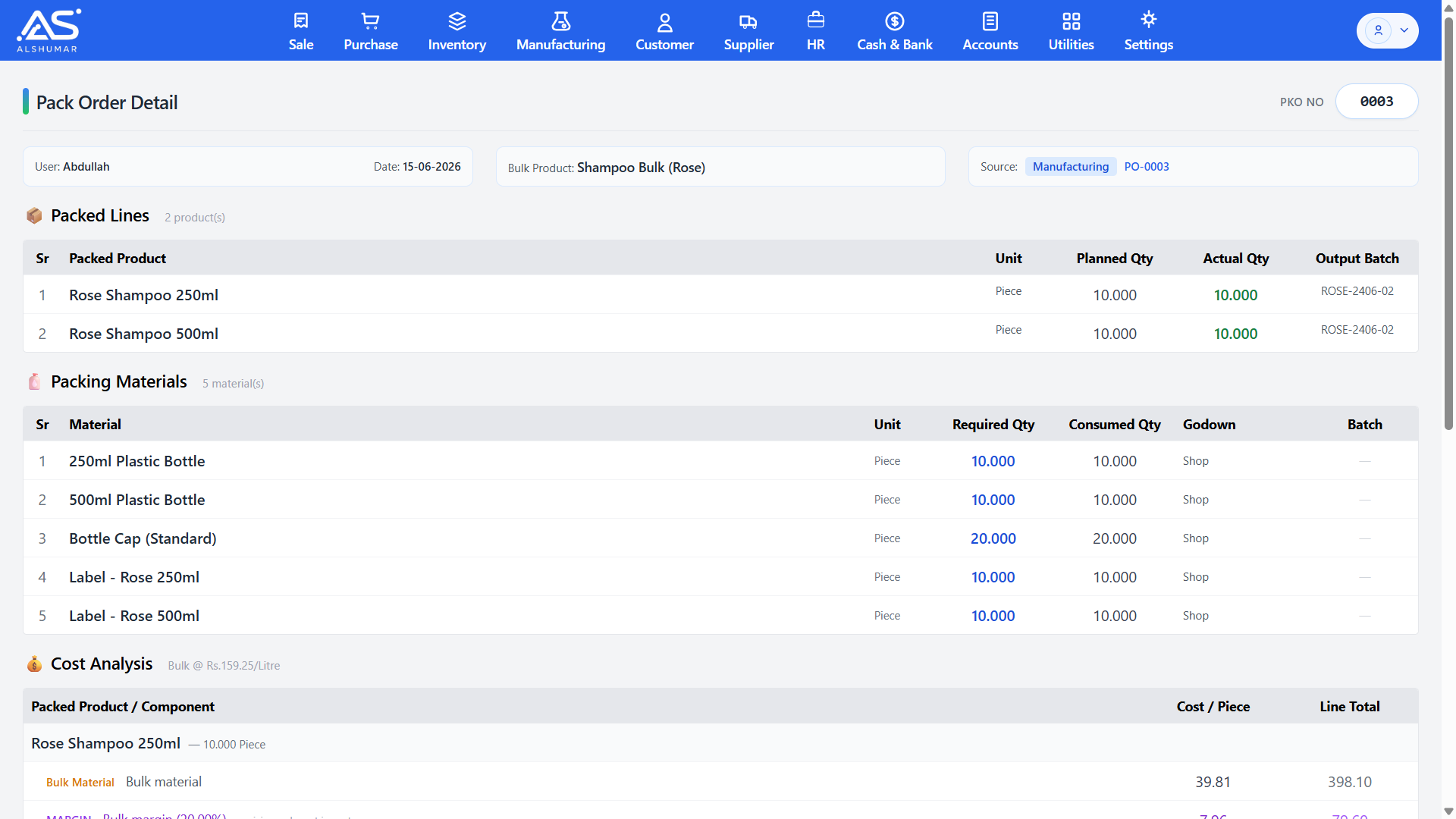
Al Shumar ERP pack order detail showing packed products, packing materials consumed, output batches, and cost analysis

Pack Orders — Bulk to Retail Packing

Convert bulk manufactured output into finished retail products with pack orders. Split a bulk batch into multiple packed items, consume packing materials like bottles, caps, and labels, and assign output batches — with a full cost analysis and suggested sale price for every packed product.

Work Centers & Operation Routing

Define work centers such as a mixing room or QC lab and sequence the operations each product passes through, with duration and cost per hour. Clear routing gives manufacturers an accurate view of capacity, labour cost, and the full production path for every item.

Batch-Tracked Production Output

Every production and pack order generates traceable output batch numbers linked back to the raw materials and operations used. This end-to-end batch tracking supports quality control, recalls, and expiry management for regulated industries like food, cosmetics, and pharmaceuticals.

Automatic Stock & Cost Posting

Starting operations deducts raw materials and completing an order adds finished goods to the chosen godown automatically — while manufacturing costs post to the ledgers through double-entry accounting. Inventory, production, and accounts stay perfectly in sync with no manual entry.

Yield & Margin Control

Set expected yield and target margin on each BOM so Al Shumar ERP can account for production loss and recommend a profitable sale price. Manufacturers get realistic costing that reflects real-world output, not just theoretical quantities.

Reports & Business Analytics

Al Shumar ERP's Reports & Business Analytics module turns your daily transactions into clear, decision-ready insights across every part of the business. Generate financial reports like Profit & Loss, sales and product registers, stock status and movement reports, batch expiry alerts, attendance and payroll summaries, and production reports — all built from live data with no manual work. The reports shown here are only a selection; Al Shumar ERP includes many more across sales, inventory, accounts, HR, manufacturing, and expenses, each with flexible date ranges, filters, and grouping. Built for Pakistani business owners, it delivers the numbers you need to control costs, track performance, and grow with confidence.

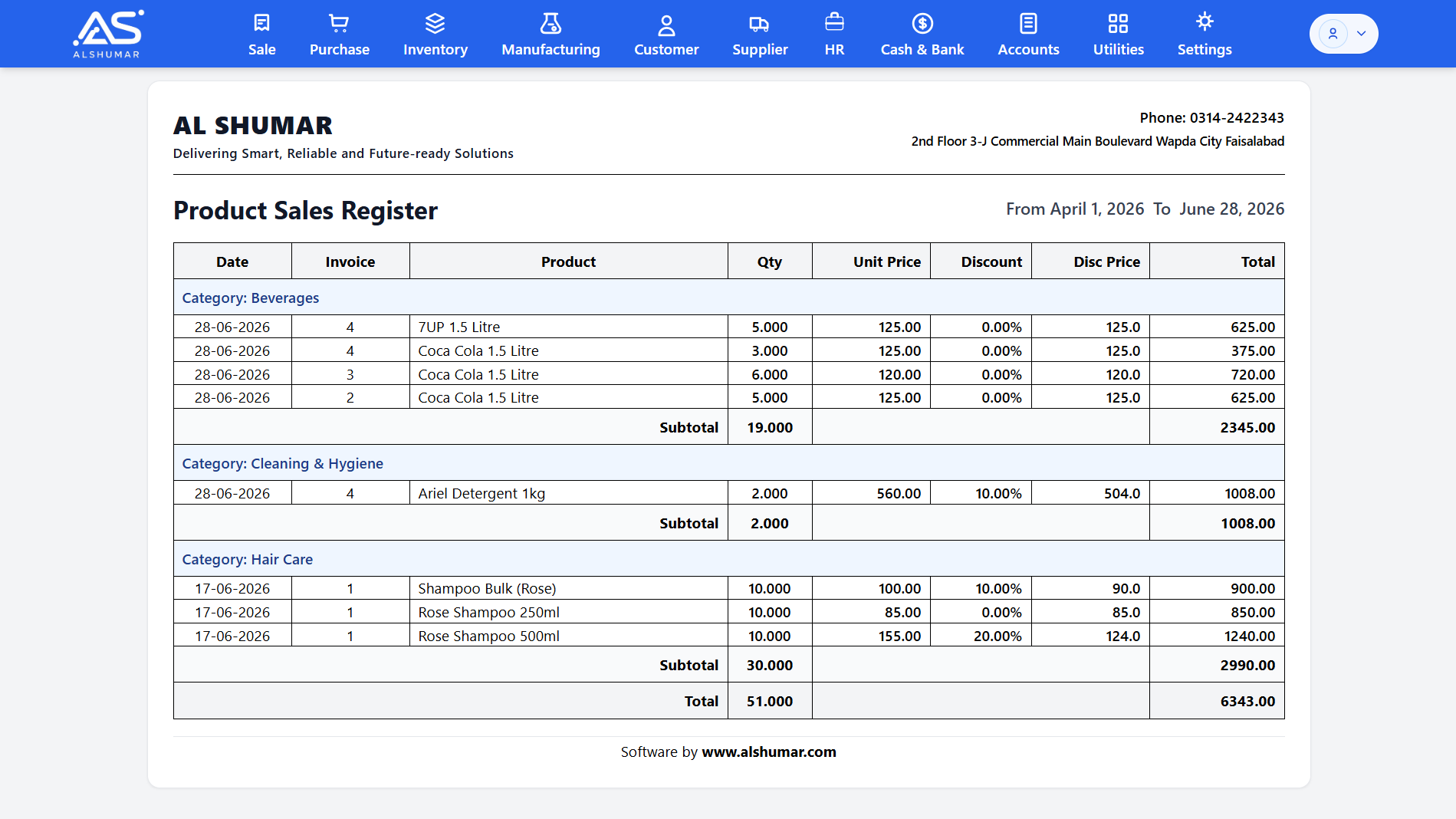
Al Shumar ERP product sales register grouped by category showing quantity, price, discount, and totals

Product Sales Register

Analyze exactly what's selling with a product sales register that lists every sold item by date, invoice, quantity, price, discount, and total — grouped by category, brand, customer, or product. It's the fast way to spot best-sellers, slow movers, and sales trends across any date range.

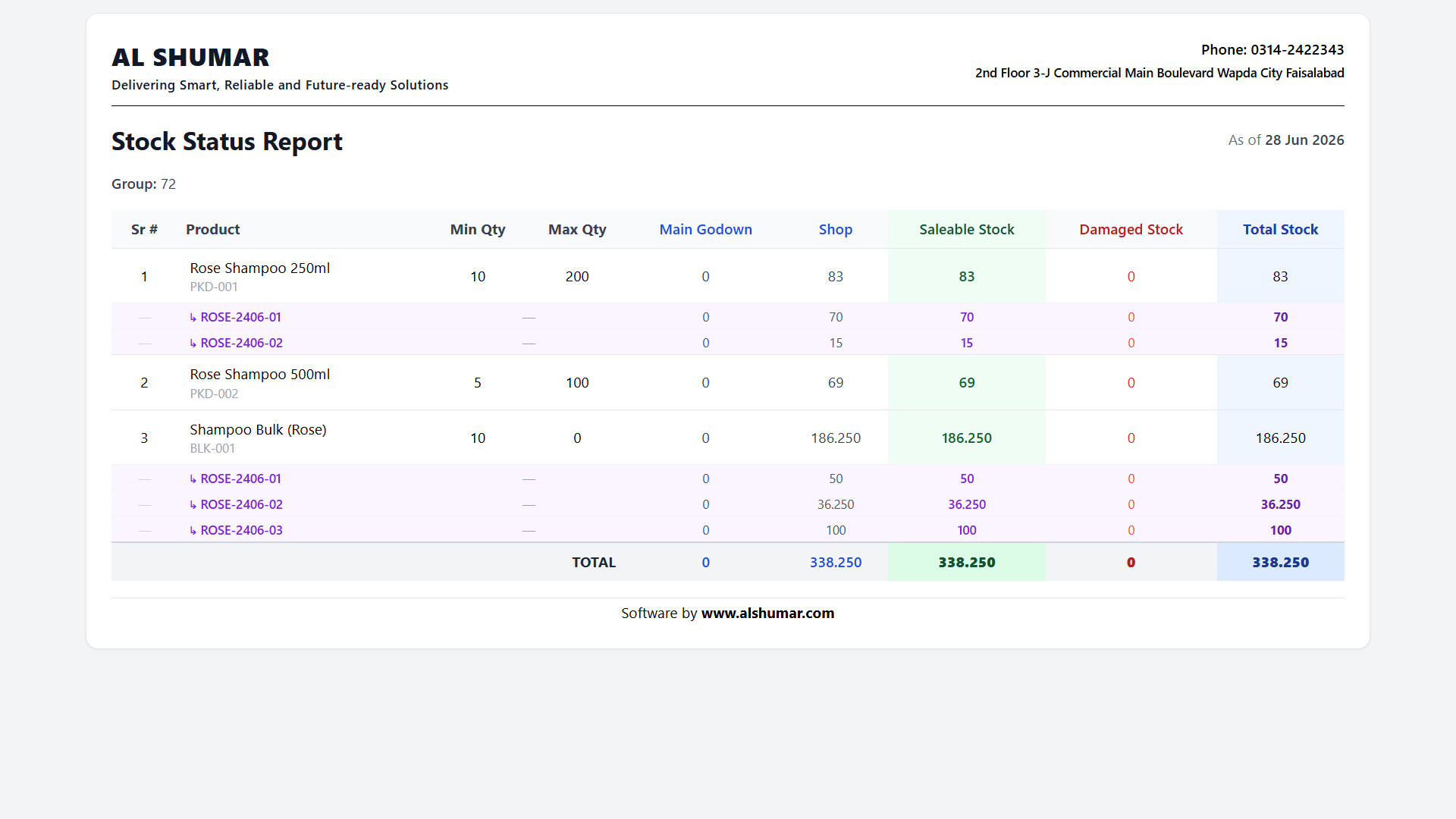
Al Shumar ERP stock status report showing per-godown quantity, saleable, damaged, and total stock per product

Stock Status Report

Get a complete snapshot of your inventory with a stock status report showing quantity per godown, saleable stock, damaged stock, and total stock for every product — with minimum and maximum levels. Instantly see what you hold, where it sits, and what needs reordering.

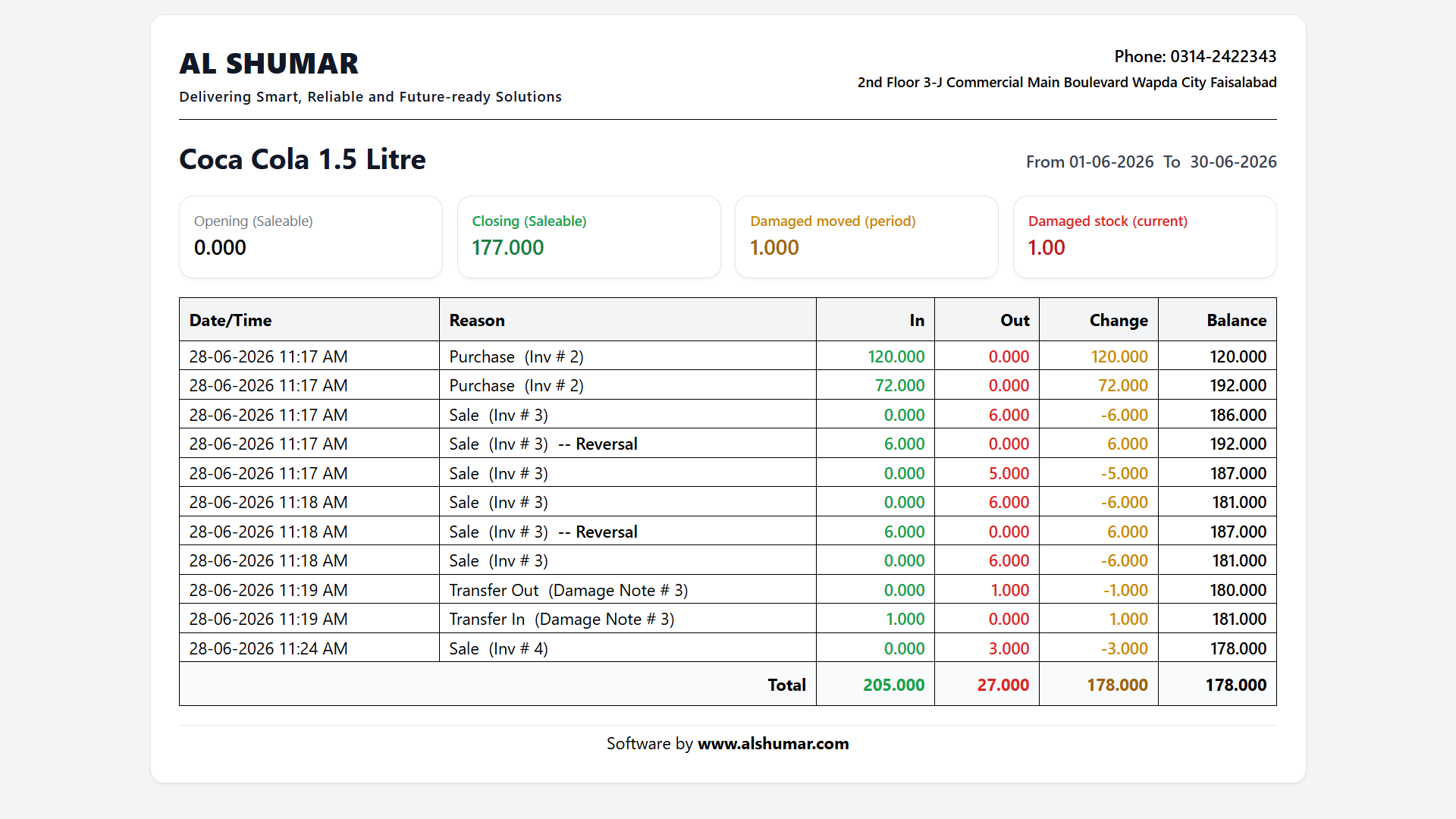
Al Shumar ERP product ledger report showing dated stock in, out, change, and running balance for a product

Product Ledger & Stock Movement

Trace the full movement history of any product with a stock ledger showing every purchase, sale, transfer, and adjustment as in, out, change, and running balance. Opening and closing quantities make it easy to audit stock and explain any discrepancy.

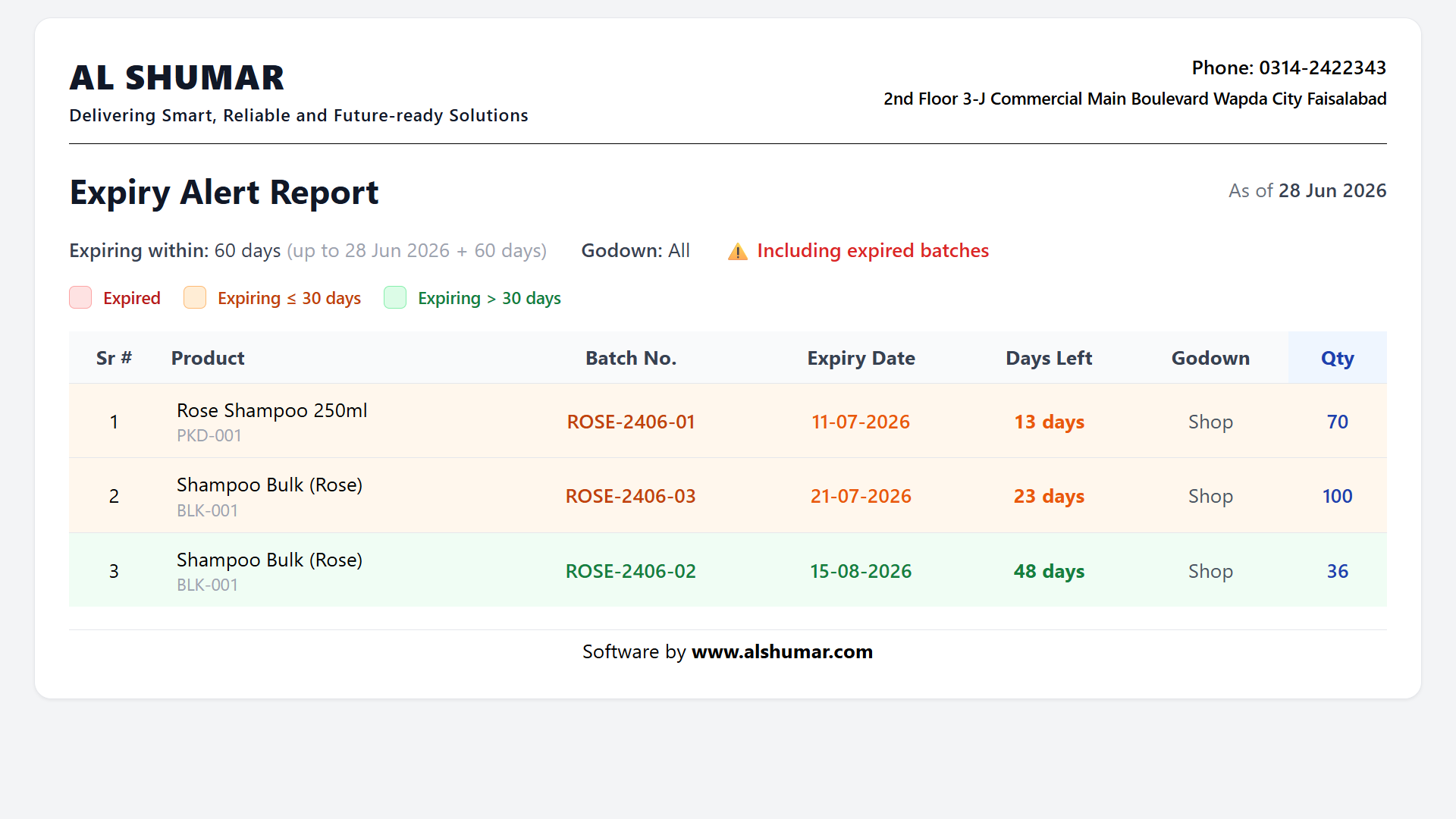
Al Shumar ERP expiry alert report listing product batches with expiry dates, days left, and quantity by godown

Expiry Alert Report

Stay ahead of losses with an expiry alert report that lists batches expiring within a chosen window, colour-coded by urgency and including already-expired stock. Essential for pharmacies, food, and cosmetics businesses to clear stock before it's wasted.

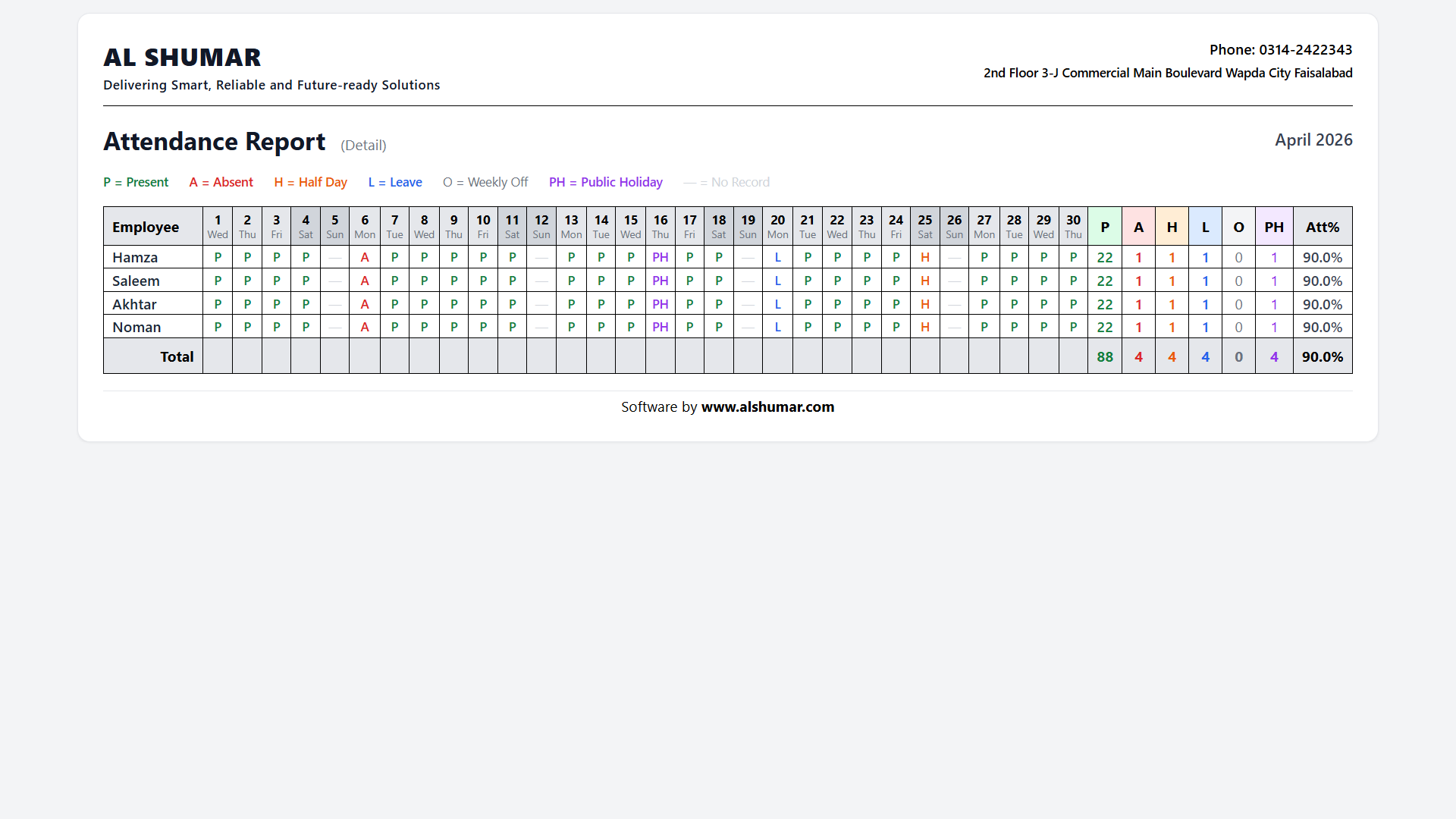
Al Shumar ERP monthly attendance report grid showing daily status per employee with totals and attendance percentage

Attendance Report

Review the whole team's attendance for any month in one grid — present, absent, half day, leave, weekly off, and public holiday per employee — with totals and attendance percentage. It gives HR and owners a clear, printable record for payroll and performance.

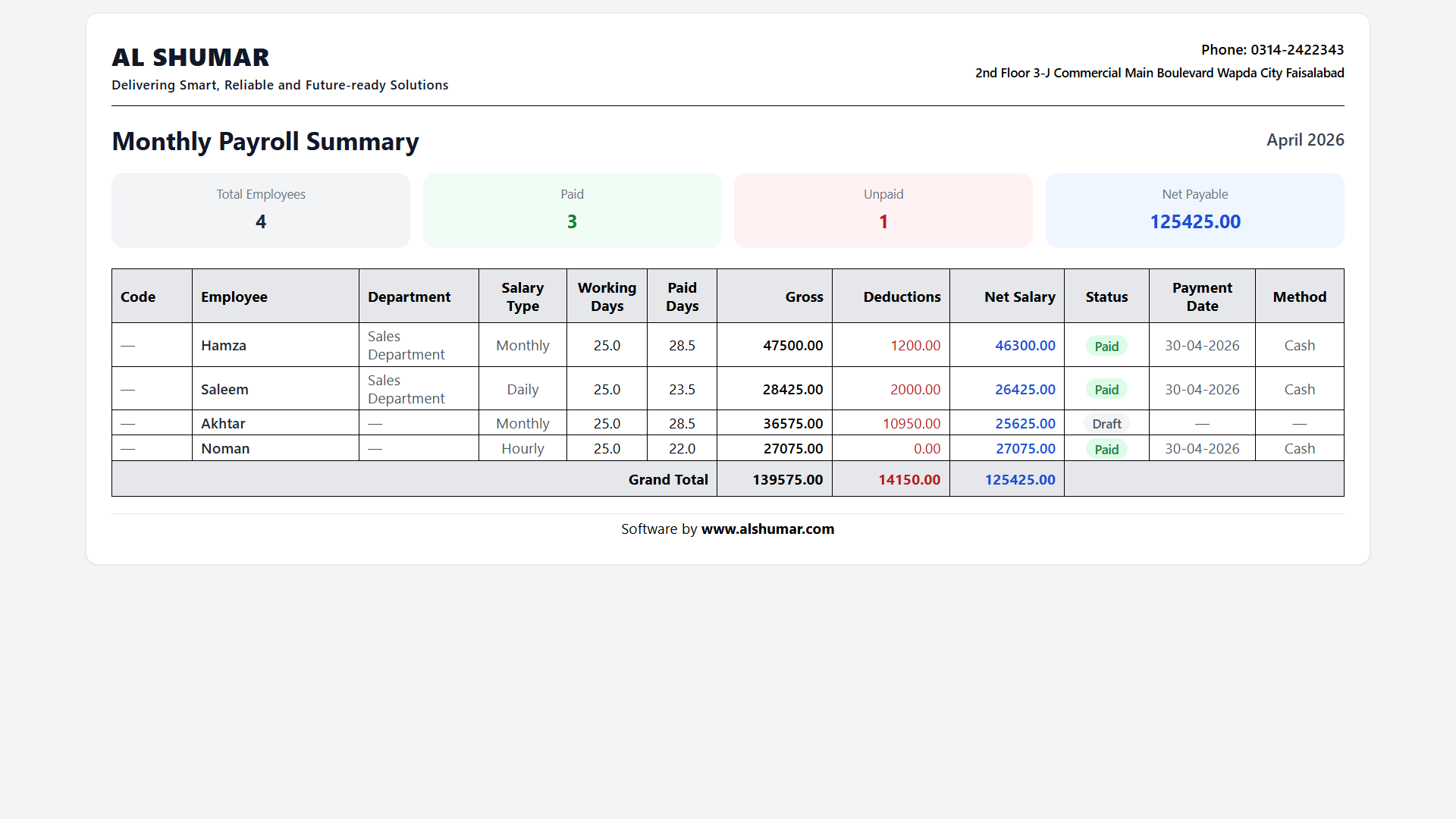
Al Shumar ERP monthly payroll summary listing gross, deductions, net salary, and payment status per employee

Monthly Payroll Summary

See all salaries for a month at a glance with a payroll summary showing each employee's gross, deductions, net salary, payment status, date, and method — plus paid, unpaid, and net-payable totals. It makes payroll review and cash planning quick and accurate.

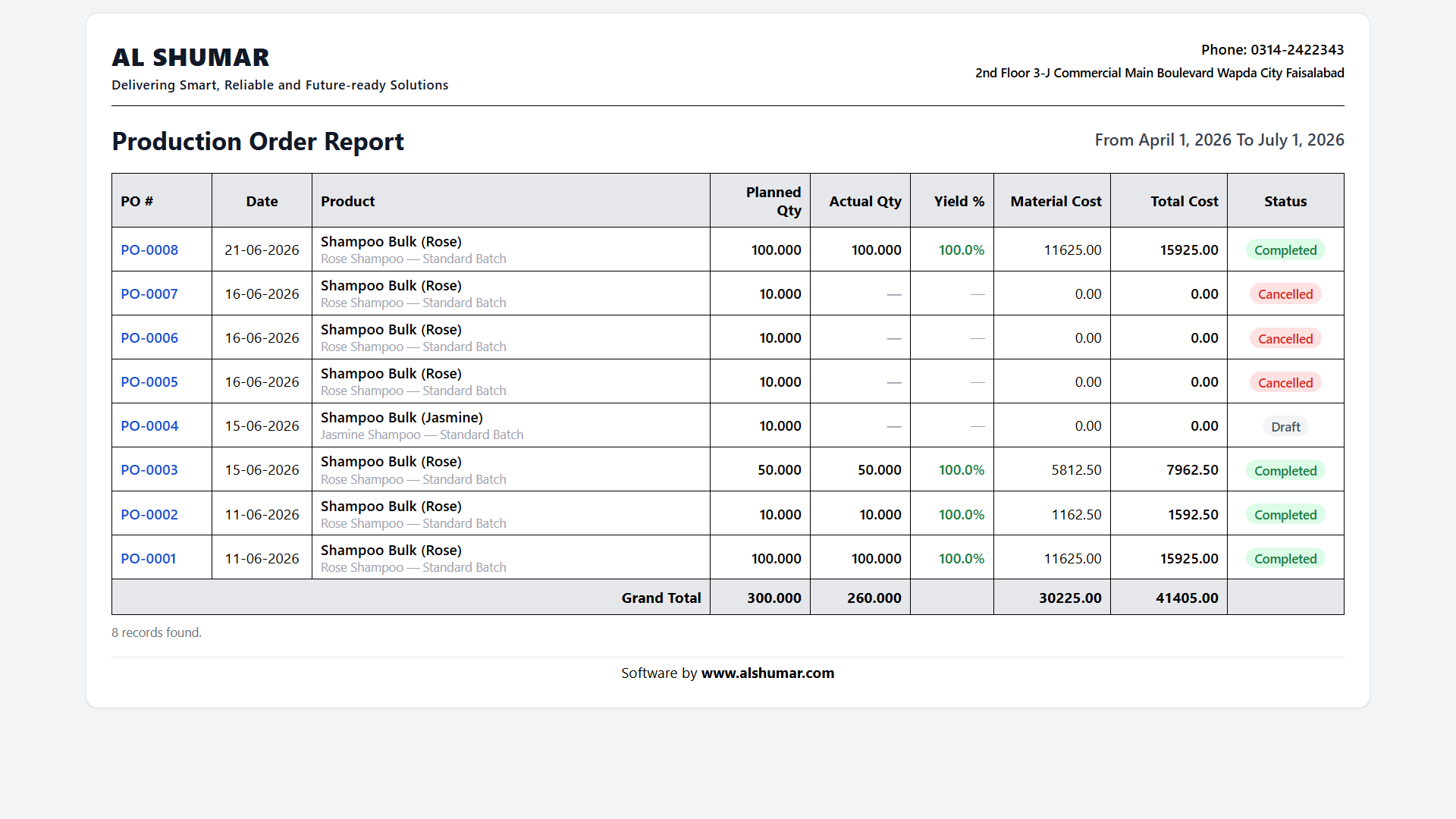
Al Shumar ERP production order report showing planned and actual quantity, yield, material cost, and status per order

Production Order Report

Track manufacturing performance with a production order report listing every order's planned and actual quantity, yield percentage, material cost, total cost, and status. Manufacturers get clear visibility of output, efficiency, and production spend across any period.

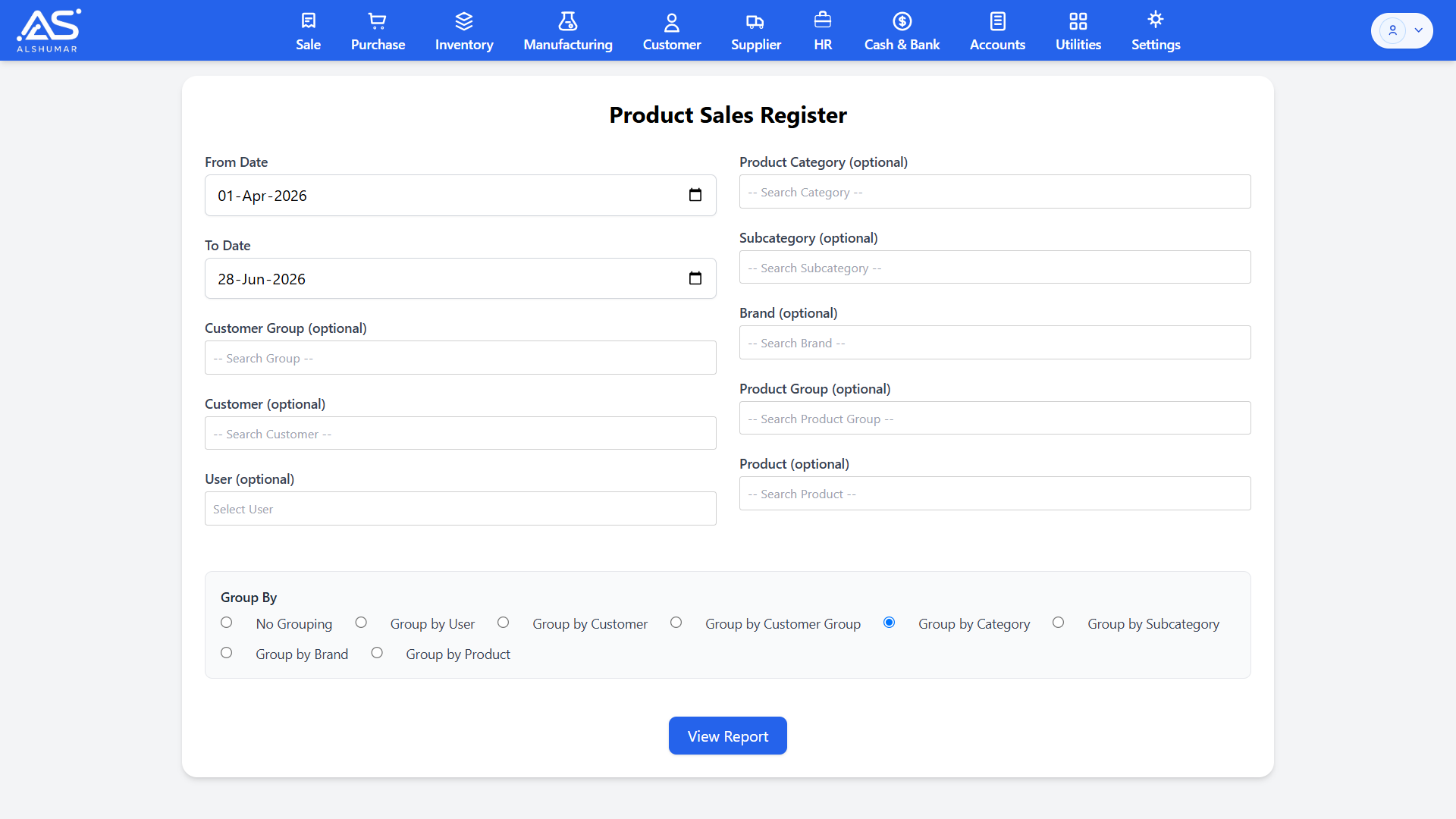
Al Shumar ERP report filter screen with date range, category, brand, customer, and group-by options

Customizable Filters & Grouping

Every report can be tailored to answer your exact question. Filter by date range, category, brand, product, customer, godown, or user, then group and sort the results the way you want. This flexibility runs across all of Al Shumar ERP's reports — so you always get precisely the view you need.

Client Reviews

What Our Clients Say

Real feedback from businesses using Al Shumar ERP every day.

"We recently switched to this online POS, inventory management, and patient management system after using offline desktop software for years. Many workflow challenges that were previously considered impossible to solve have been addressed seamlessly here. The software is reliable, user-friendly, and has significantly improved our daily operations. Their 24/7 customer support is exceptional, with quick responses and practical solutions whenever needed. After using it for the past month, our experience has been excellent, and we highly recommend their services."

D
Dr Abdullah Ghazi
Ghazi Homeopathic Clinic
via Google

"Outstanding software and services with support. i tried many softwares but the one AL SHUMAR provided is great. Easy, Most Secure and Online. Thanks you alshumar team."

M
Muhammad Atif
Shammas Traders
via Google

Interested in Al Shumar ERP?

Let's talk about your business — no obligation. Message us on WhatsApp and we'll walk you through it.